Ranked #1

Kong
Plugin breadth
$25Plus, per month, plus usage, billed monthly
- Best for
- Teams wanting an open source gateway with managed control plane option
- Free plan
- Yes, Start for Free tier
- Rubric
- 8.0 / 10
Eight API gateway options ranked for November 2026, from per-request cloud services to open source gateways you host yourself, with the pricing math each model hides.
 Prices checked November 25, 2026

Kong is the best starting point for most teams that want an open source gateway with a managed control plane, at $25 per month on Konnect Plus as checked on 2026-11-25. AWS API Gateway suits teams already on AWS with Lambda backends, since HTTP APIs bill at $1.00 per million requests. Apigee fits Google Cloud shops that need governance, analytics and API monetization. The other five cover Azure shops, regulated event-driven estates, high-throughput stateless routing and fully open source lifecycle management.
Plugin breadth
$25Plus, per month, plus usage, billed monthly

Lifecycle governance
$20Standard API Proxy, per 1M API calls up to 50M

No fixed fee
$1.00HTTP APIs, per 1 million requests
Disclosure for this page: All 8 tools here are unpaid editorial picks. The position of a paid listing can be part of what the vendor pays for. How we handle paid listings.
| Tool | Best for | Free plan | Actions | |||
|---|---|---|---|---|---|---|
| 1 | Kong | Teams wanting an open source gateway with managed control plane option | $25Plus, per month, plus usage, billed monthly | Yes | ||
| 2 | Apigee | Google Cloud teams needing governance, analytics, and API monetization | $20Standard API Proxy, per 1M API calls up to 50M | No | ||
| 3 | AWS API Gateway | Teams already running on AWS with Lambda or AWS backends | $1.00HTTP APIs, per 1 million requests | Yes | ||
| 4 | Azure API Management | Microsoft shops wanting gateway, developer portal, and policy engine in Azure | FreeConsumption tier, first 1 million API operations included | Yes | ||
| 5 |  Tyk | Self-hosted teams wanting dashboard and portal on open source gateway | See websitecustom quote | Yes | ||
| 6 |  Gravitee | Regulated teams needing API, event stream, and AI governance | $2,500Planet, per month, 1 production and 1 non-production gateway, 1 module | Yes | ||
| 7 |  KrakenD | High-throughput teams wanting fast stateless gateway with flat pricing | See website | Yes | ||
| 8 | WSO2 API Manager | Teams wanting full API lifecycle management on open source core | See website | Yes |
Every tool here was scored against the same five criteria, and the order of this list is editorial: each position reflects how well that entry fits the buyer described in its verdict, not a weighted total pulled from the scores. The criteria are pricing clarity at 25 percent, deployment fit at 20 percent, core gateway features at 20 percent, lifecycle tooling at 20 percent and low ops burden at 15 percent. Pricing clarity asks how forecastable the bill stays at realistic volume. It rewards published rates and discounts fixed environment fees and quote-only tiers. Deployment fit weighs self-hosted, hybrid and managed options against the infrastructure most buyers already run. Core gateway looks at routing, transformation, authentication and rate limiting you get without buying add-ons. Lifecycle tooling covers developer portals, analytics, monetization and environment isolation. Low ops burden credits fully managed services and penalizes platforms that need their own database, upgrade cycle and on-call rotation. Prices, plan names, included volumes, free tiers and trial lengths come from each vendor's own pricing page, checked on 2026-11-25. Where a pricing page could not be fetched, or where plans are quoted by sales, we say so in the entry and do not estimate a number. Where older third-party figures no longer match a vendor page, we flag that they are out of date rather than repeating them as current. A Featured listing is a paid placement. It gets the same rubric, the same fact checking and the same honest cons as every other entry. This month's list has no Featured entry.
The full process, including how we handle corrections, is on the methodology page. Paid listings follow our advertising disclosure.
| Criterion | Weight | What we check |
|---|---|---|
| Pricing clarity | 25% | How forecastable the bill is at your expected call volume, including fixed environment fees, overage rates and quote-only tiers. |
| Deployment fit | 20% | Whether the gateway runs self-hosted, hybrid, managed or all three, and how well those options match the infrastructure you already operate. |
| Core gateway | 20% | Routing, transformation, authentication and rate limiting you get in the product itself rather than through paid add-ons. |
| Lifecycle tooling | 20% | Developer portal, analytics, monetization and environment isolation that sit around the gateway and reduce custom glue work. |
| Low ops burden | 15% | How little runtime you must operate yourself, from a fully managed service to a platform needing its own database, upgrades and on-call rotation. |
The most flexible gateway here for teams that want an open source core plus a managed control plane, provided volume stays modest.
Kong is the most flexible entry in this list for teams that want one gateway configuration across self-hosted, hybrid and fully managed deployments. The proxy is built on NGINX and OpenResty, and the product includes a plugin library for authentication and rate limiting, plus request and response transformation, logging and observability integrations. AI traffic controls are included as well. Kubernetes teams get native support, and Konnect supplies a hosted control plane, a developer portal and request metering without you operating the control plane yourself. Pricing on Konnect Plus is $25 per month, billed monthly, plus usage: 1 million requests are included each month and each additional million costs $200. Two ceilings matter. The Plus tier stops at 10 million requests and 5 proxied models, so larger estates need an Enterprise quote. SSO and audit logging also sit behind Enterprise, which catches teams that assume a paid tier includes governance controls. The strength is portability. The same plugin configuration can run against a self-hosted gateway and a managed control plane, so starting small and moving later is realistic rather than a rewrite. Because most cross-cutting concerns, from key auth to header transformation, are configuration instead of custom code, the path from prototype to production is short and the plugin ecosystem does much of the work. The honest limits are cost shape and feature gating. Above 1 million calls per month the per-request charge becomes the dominant line, and the gap between Plus and Enterprise is exactly where audit and SSO live. Teams that only need routing and throttling in front of AWS or Azure backends will usually pay less elsewhere. Pick Kong when you want an open source core with a credible managed path and your traffic either fits the Plus envelope or justifies an Enterprise conversation.
You want an open source proxy whose configuration survives a move to a managed control plane.
You need SSO and audit logging at the entry price, or your volume will exceed 10 million requests.
The deepest lifecycle platform here for Google Cloud programs that treat APIs as products, with a bill that is hard to forecast.
Apigee is the strongest lifecycle platform in this list and the hardest to budget for. It pairs a policy engine for API mediation with traffic analytics, a developer portal, API monetization and hybrid runtime options. Standard and extensible proxy types let you choose between lean mediation and full policy execution, and the Advanced API Security add-on covers threat protection for teams that need it. Hybrid runtime keeps traffic handling near your own infrastructure while management stays in Google Cloud. Pricing is where teams get surprised. Standard API proxy calls cost $20 per million up to 50 million, but extensible proxy calls cost $100 per million, five times as much. On top of call charges, a Base environment costs $365 per month per region. Security add-ons are separate again. A deployment spanning two regions therefore carries a fixed base environment charge before traffic grows at all. What you buy with that floor is governance. Monetization lets you package and bill API products, the portal handles developer onboarding, and analytics produce the reporting that audit and product teams request. The policy engine is deep enough to enforce mediation rules without writing custom services, which is the difference between an API program and a set of endpoints. It fits Google Cloud organizations that run APIs as commercial or regulated products. It does not fit a team that wants a cheap router in front of a handful of services, and it does not fit anyone who needs a predictable invoice in month one. If you cannot describe your proxy mix and region count before signing, model the cost first. A 60-day free evaluation is available, which is long enough to test the policy engine against real traffic before you commit.
You need monetization, developer onboarding and deep policy control inside Google Cloud.
A small, predictable bill matters more than governance breadth.
The lowest-friction choice for AWS shops, with almost no fixed fee and real feature differences between HTTP and REST APIs.
AWS API Gateway is the easiest gateway in this list to start with if your workloads already run on AWS. It is fully managed, so there are no servers to patch, and HTTP APIs give you lean routing for the common case while REST APIs add request transformation and richer features. Usage plans let you issue keys and quotas per client, WAF integration puts a firewall in front of the endpoint, and integration with Lambda and other AWS services is native rather than bolted on.
Pricing follows usage almost entirely. HTTP APIs cost $1.00 per million calls and REST APIs cost $3.50 per million, with no fixed gateway fee. New accounts get 1 million REST and 1 million HTTP calls monthly for 12 months, which is enough to prove a design without a purchase order. Data transfer out is billed at $0.09 per GB.
The catch is that the gateway invoice is not the whole bill. Caching, logging and data transfer are charged separately, and Lambda and CloudWatch costs sit outside the gateway line entirely. Teams comparing AWS against a per-gateway vendor need to add those pieces or the comparison flatters AWS.
The other trap is the HTTP versus REST split. The two API types differ in features, so a prototype built on HTTP APIs can need rework when you add transformation, API keys or per-client metering. Decide which type you need before you build, not after. Pick AWS API Gateway when you are already on AWS, your traffic is unpredictable or low volume, and you want zero infrastructure to manage. Skip it if you need a portable gateway across clouds or a developer portal out of the box.
Your workloads already run on AWS and you want zero servers to manage.
You need a portable gateway, a built-in portal or a single predictable line item.
The natural fit for Microsoft shops, bundling gateway, portal and policy engine, though environments are billed before traffic is.
Azure API Management bundles three things into one service: a gateway, a management plane and a built-in developer portal. The policy engine handles mediation in configuration, and Azure plus Entra integration means you can reuse existing identity and subscription structures instead of building a parallel access model. Multiple service tiers and environment isolation let you separate development, test and production estates without inventing your own conventions.
The Consumption tier is the entry point. The first 1 million API operations each month are included, then billing runs at $0.042 per 10,000 operations. That model suits spiky or low volume traffic, because an idle gateway costs nothing and there is no instance size to plan.
The classic tiers behave differently. Provisioning takes 30 to 40 minutes, which is slow for a rebuild or a recovery drill, and each environment needs its own instance rather than a namespace inside one deployment. The Developer tier costs $48.04 per month but carries no SLA, so production teams are pointed to Basic v2 at $150.01 per month.
That combination makes the total predictable but front loaded: you pay for environments before you pay for traffic, and the per-environment rule scales the cost with your deployment discipline rather than your usage. Microsoft shops with Entra-based access control get the most value, because the portal and policy engine inherit identity work already done. Teams without Azure in the stack lose that advantage while keeping the per-environment cost. Pick it for Azure-native estates that want a portal and policy engine from one vendor, and budget for a separate instance in every environment you run.
You are standardized on Azure and want gateway, portal and policy engine in one service.
You run many short-lived environments or your identity stack is not Microsoft.
A strong open source gateway with unlimited calls on paid plans, held back by the absence of any public price list.
Tyk splits its product cleanly: Tyk Gateway and Tyk Pump are open source under MPL 2.0, while the Dashboard, Developer Portal and Operator require a licence. That split is the whole buying decision. If your platform team is comfortable with configuration files, you can run real traffic on the free core and pay when you want the dashboard, portal or commercial support. The Kubernetes operator requires a licence. The paid side has genuine advantages. Paid plans advertise unlimited APIs and calls, which changes the budgeting conversation entirely, and the Kubernetes operator plus GitOps support fit teams that already treat infrastructure as code. The dashboard gives less technical colleagues visibility into traffic and keys without asking an engineer to run a query. The catch is that no public list prices exist. Every paid plan goes through a sales quote, so you cannot self-serve a comparison or forecast the first invoice from the website. The dashboard also requires a licence, so a team that starts on the open source gateway and later wants the UI commits to a commercial relationship at that point. No public list prices are available, and any older figures you see online no longer match the vendor page, so request a quote rather than budgeting from them. A 48-hour free trial of Tyk Cloud is available if you want to see the managed experience before talking to sales. Pick Tyk when unlimited calls on a paid plan and an open source core matter more to you than a published price list, and when your team already ships infrastructure through Git. Skip it if procurement needs a number on a page before the first call, or if non-engineers must publish APIs without a repository workflow.
You want an open source core, unlimited calls on paid plans, and your team lives in GitOps.
You need a published price or a self-serve purchase.
The pick for regulated estates that must govern REST APIs and Kafka streams together, with a flat per-gateway price.
Gravitee is the entry here that treats APIs and event streams as one governance problem. It handles REST, SOAP and GraphQL alongside Kafka and MQTT event streams through a single control plane, which matters for regulated workloads where asynchronous messaging carries as much risk as request and response traffic. Deployment is self-hosted or SaaS, and the Community Edition is free under Apache 2.0.
Paid pricing is fixed per gateway rather than per call. The Planet plan costs $2,500 per month and includes one production gateway, one non-production gateway, one module and Gold Support. That structure rewards steady, high volume traffic: a busy gateway costs the same as a quiet one, so once you know how many gateways you need, the forecast is straightforward.
The trade is the entry price. At $2,500 per month, Planet is well above what a team with basic routing needs should spend, and enterprise features sit in paid editions rather than the free core. The Galaxy and Universe tiers are quote-only, so the platform's upper range is not priced publicly and a large deployment needs a sales cycle to model.
It fits regulated environments where audit, policy and event governance are requirements rather than nice-to-haves, and where a fixed per-gateway line is easier to defend in a budget review than a variable usage curve. It does not fit a startup putting a gateway in front of three services. Pick Gravitee if you need one control plane across synchronous APIs and Kafka topics, and you can justify the per-gateway floor against the cost of stitching two separate toolchains together. A free trial of Gravitee Cloud is available to test the managed path first.
You must govern APIs and event streams together in a regulated environment.
Your needs are simple routing and rate limiting on a tight budget.
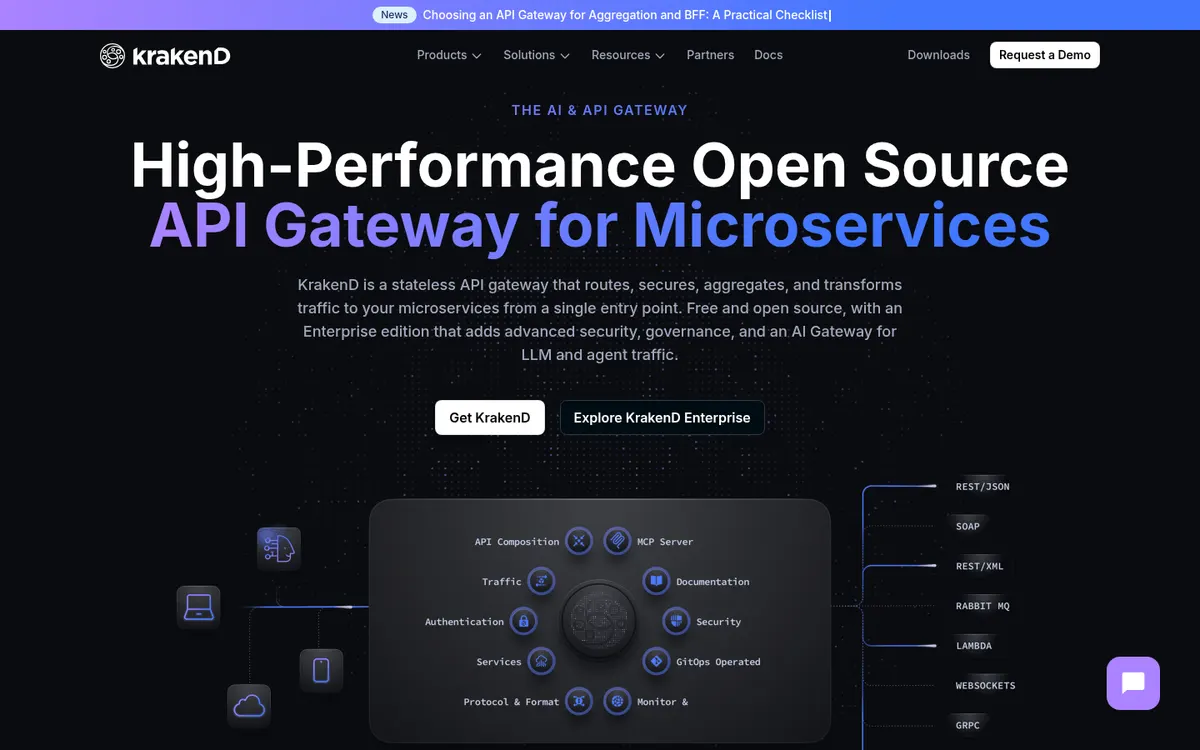
The throughput specialist: a stateless Go gateway with no database in the runtime and a config-as-code workflow.
KrakenD is a stateless gateway written in Go, and it is designed around one metric: request throughput per node. There is no database in the runtime, configuration is declarative JSON, and the Community Edition runs the same engine as the Enterprise build under Apache 2.0. That means you benchmark the real thing for free rather than evaluating a cut-down edition and hoping the paid one performs. The architecture is the selling point. Without a database in the request path there is less to fail, less to back up and less to tune, and a small number of nodes can carry very high volume. For teams replacing a heavier gateway that needs a database cluster behind it, the operational simplification is often worth more than the licence saving, because it removes an entire class of failure and an upgrade cycle. The cost is developer experience. Declarative JSON configuration has a learning curve, and there is no visual designer, so the gateway is edited by engineers in a repository rather than by a portal user. Teams used to clicking through a console will feel the difference in the first week, and business stakeholders cannot self-serve changes. Pricing is quote-only. Enterprise adds support SLAs, advanced security, quotas and AI gateway controls, and its strengths include flat-tiered pricing with unlimited requests, but no dollar figures are published. The Community Edition remains genuinely usable without a contract, which makes KrakenD easy to pilot on real traffic. Pick it when throughput per node and a flat, unlimited-request structure fit your load, and your team is happy to own configuration as code. Skip it if non-engineers must publish APIs through a UI.
Raw throughput per node and configuration as code match how your team works.
You need a GUI, a portal or a published price list.
Broad lifecycle coverage on an open source core, at the cost of a platform your team must genuinely operate.
WSO2 API Manager covers the full API lifecycle in one product: design and publishing, security, analytics and monetization. The core is open source and can be self-hosted, and there is a hosted option through the WSO2 API Platform with SaaS deployment. For organizations that want one vendor responsible for the whole journey from design to billing, that breadth is the appeal. The hosted Growth plan is $119 per month for up to 10 managed interfaces and 10 million gateway events, which is a concrete number in a category where many vendors hide behind a quote. Self-hosted Enterprise pricing, by contrast, needs a sales conversation. An older Micro figure from the retired API Cloud is out of date, so do not budget against it. The open source core is real and gives you a way to evaluate the platform without a contract, and a 30-day free trial with no card required covers the commercial side. Breadth is also the burden. The platform is large, with many components to install, patch and monitor, so self-hosting a full lifecycle stack is a platform team commitment rather than an afternoon's work, and upgrades need a rehearsal environment. It fits organizations that need monetization, publishing workflows and analytics in one governed place, particularly where open source licensing is a procurement requirement. It does not fit a small team that wants routing and rate limiting in front of a few services, where the operational surface outweighs the job. Pick WSO2 when lifecycle breadth and an open source core justify the running cost of a heavy platform.
You need one platform for design, publishing, analytics and monetization.
You lack a platform team to run and upgrade the stack.
An API gateway is the single entry point between clients and the services behind them. It terminates requests, checks who is calling, applies rate limits and quotas, transforms payloads where the client contract differs from the backend, and forwards traffic to the right service. It also emits the logs and metrics that tell you which client broke at what time.
The reason it exists is that these concerns repeat on every service. Without a gateway, each service reimplements key validation, throttling and logging, and each implementation drifts from the others. With a gateway, those rules live in one place and change once. That is also why gateways become load-bearing: a bad configuration takes down every route, not one service.
Vendors bundle extra layers around that core:
Two buying distinctions matter more than feature checklists. First, deployment model: fully managed, self-hosted, or hybrid where the control plane is hosted and the data plane is yours. Second, billing model: per request, per gateway, or per subscription with an included allowance. The deployment model decides who carries the pager. The billing model decides whether growth is cheap or expensive.
A gateway is not automatically the right answer. If you run one API for a handful of clients, your framework's middleware and a load balancer cover authentication and throttling with fewer moving parts and no new vendor. A gateway starts paying for itself when you have several services, several client types, or a compliance requirement to prove who called what and how often.
Consider it when you need consistent authentication across services, per-client quotas, transformation between client and backend contracts, or a portal that lets other teams self-serve access. If none of those apply yet, wait and revisit when the second or third API arrives.
This comparison sits on the Software desk. Readers comparing neighbouring stacks often check our guides to demand forecasting software and glp 1 companies next.
In API gateways the billing model matters more than the sticker price. The same traffic can cost very different amounts from one vendor to another, purely because one bills per request and the other bills per environment or per gateway instance. Six models show up in this list:
| Model | How it bills | Typical fit | Example from this list |
|---|---|---|---|
| Per-request cloud | Per million API calls, no fixed gateway fee | Spiky or unpredictable traffic on one cloud | AWS API Gateway, $1.00 per million HTTP calls |
| Environment fee plus calls | Monthly environment charge per region, then per-call rates | Regulated programs needing full lifecycle control | Apigee, $365 per month Base environment plus $20 per million standard calls |
| Subscription with request packs | Flat monthly fee with an included allowance, then overage | Predictable volume with a managed control plane | Kong Konnect Plus, $25 per month with 1 million requests, $200 per extra million |
| Per-operation consumption | Per operation after a monthly free allowance | Low or bursty traffic that idles | Azure API Management, $0.042 per 10,000 operations after the first million |
| Per-gateway licence | Fixed fee per gateway instance, not per call | Steady high volume across few gateways | Gravitee Planet, $2,500 per month for one production and one non-production gateway |
| Open source plus quote | Free core, paid licence for dashboard, portal or support | Teams with platform engineers | Tyk, KrakenD and WSO2 API Manager |
Every price above was checked on the vendor's own pricing page on November 25, 2026. Where a vendor does not publish a figure we write "See website" instead of guessing. To compare annual and monthly billing quickly, try the free percentage calculator.
Map your traffic shape. Write down monthly call volume, the peak-to-average ratio and how many environments you need. A gateway billed per request behaves very differently from one billed per gateway instance, and the shape of your traffic decides which model is cheaper.
Fix the cloud first. If your workloads run on AWS or Azure, start with the native gateway and compare only the remaining gaps. Crossing clouds for a gateway adds latency, a second bill and one more vendor to escalate to during an incident.
Price three scenarios. Model low, expected and three times expected traffic against each shortlisted vendor, including environment fees, data transfer and add-ons. AWS, Apigee and Azure all carry costs outside the headline rate.
Decide who operates it. A managed control plane removes on-call work but hides cost in usage, while a self-hosted gateway with a database adds a platform to patch and upgrade. Be honest about your team's capacity before you choose.
Check the governance gate. SSO, audit logging and advanced security frequently sit above the entry paid tier. Confirm which tier includes them before you commit, because moving tiers later is usually a contract change rather than a setting.
Pilot on real traffic. Run one production API through the shortlisted gateway for two weeks, including a configuration change and a rollback, before you sign an annual term. That exercise surfaces more than any feature matrix.
AWS API Gateway is usually cheaper for a small team already on AWS, since HTTP APIs cost $1.00 per million requests with no fixed fee. Kong makes more sense when you need a broad plugin library, a developer portal or flexible deployment, at $25 per month on Konnect Plus with 1 million requests included. Start with the cloud you already run on.
Usually not. A single public API with light authentication and no quotas can sit behind your load balancer or application framework. A gateway earns its place when you need per-client keys, throttling across several services, or a portal where other teams self-serve access. If you cannot name two of those needs, defer the purchase.
AWS API Gateway HTTP APIs have the lowest published per-request rate in this list at $1.00 per million calls. Azure API Management Consumption is close for low volume because the first million operations each month are free. Kong Konnect Plus charges $200 for each additional million beyond its included 1 million, which is far higher per call.
Yes, but plan the exit in configuration. Gateways that keep policies in declarative files, such as Kong plugins or KrakenD JSON, port more easily than ones whose rules live in a proprietary policy engine. Run both gateways in parallel behind DNS during the cutover and keep client-facing hostnames and keys unchanged so callers never notice.
Kong and Tyk both treat Kubernetes as a first-class target. Kong ships Kubernetes support across its deployment models plus a hosted control plane through Konnect, while Tyk adds a Kubernetes operator and GitOps workflow on top of its open source gateway. Teams wanting a stateless runtime with no database often choose KrakenD.
They pull in opposite directions. AWS bills almost purely on usage at $1.00 per million HTTP calls, Apigee adds a $365 per month Base environment fee per region before any calls are counted, and Gravitee charges a flat $2,500 per month for a production and non-production gateway pair. Match the model to whether your real cost driver is traffic or environments.
Browse every comparison on the Software desk, with the same rubric and dated prices.