Ranked #1
Deel
Localized global contracts
$49Contractor Management, per contractor per month
- Best for
- Global contractor hiring, contracts and payroll
- Free plan
- No
- Rubric
- 8.7 / 10
Eight contractor management platforms compared on how well they handle onboarding, compliance, payments and price for the workers you actually hire.
 Prices checked November 25, 2026

Deel is a strong choice for global contractor management, pairing localized contracts with payments in more than 120 currencies. Remote fits teams that want a published flat $29 per contractor per month. Worksuite suits enterprises running large freelancer talent pools with a dedicated program owner. Prices below were checked on November 25, 2026. Every entry lists who it fits and where it falls short, so you can match the tool to your contractor count, countries and worker type instead of buying the widest platform on offer.
Localized global contracts
$49Contractor Management, per contractor per month

Flat per-contractor rate
$29Contractor Management, per contractor per month

Talent CRM at scale
See websitecustom quote
Disclosure for this page: All 8 tools here are unpaid editorial picks. The position of a paid listing can be part of what the vendor pays for. How we handle paid listings.
| Tool | Best for | Free plan | Actions | |||
|---|---|---|---|---|---|---|
| 1 | Deel | Global contractor hiring, contracts and payroll | $49Contractor Management, per contractor per month | No | ||
| 2 | Remote | International contractors needing flat per-contractor pricing | $29Contractor Management, per contractor per month | No | ||
| 3 | Worksuite | Large freelancer workforces and talent pools | See websitecustom quote | No | ||
| 4 |  Shortlist | Project-based contractor sourcing, onboarding and payments | See website | No | ||
| 5 |  Papaya Global | Global contractor payroll mixed with employees | $5Contractor solution, per contractor per month | No | ||
| 6 | Gusto | US small businesses paying 1099 contractors | $49Simple plan, monthly base plus $6 per person per month | No | ||
| 7 |  Rippling | Startups combining contractors with HR and IT | See websitecustom quote | No | ||
| 8 |  Velocity Global | Enterprise global contractor compliance and payroll | See website | No |
We ranked these eight tools on how well they handle the job a contractor program actually has to do, not on how big the vendor is. Five criteria carried the evaluation. Global coverage (25%) asks how many countries a platform can onboard and pay contractors in. Compliance depth (25%) covers localized contracts, misclassification checks, tax document collection and the audit trail behind each engagement. Payment handling (20%) looks at currencies, payment methods and how invoicing flows. Ease of use (15%) weighs setup effort and day to day admin for a team without a dedicated program owner. Price clarity (15%) rewards published rates and penalizes quote-only pricing that blocks comparison.
Pricing was read from vendor pricing pages on November 25, 2026. Where a page returned no usable content, or where the price sits behind a sales call, the entry says pricing is on the vendor site and no number is quoted. We do not convert currencies, estimate fees or carry over stale figures. Payment and FX fees are noted as separate line items because they rarely appear in a headline rate.
Features, strengths and limits come from the vendors' own product documentation and from what each tool openly does not cover. Scores are relative to this set of eight, so a 7 on compliance means something different here than it would in a list that includes niche 1099-only tools.
Any entry marked Featured is a paid placement. It is scored with the same rubric as every other tool and keeps its honest cons. Placement does not change a score.
The full process, including how we handle corrections, is on the methodology page. Paid listings follow our advertising disclosure.
| Criterion | Weight | What we check |
|---|---|---|
| Global coverage | 25% | How many countries a platform can onboard and pay contractors in, and whether contracts are localized per country. |
| Compliance depth | 25% | Localized agreements, misclassification checks, tax document collection and the audit trail behind each engagement. |
| Payment handling | 20% | Currency coverage, invoicing flow and how clearly the vendor separates payment and FX fees from the headline rate. |
| Ease of use | 15% | Setup effort and day to day admin for a team that has no dedicated contractor program owner. |
| Price clarity | 15% | Whether a rate is published and calculable before a sales call, rather than quoted after scoping. |
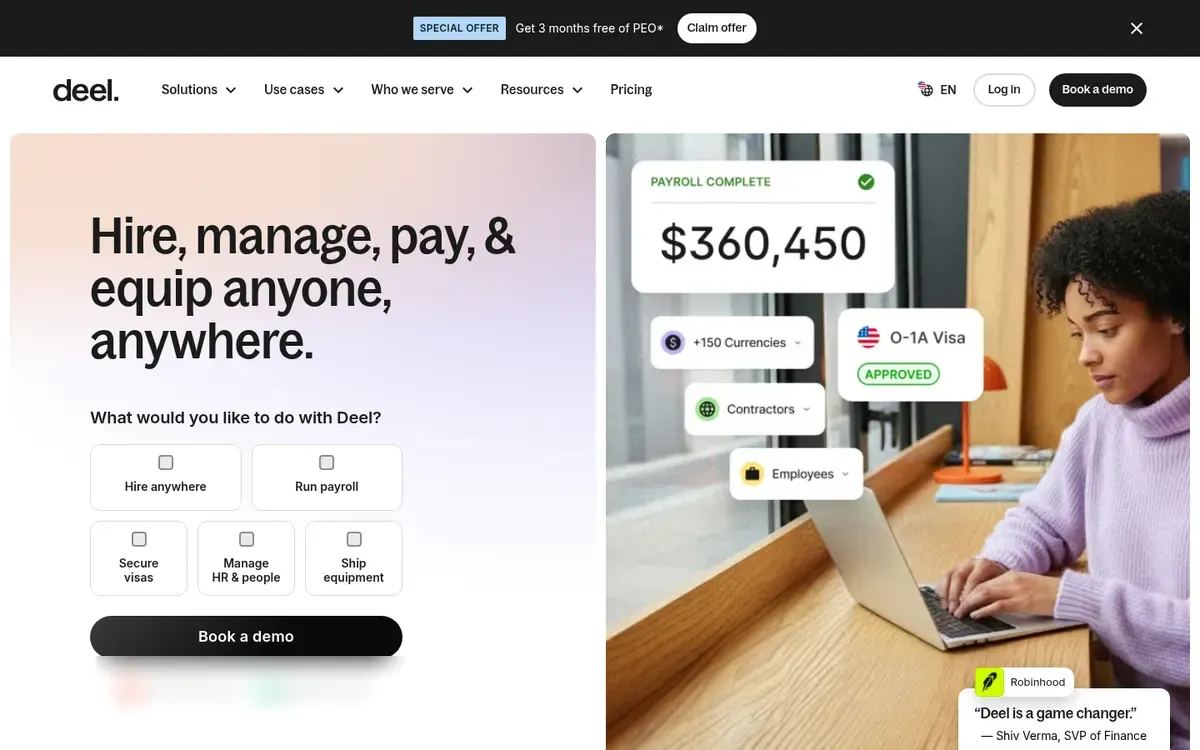
Best for global contractor hiring: localized contracts, misclassification checks and multi-currency payments, with pricing that scales and fees to review.
Deel is a strong option here for hiring contractors across borders. Onboarding covers more than 150 countries, and each engagement runs on a localized contractor agreement with digital signature, so the paperwork matches local expectations instead of relying on a generic template. Tax document collection sits inside the same contractor record, which matters when you need a tax form on file before the first invoice clears. Payments run in over 120 currencies and support invoicing, so a contractor can bill in their own currency while your finance team handles payments in one system. The compliance layer checks for misclassification signals, and contractor records feed reporting, which helps when an internal audit asks how a long-running engagement was classified. Optional background checks and equipment provisioning push the platform past pure payments into onboarding logistics. Pricing needs modeling. The public contractor rate starts at $49 per contractor per month, and the vendor describes pricing as custom and scaling with the number of contractors. Payment and FX fees sit outside that headline rate, so ask for a quote built on your actual payment corridors and currency mix. Support quality can vary by region, which is worth testing during the free trial rather than after rollout. Deel is the right pick when you hire contractors in several countries and want contracts, compliance checks and payments from one vendor. Domestic-only teams may find it heavy for what they get, since a US payroll tool such as Gusto covers 1099 filing on a base plus per-person plan. Compare it against Remote if a published flat rate matters more to your finance team than a broad country list.
You hire contractors in multiple countries and want contracts, compliance checks and payments from one vendor.
Every contractor is domestic and you only need 1099 payments and year-end filing.
Best for predictable global contractor costs: a published $29 per contractor per month, own legal entities and clean IP terms, with lighter tooling.
Remote sells a simpler promise: one published rate per contractor, with compliant local contracts and global payments underneath. The contractor rate is $29 per contractor per month, and that number is public rather than quoted, which makes budgeting straightforward for a program that adds one hire at a time instead of signing a platform deal.
The compliance model leans on the company's own legal entities in many countries rather than third-party partners. That structure matters when an engagement is questioned, because the entity holding the contract is the vendor's own rather than a local partner's. Contracts carry IP assignment and data protection terms in the standard flow, so software, design and consulting engagements do not need a separate IP negotiation before work starts. Compliance guarantees back the arrangement.
Tooling is narrower than Deel's. You get onboarding, contracts and payments, but there is less around background checks, equipment provisioning and the deeper contractor records that large programs ask for. The integration marketplace is smaller, so confirm the connections your finance and HR stack needs before committing. There is no free plan and no trial listed, which means a demo and a reference call carry most of the evaluation weight.
Pricing is the differentiator. A flat rate per contractor is easy to forecast, and it compares well against custom quotes that scale with headcount. Review how payments are funded and what currency conversion costs, since the headline rate covers contractor management rather than every transaction cost.
Remote fits companies hiring contractors in several countries that want predictable costs and clean contract terms without a long procurement cycle. It is less suited to complex edge cases, mixed employee and contractor programs at scale, or teams that need contractor tooling beyond onboarding and pay.
You want a forecastable per-contractor rate with compliant contracts and no quote process.
You need contractor sourcing, equipment logistics or deep records for a large freelancer bench.
Best for large freelancer programs that need a talent CRM, custom onboarding workflows and 1099 plus global payments, at enterprise quote pricing.
Worksuite is built for companies that treat freelancers as a managed population rather than a series of one-off engagements. The core is a talent CRM that tracks skills, availability and work history, so a program owner can search an existing bench before posting externally. Onboarding workflows can be customized by contractor type, which matters when you onboard designers, field technicians and writers under different rules. Payments are global, and US 1099 handling sits inside the platform alongside compliance document collection. Engagement and spend reporting helps show what a category of freelance spend produced, which is the reporting large programs need when finance asks what the spend delivered. Pricing is quote-based. Core plan pricing is only discussed on a demo call, so budget approval requires a sales cycle rather than a checkout page. That structure is normal for enterprise talent platforms but heavy for a small team. There is no free plan and no trial listed. Ask what the core plan includes before the demo, since pricing is quote-based. The platform assumes a dedicated program owner. Someone has to maintain the talent pools, keep skills current and tune the workflows, and that role is real overhead if it does not exist. For a few contractors a year, Worksuite is more software than the job requires. It fits enterprises with high-volume freelancer programs, a compliance obligation to document contractor qualifications, and a team that will run the system day to day. Smaller companies should look at Remote or Gusto instead, and companies that need sourcing plus onboarding and payments in one lighter package should compare Shortlist.
You run a large freelancer bench and need a talent CRM, custom workflows and spend reporting in one system.
You hire a handful of contractors and cannot staff a program owner to run the platform.
Best for project-based contractor work: sourcing, onboarding and payments in one flow, from a smaller vendor with quote-only pricing.
Shortlist sits between a sourcing tool and a contractor management system. It supports the project lifecycle from contractor sourcing through onboarding, engagement management and payment, which suits teams that start with a need and a shortlist rather than an existing bench of known freelancers. Compliance checks for 1099 engagements and international engagements are built into those workflows. Implementation is lighter than the enterprise suites. There is no requirement for a large program team or a long configuration project, which is the main reason a mid-sized company would choose it over Worksuite or Velocity Global. Project-based reporting keeps spend tied to the work that generated it, so a project manager can see cost against delivery without filing a finance request. The vendor is smaller than the global platforms, so due diligence matters more. Ask for references in your countries and confirm coverage for each country where you plan to engage contractors, because country lists change and a smaller vendor has less slack when a jurisdiction gets complicated. There is no free plan and no trial listed, so evaluation happens through a demo. Pricing is available only through sales. Nothing public confirms a rate, so plan for a discovery call and a quote before you can compare cost against Remote's published $29 or Deel's starting $49 per contractor per month. Shortlist fits companies that hire contractors project by project, want sourcing and onboarding in one flow, and can accept a smaller vendor for lighter implementation. It is a poor fit for always-on global employment programs, for companies that need employer-of-record coverage, and for buyers who will not sign without a public price.
You hire contractors project by project and want sourcing, onboarding and payment in one lighter tool.
You need employer-of-record coverage, published pricing or a vendor with wide brand recognition.

Best when contractors sit beside employees and EOR: one compliance engine across more than 160 countries, with enterprise contracts that price on breadth.
Papaya Global is a workforce payments platform where contractors are one worker type among several. Contractor payroll runs alongside employer-of-record services and global payroll across more than 160 countries, and worker records carry across those types, so someone moving from contractor to employee does not start from a blank profile. The compliance engine is the center of the product. It checks engagements against local rules. Multi-country payments and worker onboarding run in the same flow, which cuts the number of systems a global HR team has to reconcile at quarter end. Pricing is the sticking point. The vendor publishes starting prices with contractor management at $5 per contractor per month, but broader contracts are custom and built for enterprise buyers. A company that only engages contractors pays for breadth it will not use: EOR, payroll and the compliance infrastructure that supports employees. Setup is also more involved than a contractor-only tool. That breadth is the point for mixed workforces. A company with employees and contractors in several countries and a plan to convert contractors to employees over time gets one system and one record set. A company with only contractors and no employees abroad gets a heavier platform than the job requires. Papaya fits enterprises that want contractors, EOR and payroll under one compliance engine. It is a poor fit for small teams, for domestic-only hiring, and for buyers who need a fast self-serve start at a rate they can approve without a call.
You run contractors, employees and EOR workers in many countries and want one compliance engine for all of them.
You only engage contractors and want a narrow, fast tool with a simple rate.

Best for US 1099 payments: $49 monthly base plus $6 per person, 1099 filing included, and no international contractor support.
Gusto is the practical answer for US small businesses paying 1099 contractors. Contractor payments run on direct deposit with flexible schedules, year-end 1099 filing is included, and contractor records sit next to employee payroll if you also have W-2 staff. There is no per-payment charge on contractor payments, which keeps cost predictable when you pay people weekly. The Simple plan is $49 per month as a base plus $6 per person per month, so a small shop can budget a fixed base plus per-person charge rather than a percentage of spend. Tax form management and contractor records live in the same system, which turns January filing into a checklist instead of a scramble through spreadsheets and email. The limits are geographic. Gusto is US-only and does not pay international contractors, so any hire outside the United States needs a different tool. Contractor workflows are basic, and the service does not cover localized international contracts or multi-currency payments. There is no free plan and no trial listed. For a US agency, contractor-heavy trades business or startup with domestic 1099s plus a few employees, that trade is fine. Gusto's advantage is that an owner can run it without HR training, and the per-person pricing stays small as headcount moves. It fits US small businesses that want 1099 payments and filing inside payroll. Skip it as soon as you hire your first contractor outside the United States, or if you need contractor sourcing, custom onboarding workflows or compliance documentation beyond a 1099.
All your contractors are US 1099 workers and you also run or plan to run US payroll.
You hire anyone outside the United States or need localized international contracts.

Best if you run Rippling for HR and IT: contractors get the same provisioning and offboarding automation, in a quoted platform and module bundle.
Rippling treats contractors as one record type inside a system that also runs HR, IT and spend. The interesting part is not the contractor payment itself but what happens around it: automated account provisioning, device shipping and app enrollment on day one, then automatic access revocation at offboarding. For a company already running Rippling for employees, adding contractors is a configuration change rather than a new vendor. Global contractor payments are available, and contractor records sit in the same HR system as employees, so reporting and permissions follow one model. Spend and IT integrations put a contractor's software access and cost in the same place as their contract, which matters when an engagement ends and nobody remembers which apps were issued. Pricing is quote-based. Contractor features are sold through a platform plus module quote generated per employee through a form, so no public figure exists to plan against. Costs stack across the platform fee and each module, and the total only becomes visible after a sales conversation. There is no free plan and no trial listed. Contractor workflows are thinner than the specialists, with less around localized contract libraries than Deel or Remote provide. The value comes from consolidation, not contractor depth. Rippling fits startups and mid-sized companies that already run HR and IT on the platform and want contractors governed by the same onboarding and offboarding automation. It is a poor fit for companies shopping only for contractor management, and for buyers who need a public price before a demo.
Rippling already runs your HR and IT and you want contractors under the same access automation.
Contractor management is the only thing you are buying or you need a public price first.
Best for enterprise global contractor compliance: in-country experts, risk mitigation and EOR under one contract, with a heavy sales cycle and unverified pricing.
Velocity Global is the enterprise option in this list. Contractor onboarding, international payments and compliance checks run alongside employer-of-record services and global payroll, and the pitch is infrastructure plus in-country expertise for the cases that do not fit a template. When a country's rules are ambiguous or a long engagement needs review, in-country specialists are the product. Risk mitigation and compliance checks are built around that model, which suits legal and procurement teams that need a documented process rather than a self-serve tool. Contractor services sit beside EOR and payroll, so a company can keep contractor, EOR and payroll services with one vendor. Implementation requires planning. This is not a sign-up-and-pay platform: expect a sales cycle, a scoping conversation and a launch plan before the first contractor is onboarded. Smaller teams find that overhead hard to justify when Remote publishes a flat rate and Deel quotes from a per-contractor starting point. Pricing could not be checked. The vendor page returned no content when reviewed on November 25, 2026, so no figure is quoted here. Treat cost as a custom enterprise contract and ask explicitly which services are in scope, including payments, EOR and support. Velocity Global fits enterprises with contractors in many countries, real compliance exposure and a team that can run an implementation. It is too heavy for small teams, for domestic hiring and for companies that want to start paying contractors this week.
You have contractors in many countries, real compliance exposure and a team that can run an implementation.
You are a small team that needs to onboard and pay a contractor this week.
Contractor management software handles the paperwork and payments that sit between finding a freelancer and paying them. It is less one product category than three overlapping ones: global contractor platforms, US payroll tools that include 1099 payments, and talent platforms built for large freelancer populations. The tool you need depends on which of those jobs is currently costing you the most time. A typical feature set covers five things. - Onboarding and contracts: collecting tax forms, signed agreements and identity details in one record instead of a shared drive.
This comparison sits on the Software desk. Readers comparing neighbouring stacks often check our guides to demand forecasting software and glp 1 companies next.
Contractor management pricing comes in several shapes, and only some let you calculate a number before a sales call. Expect a published per-contractor rate from Remote at $29, published starting rates from Deel at $49 and Papaya Global at $5, and a base plus per-person model from Gusto at $49 per month plus $6 per person on the Simple plan. Everything else in this list is a quote.
| Model | How it bills | Typical fit | Example from this list |
|---|---|---|---|
| Published per-contractor rate | Flat fee for each active contractor, billed monthly | Teams that need a forecastable number | Remote at $29 per contractor per month |
| Per-contractor starting rate | Entry price published, final quote may be custom | Growing global programs | Deel from $49 and Papaya Global from $5 per contractor per month |
| Base plus per person | Monthly platform fee plus a per-person charge | US businesses mixing 1099s with payroll | Gusto Simple at $49 per month plus $6 per person |
| Platform plus modules | Quoted platform fee with add-on modules | Companies already consolidated on HR and IT | Rippling |
| Custom enterprise quote | Scoped and quoted through sales | Large programs and mixed worker types | Worksuite, Shortlist, Velocity Global |
Every price above was checked on the vendor's own pricing page on November 25, 2026. Where a vendor does not publish a figure we write "See website" instead of guessing. To compare annual and monthly billing quickly, try the free percentage calculator.
Deel, Remote and Papaya Global are strong options for global contractor hiring. Deel onboards in more than 150 countries with payments in over 120 currencies, Remote pairs localized contracts with its own legal entities in many countries at a flat $29 per contractor per month, and Papaya runs contractors alongside EOR and payroll across more than 160 countries. Velocity Global covers the enterprise end with in-country experts.
Published rates in this list run from $5 to $49 per contractor per month. Remote charges $29 per contractor per month, Deel starts at $49, Papaya Global lists contractor management from $5, and Gusto charges a $49 monthly base plus $6 per person on its Simple plan. Worksuite, Shortlist, Rippling and Velocity Global quote individually.
A US-only tool is enough when every contractor files a US tax form and gets paid in dollars. Gusto handles 1099 payments, year-end filing and contractor records from a $49 monthly base plus $6 per person. The moment you engage one contractor outside the United States, you need a platform with localized contracts and multi-currency payments.
Remote has published pricing at $29 per contractor per month, and IP and data terms in the standard contract flow. Deel lists more than 150 countries, over 120 currencies, misclassification checks, background checks and equipment. Deel's contractor pricing starts at $49 and scales with contractor count, so model both against your countries and headcount.
No. Software can generate localized contract templates, collect tax documents, flag common risk patterns and keep a documented trail, which is real value. It cannot rule on how a specific engagement should be classified in a specific jurisdiction, and the liability stays with your business. Use it for documentation and process, and take advice on the edge cases.
Platforms collect invoices and pay out in local currencies through their own rails or banking partners. Deel pays in over 120 currencies, Remote and Papaya Global run multi-country payments, and Rippling and Velocity Global include global payments in their quoted contracts. Payment and FX fees usually sit outside the headline per-contractor rate, so ask what a payment to each country costs in total.
Browse every comparison on the Software desk, with the same rubric and dated prices.