Ranked #1

LexWorkplace
Per-firm pricing
$395Core, per firm per month, 3 users included
- Best for
- Cloud-ready small and mid-size firms of 2 to 75 users
- Free plan
- Yes, Starter free for Manage/Cloud users
- Rubric
- 8.5 / 10
Nine legal document management tools compared on DMS depth, pricing transparency, firm fit and search, with vendor prices checked on November 25, 2026.
 Prices checked November 25, 2026

LexWorkplace takes the top spot for small and mid-size firms of 2 to 75 users, because it publishes a price ($395 per firm per month on the Core plan, 3 users included) and bundles AI. iManage Work suits large firms and legal departments with dedicated IT staff, though pricing is quote-only. NetDocuments fits mid-size to large firms committed to a cloud-first stack, and Clio Manage suits firms that want practice management and documents in one bill. All prices were checked on November 25, 2026.
Per-firm pricing
$395Core, per firm per month, 3 users included

Enterprise governance
See website

Cloud-first security
See website
Disclosure for this page: All 9 tools here are unpaid editorial picks. The position of a paid listing can be part of what the vendor pays for. How we handle paid listings.
| Tool | Best for | Free plan | Actions | |||
|---|---|---|---|---|---|---|
| 1 | LexWorkplace | Cloud-ready small and mid-size firms of 2 to 75 users | $395Core, per firm per month, 3 users included | Yes | ||
| 2 | iManage Work | Large firms and legal departments with dedicated IT staff | See website | No | ||
| 3 | NetDocuments | Mid-size to large firms committed to a cloud-first stack | See website | No | ||
| 4 |  Clio Manage | Firms that want practice management and document storage together | $49Starter, per user per month | No | ||
| 5 |  MyCase | Small firms wanting one predictable bundled subscription | $50Basic, per user per month, billed annually | No | ||
| 6 |  PracticePanther | Solo and small firms moving off legacy desktop tools | $49Solo, per user per month | No | ||
| 7 |  Smokeball | Small firms that draft high volumes of routine documents | See website | No | ||
| 8 |  Filevine | Litigation-heavy personal injury and mass tort practices | See website | No | ||
| 9 |  Worldox | Firms that need documents kept on their own servers | See website | No |
We scored nine products against five criteria, and we weighted the one that decides whether a firm gets value at all: DMS depth at 30 percent, because a product without profiling, version control and email filing is a shared drive with a logo. Pricing clarity carries 20 percent, since a buyer who cannot find a rate cannot compare vendors. Firm fit carries another 20 percent, measured against the buyer each entry describes rather than an abstract average firm. Search and AI carries 15 percent, and it asks whether full-text search covers document content and whether AI assistance is bundled or sold as an upgrade. Adoption load takes the last 15 percent, covering implementation effort, operating system support and training drag.
All prices, plan names, billing terms and seat counts come from vendor pricing pages checked on November 25, 2026, and appear here as the vendors publish them. Five of the nine vendors do not publish a rate at all. Where that is the case we say so and do not estimate a number. Any third-party estimate mentioned in an entry is labeled as an estimate and not presented as a vendor rate. Currencies are never converted.
Featured placements are paid placements. A Featured listing is scored with the same rubric and carries the same honest cons as every other entry, and the placement affects position, not scores. The order of this list is editorial: it reflects fit for the buyer each entry describes plus the Featured position where one applies, and it is not a weighted total of the scores.
Read the pick and skip lines before the scores. A platform that is wrong for a two-attorney practice can be exactly right for a litigation shop with 400 open matters.
The full process, including how we handle corrections, is on the methodology page. Paid listings follow our advertising disclosure.
| Criterion | Weight | What we check |
|---|---|---|
| DMS depth | 30% | Whether the product does profiling, version control and email-as-document filing, or only stores files. |
| Pricing clarity | 20% | Whether a buyer can find a rate, a plan name and a billing term without a sales call. |
| Firm fit | 20% | How well the product's design and scale match the buyer described for that entry. |
| Search and AI | 15% | Full-text search across content and whether AI features are bundled or sold as an upgrade. |
| Adoption load | 15% | Implementation effort, operating system support and how much training a firm absorbs. |

The rare dedicated legal DMS with a published per-firm price, real version control and Mac support, capped near 75 users.
LexWorkplace is a dedicated legal document management system rather than a storage tab inside a practice management suite. Documents are profiled by client and matter, versions are controlled with check-in and check-out, and Outlook email files into the same matter folders, which is the behavior a firm leaving a file server expects on day one. Full-text search runs across document content, and the product runs as a cloud service with no on-premises server to maintain. A native Mac client matters more than it sounds, because mixed Windows and Mac practices usually end up with a second-best workflow on DMS products that treat Mac as an afterthought.
AI summarization and search assistance are included in the base plan instead of being sold as an upgrade. That is unusual at this tier, and it changes the math: a firm comparing LexWorkplace to a cheaper storage module has to add the cost of the AI tool it would otherwise buy. The trade-off is scale. Firm-size fit tops out near 75 users, the integration marketplace is narrower than what the largest vendors offer, and moving off a file server or a legacy DMS takes planning rather than a weekend.
Pricing is the strongest differentiator. The Core plan lists $395 per month per firm with 3 users included, sold as a single subscription rather than per seat. For a five-person firm that is predictable; for a 40-person firm it can beat per-user pricing from vendors that quote. Above roughly 75 users, most firms move to an enterprise platform.
Pick LexWorkplace if you want a genuine DMS with a published price and mixed-OS support. Skip it if you are a 200-lawyer firm needing a large integration catalog or an on-premises deployment.
You run a firm of 2 to 75 users that wants a real DMS, a published price and Mac support.
You are an enterprise firm that needs a large integration catalog or an on-premises deployment.

The enterprise standard for matter-centric document management and governance, priced by quote and run by dedicated IT staff.
iManage Work is the reference point for large-firm document management. Documents and emails are profiled around matters, version control and document-level security policies sit on top, and review and approval steps can be automated rather than chased by email. Outlook and Microsoft Office integration is deep, which matters because a DMS only works if filing an email takes one click inside the tool a lawyer already has open. AI-driven search and document analysis plus knowledge management across the precedent pool are aimed at firms with thousands of documents and a real need to find the right clause from 2019. None of that is cheap or quick. Pricing comes only by custom quote, the platform needs dedicated IT staff to run, and implementation timelines are measured in months. There is no free trial, so a firm cannot pilot it quietly before committing. The buying process is enterprise-shaped: scoping and rollout happen through the vendor alongside internal IT, which means the total cost includes staff time that never appears on the invoice. Firms without that capacity tend to underestimate the operational load and end up with an expensive document store that people work around. The payoff is standardization. iManage's version control and document-level security policies are the features firms evaluate for governance, which can shorten internal approvals. It is also the harder platform to leave later, so the decision deserves a multi-year view rather than a one-year price comparison. A mid-size firm can buy it, but it should buy it for governance reasons rather than because it looks like the safe choice. Pick iManage Work if you have IT staff and need enterprise governance at scale. Skip it if you want a published price, a trial, or a fast start.
You are a large firm or legal department with IT staff and a governance requirement to satisfy.
You need a published price, a trial or a system you can run without dedicated technical staff.
Cloud-native repository with the security certifications risk committees want, sold through quotes and resellers with a weaker Mac client.
NetDocuments is the cloud-first option for firms that have decided servers are not their business. The repository is organized around matters, with version control and audit trails on every document, email management in the same place, and collaboration and sharing tools for clients and co-counsel. Security and governance features are the reason many firms end up here: when outside counsel guidelines ask for certifications and access controls, a cloud-native platform that already holds those certifications is easier to defend to a client's risk team than a file server with good intentions. The trade-offs are commercial and platform-specific. Rates are not published; pricing arrives by quote or through resellers, and the reseller channel can complicate purchasing when a firm wants a single point of contact. The Mac experience trails the Windows client, which is a real cost for practices that hire on a MacBook and then hit a second-class workflow. Pricing is not published and comes by quote or through resellers, so treat any planning number as provisional rather than a quote. There is no free trial. Day to day, the appeal is that remote and hybrid access needs no firm servers, and matter-centric organization holds up as document counts grow. Firms that outgrow a practice management document module usually land here or on iManage, and the choice often comes down to how much Microsoft-centric tooling the firm depends on and how much the Mac population matters. Budget for the reseller relationship as well as the software, and ask directly what happens to rates at renewal. Pick NetDocuments if cloud-first architecture and security certifications drive the decision. Skip it if you need published pricing, a trial, or a Mac-first experience.
Your firm has committed to a cloud-first stack and a client risk review will ask about certifications.
You need a published rate, a free trial, or mostly Mac users who expect parity with Windows.

A strong practice management platform with a document module attached, not a DMS, best when breadth beats filing depth.
Clio Manage is a practice management platform with documents attached, and that framing matters. Files are stored against matters, templates handle repeat drafting, e-signature is built in, and a client portal shares files securely without email attachments. Billing, matter management and calendaring sit in the same place, and more than 300 integrations connect accounting, intake and communication tools. For a firm that wants one login and one bill, that breadth is the product. It is not a document management system in the dedicated sense. There is no document profiling scheme and no email-as-document handling, so the filing discipline a real DMS enforces has to come from people. Firms that outgrow the module often run a dedicated DMS alongside Clio rather than replacing Clio, which is a legitimate architecture but doubles the tools staff must learn. Pricing starts at $49 per user per month on Starter, with upper tiers reaching roughly $129 to $149 per user per month, and add-ons and integrations raise the total bill. The steps between tiers are steep, so a firm that needs one feature from the next tier pays for it across every seat. On the other hand, staff adopt it quickly, it scales from solo practitioners to large firms, and the integration catalog means fewer custom connections built and maintained in-house. Treat it as the operating system of a small firm and the question changes: is the document module good enough that you can defer a DMS for another year? For many practices under 10 lawyers, with modest document volume, the answer is yes. Pick Clio Manage if you want practice management and document storage in one platform. Skip it if you need profiling, strict version control or email filing into matter folders.
You want one platform for billing, matters, calendaring and document storage with a wide integration catalog.
Document control matters more than breadth, or if you need profiling and check-in and check-out.
One bundled subscription for case management, billing and basic document sharing, with sharp tier jumps and thin document controls.
MyCase bundles case management, billing and document storage into one subscription, and the bundle is the selling point. Documents attach to matters, a client portal shares files securely, client messaging keeps conversations inside the system, and payments are built in so a small firm can invoice and collect without a second tool. E-signature arrives on higher tiers. For a solo or a three-attorney practice, that means one vendor, one bill and one place to train staff. Document handling is basic storage and sharing rather than document management. That means a firm with heavy document volume will feel the ceiling quickly. The tier structure compounds the problem: prices jump sharply between tiers, at roughly $99 and $119, and a firm that needs a single feature from a higher tier pays the higher tier across every seat. That applies to every lateral hire too, which is where small-firm budgets quietly break. The entry price is $50 per user per month on Basic, billed annually. That is competitive for what is included, and the client communication and portal features are stronger than the document features, which tells you where the product is aimed. Customization is thinner than comparable practice platforms, so firms with unusual workflows should run a real matter end to end before signing a year. The best value lands at solo and two-to-three attorney size, where the bundled bill beats stitching together separate case management, payments and file sharing tools. Above that, the per-seat math and the document limits both start to argue for something else. Pick MyCase if you want one predictable bundled subscription for a small firm. Skip it if document volume is high or you need DMS-grade version control.
You are a solo or small firm that wants case management, billing and payments on one predictable bill.
You handle high document volume or need profiling, version control or email filing into matters.
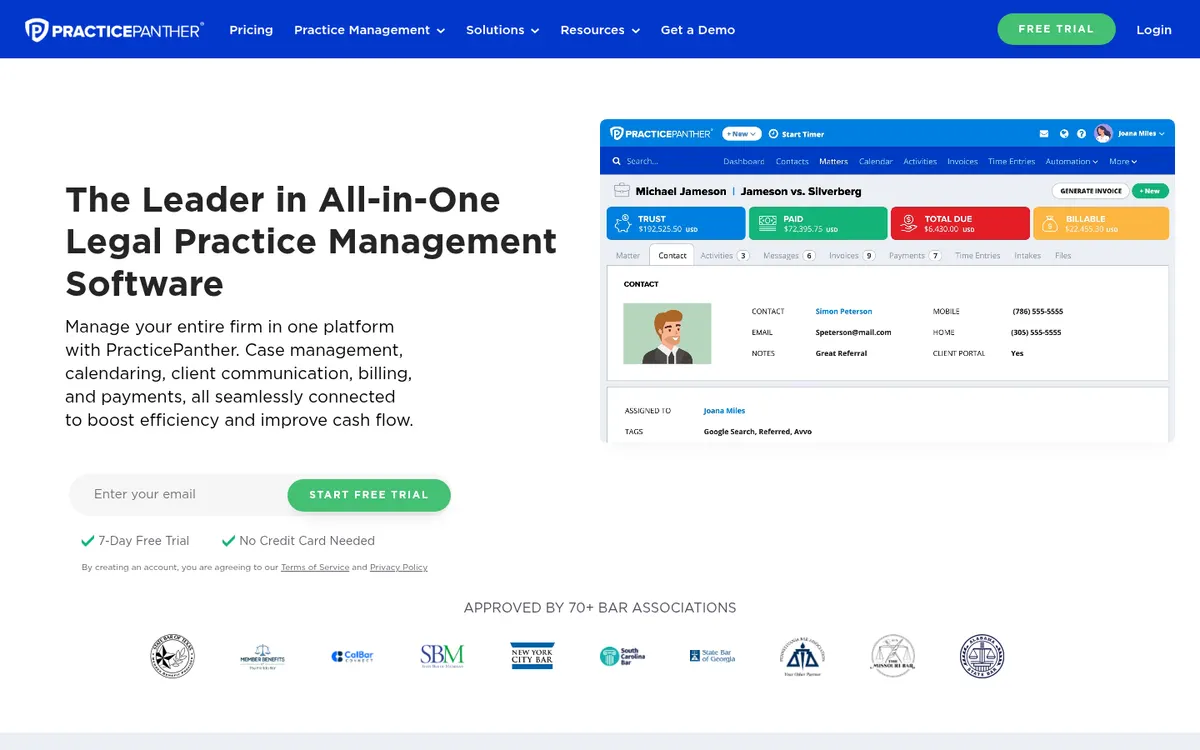
Published tier pricing plus e-signature, texting and automation, with documents as a module rather than a controlled repository.
PracticePanther targets solo and small firms moving off desktop tools, and the pitch is breadth at a published price. Documents store and share against matters, e-signature is native, two-way texting keeps clients in the loop, intake forms capture new matters, and LEDES billing format support covers firms that invoice corporate clients. Workflow automation handles routine administrative steps, and trust and operating accounting arrive on the top tier. Four published tiers at roughly $49, $69, $89 and $114 per user per month make cost modeling straightforward, which is rare enough in this category to count as a feature. The document side is a module, not a DMS. The gap shows up fastest at firms with high document volume or multiple offices. Tier upgrades apply to every seat, so the whole firm's bill moves when one person needs a top-tier feature such as trust accounting or LEDES billing. That is the structural risk with any per-seat, feature-gated platform, and it is worth modeling before you pick a tier. For a small firm, the value is fewer subscriptions: e-signature and texting are included instead of bought separately, and the automation saving is real on document-heavy intake work. The Solo plan lists $49 per user per month. The Business tier adds intake forms, texting, unlimited e-signature and LEDES billing, which is the tier most firms with corporate clients end up needing. Firms that later need a real DMS usually keep PracticePanther for time, billing and intake and bolt a DMS on top rather than switching everything at once. Pick PracticePanther if you want published tier pricing plus e-signature and texting in one tool. Skip it if you need a genuine DMS with profiling and version control.
You are a solo or small firm that wants published tiers with e-signature, texting and LEDES billing.
You need profiling, check-in and check-out, or email filing into matter folders.

Document automation built for high-volume routine drafting, Windows-first and quote-priced, with automatic time capture that pays for itself.
Smokeball is built around document automation, and that focus is why small firms with routine drafting choose it. A library of more than 20,000 legal forms and precedents feeds document assembly, and forms auto-populate from matter data so a letter that took ten minutes takes one. An AI drafting assistant handles custom documents that no precedent covers, and automatic time capture from document activity reduces the under-billing that quietly eats small-firm revenue. Billing ties back to the time captured, which closes the loop between the work and the invoice. The constraint is platform. Smokeball is Windows-first, which excludes Mac-based practices entirely before price even comes up. Pricing is quote-based; the vendor does not publish a rate, so firms should expect a sales conversation and should ask what implementation and migration add. Those extras are real costs, not footnotes in a proposal. The return case is strongest where routine drafting dominates: family law, conveyancing and personal injury practices generate the same documents with different names and dates, which is exactly the workload that automation and a large precedent library reward. A firm drafting two bespoke agreements a month will pay for automation it does not use, and the automatic time capture will not rescue a practice that bills on flat fees. Document management here is document assembly plus matter management rather than a full DMS with granular profiling and security policies. Firms with strict outside counsel requirements should look at enterprise platforms instead. Pick Smokeball if high-volume routine drafting and automatic time capture would pay for themselves. Skip it if you run Macs or need published pricing.
Your practice runs on repetitive drafting and you bill hourly work that automatic time capture can recover.
Your firm is Mac-based, or if you need a published rate before you will take a sales call.
Litigation case management with documents threaded through case stages, powerful after heavy setup and quote-only to buy.
Filevine is purpose-built for litigation rather than general practice, and the difference is visible in how work is organized. Custom workflows map to case stages, documents are threaded through each stage rather than parked in a folder tree, and intake through settlement tracking sits in one system. AI-assisted document review and case analysis are included for review and analysis work, and high-volume case handling is the design center rather than an edge case. A free trial lets a firm validate fit before negotiating.
Pricing is the friction. Filevine quotes by custom quote only, so budgeting starts with a scoping call rather than a number, and total cost of ownership depends heavily on internal setup time. Reaching full value takes significant configuration; the workflows that make it good are the workflows a firm has to build and maintain. Firms that buy it expecting an out-of-the-box experience tend to underuse it and blame the tool. There is also no published entry point for a small practice that just wants to try document management.
Oversized for transactional practices is the honest summary. A real estate or estate planning firm will find the case-stage model more structure than it needs, and the configuration effort will not pay back. Personal injury and mass tort practices with hundreds of open matters and repeatable stage progression are the fit, because the same workflow repeats across every case and setup cost amortizes over the caseload.
Document management is embedded in case workflow rather than sold as a standalone repository, so firms comparing Filevine to Worldox or NetDocuments are comparing different jobs. Ask whether your problem is finding documents or moving cases, and let the answer pick the category.
Pick Filevine if litigation case stages drive your practice and you can invest setup time. Skip it if you need published pricing or a simple repository.
You run a litigation-heavy practice with repeatable case stages and staff who can own configuration.
You are a transactional practice or you need a published rate before you will start a process.
Dependable on-premises document management for firms that must keep data in-house, with a dated interface and quote-only pricing.
Worldox is the on-premises answer, and for a certain kind of firm that is still the right answer. Documents are profiled, revisions are versioned, full-text search works across the corpus, and everything stays on the firm's own servers, which satisfies data residency rules and partners who will not sign off on cloud storage. Matter-centric organization and email integration cover the core workflows a legal DMS has to handle, and the product has a long history of legal-specific development behind it.
The honest weakness is time. The interface feels dated next to newer platforms, and staff who have used a modern web client notice immediately. The cloud offering trails cloud-native competitors, so a firm that starts on-premises and later wants hybrid or remote-first access may find itself on the wrong side of the roadmap. Pricing requires a quote and there is no free trial, which makes evaluation slower than it should be. Long-standing customers tend to stay, which says as much about switching costs as about satisfaction.
The decision usually comes down to constraints rather than features. If data residency rules, insurer requirements or partner preference require documents inside the firm's walls, Worldox delivers real DMS functionality without a cloud dependency. If those constraints are absent, a cloud-native product will be easier to run, easier to staff and easier to reach from a kitchen table at 11pm.
Budget for the server, the backup and the person who maintains it. Those costs are real and rarely appear in a feature comparison, and they are the reason on-premises deployments often cost more than the subscription line suggests.
Pick Worldox if documents must stay on your own servers. Skip it if you want a modern interface or cloud-first access.
Data residency rules or partner preference require documents to stay inside your own walls.
You want a modern web interface, cloud-first remote access, or a rate you can read without a call.
Legal document management software stores, organizes and controls the files a law firm produces, and the controlling part is what separates it from a shared drive. A dedicated DMS does four things: it profiles every document with client, matter and document type metadata, it versions revisions with check-in and check-out so two people cannot overwrite each other, it files email into the same matter folder as the documents it discusses, and it searches the full text of everything, not just file names.
Practice management platforms offer a document module that does some of this. Storage against a matter, sharing through a client portal and e-signature are common; metadata profiling, strict version control and email-as-document filing are not. That is the practical line between the two categories, and it is why firms often keep both.
The core functions to check on any shortlist:
Deployment splits the market in two. Cloud-native products remove servers and support remote work by default; on-premises products keep data inside the firm's walls and satisfy data residency rules. The choice is usually made by a risk committee or an insurer requirement rather than by the person who will use the software daily, which is why interface quality loses arguments it should win.
Price models follow deployment. Some vendors publish a per-firm or per-user rate; many quote by custom scope, because implementation, migration and integration work varies so much between firms. A quote is not a red flag on its own, but it does mean the number you compare is the number after scoping, not the one on a web page.
The last thing to check is the one buyers skip: how the system handles a matter that closes. Retention, ethical walls and disposition rules are where a DMS earns its keep years after the purchase.
This comparison sits on the Software desk. Readers comparing neighbouring stacks often check our guides to demand forecasting software and glp 1 companies next.
Pricing in this category splits into several models, and not all of them let you budget without a phone call.
| Model | How it bills | Typical fit | Example from this list |
|---|---|---|---|
| Published per-firm | Flat monthly fee covering a set number of users | Small and mid-size firms that want a predictable bill | LexWorkplace Core at $395 per month with 3 users included |
| Published per-user | Per user per month, gated by feature tier | Solo and small firms that add seats one at a time | Clio Manage $49 Starter, MyCase $50 Basic billed annually, PracticePanther $49 Solo |
| Enterprise quote | Custom scope handled by the vendor | Large firms and legal departments with IT staff | iManage Work, NetDocuments |
| Quote with implementation | Custom quote plus setup and migration work | Litigation and document-heavy practices | Smokeball, Filevine, Worldox |
Every price above was checked on the vendor's own pricing page on November 25, 2026. Where a vendor does not publish a figure we write "See website" instead of guessing. To compare annual and monthly billing quickly, try the free percentage calculator.
Count documents and matters first. Pull the number of open matters, average documents per matter and total repository size. A practice with 300 open litigation matters and one with 40 closings a year need different products, and the count decides which category you are shopping in.
Decide cloud or on-premises before you demo. If an insurer, a client guideline or a partner requires data inside your walls, Worldox is the shortlist and the cloud products drop out. If not, cloud-native products remove server cost and support remote work without extra effort.
Test email filing, not storage. Every product on this list can store a file. Ask each vendor to show an Outlook email filed to a matter folder in under five seconds, because that single action determines whether your staff uses the system or works around it.
Ask for a scoped quote with migration broken out. Make the vendor price the migration, the training and the integration work separately. A per-user rate that excludes setup is not a comparison, and the lowest subscription often carries the highest implementation bill.
Run one closed matter end to end. Use a real matter, not a demo file. Load documents, file emails, search for a clause, apply permissions, then close the matter and check what happens to retention and access afterward.
Price the exit before you sign. Ask how documents and metadata export, in what format, and at what cost. Firms that skip this step discover at renewal that leaving costs more than staying.
Buying storage and calling it document management. A module that stores files against a matter without profiling, check-in and check-out or email filing will not fix filing discipline. Staff will keep naming files by hand, and search will keep failing when it matters most.
Choosing on the demo interface alone. The cleanest demo is often the newest product with the thinnest governance. Ask what the audit trail shows, how permissions work at document level, and what a client risk review will want to see before you fall for the layout.
Underestimating migration. Mapping old folders to new metadata takes longer than firms expect, and cleaning metadata takes longer still. Budget for a parallel period where both systems stay readable, and do not schedule a cutover in the middle of a busy month.
Ignoring the operating system mix. Smokeball is Windows-first, the NetDocuments Mac client trails Windows, and LexWorkplace ships a native Mac client. If half your associates use MacBooks, check this before pricing rather than after onboarding.
Comparing a subscription to a total cost. Quote-only deals carry implementation, configuration and training that published per-user plans sometimes bundle. Put five-year totals side by side, including staff time for setup, before deciding which product is cheaper.
A dedicated DMS profiles every file with client and matter metadata, controls versions with check-in and check-out, and files email into the same folder as the documents it discusses. A practice management document module usually does storage, sharing and e-signature. Clio Manage, MyCase and PracticePanther sit in the second group; LexWorkplace, iManage Work, NetDocuments and Worldox sit in the first.
It depends on the pricing model. LexWorkplace publishes $395 per month per firm on Core with 3 users included. Clio Manage starts at $49 per user per month, MyCase at $50 on Basic billed annually, and PracticePanther at $49 on Solo. iManage Work, NetDocuments, Smokeball, Filevine and Worldox quote by custom scope, so budget scoping time before you have a comparable number. Prices were checked on November 25, 2026.
Not in the dedicated sense. Clio Manage stores documents against matters, runs templates, signs documents and shares files through a client portal, but it has no profiling scheme and no email-as-document filing. Many firms run a dedicated DMS alongside Clio rather than replacing it. If your filing discipline lives in people's habits rather than in the software, the module will not enforce it.
Usually not. Both are enterprise platforms with quote-only pricing, multi-month implementations and dedicated IT requirements, and iManage has no free trial. A firm under roughly 75 users is usually better served by LexWorkplace, which publishes $395 per month per firm and supports Mac, or by a practice management suite if document volume is modest. Revisit enterprise platforms when client guidelines demand governance you cannot build yourself.
SharePoint is not one of the vendors checked for this guide, so we do not score it here. If you are considering it as a document store, compare its document management features directly with the vendor.
Mapping the old folder and metadata structure to the new one, deciding which documents get profiled and which get archived, extracting email from mailbox stores, and testing search and permissions after the load. Firms leaving a file server usually underestimate the mapping work; firms leaving a legacy DMS usually underestimate the metadata cleanup. Plan a parallel period where both systems stay readable, and check how closed matters are retained.
Browse every comparison on the Software desk, with the same rubric and dated prices.