Ranked #1

Float
Visual timeline clarity
$7Starter, per scheduled person per month, annual pricing shown alongside monthly toggle
- Best for
- Creative, marketing and professional services teams of 10 to 100
- Free plan
- No
- Rubric
- 8.1 / 10
Nine tools that schedule people, rooms and equipment, scored on scheduling depth, capacity planning, financials and how their pricing models treat a growing team.
 Prices checked November 25, 2026
Float suits creative and professional services teams of 10 to 100 in November 2026, with a fast drag-and-drop timeline at $7 per scheduled person per month. Resource Guru suits small teams wanting lightweight availability scheduling from $5 per person. Runn fits IT and consulting firms that need budgets and utilization in one view from $7 per resource seat. Public prices were checked on 2026-11-25 where a pricing page was available.
Visual timeline clarity
$7Starter, per scheduled person per month, annual pricing shown alongside monthly toggle

Fast shared calendar
$5Grasshopper, per person per month, billed annually, $6 billed monthly
Multidimensional forecasting
See website
Disclosure for this page: All 9 tools here are unpaid editorial picks. The position of a paid listing can be part of what the vendor pays for. How we handle paid listings.
| Tool | Best for | Free plan | Actions | |||
|---|---|---|---|---|---|---|
| 1 | Float | Creative, marketing and professional services teams of 10 to 100 | $7Starter, per scheduled person per month, annual pricing shown alongside monthly toggle | No | ||
| 2 | Resource Guru | Small and mid-sized teams wanting lightweight availability-based scheduling | $5Grasshopper, per person per month, billed annually, $6 billed monthly | No | ||
| 3 | Saviom | Large multi-region enterprises with complex multi-department resourcing | See website | No | ||
| 4 |  Teamdeck | Small agencies, software houses and consultancies wanting scheduling plus timesheets | $1.80Light Member, per person per month, billed yearly, $2 billed monthly, Full Member $5.40 yearly, $6 monthly | No | ||
| 5 |  Ganttic | Teams booking rooms, vehicles and equipment alongside people | FreeFree for up to 10 resources with unlimited users, paid Pro plans priced by resource count | Yes | ||
| 6 |  Hub Planner | Mid-sized consultancies and IT services firms needing deep capacity reporting | See website | No | ||
| 7 |  Runn | IT, software and consulting firms needing budget forecasting with utilization | $7Lite, per resource seat per month, 20 seat minimum, monthly or annual billing | No | ||
| 8 | Wrike | SMBs wanting project execution and resourcing in one platform | $10Team, per user per month, billed annually, 2 to 15 users | Yes | ||
| 9 | Kantata | Mid-to-large professional services firms with dedicated operations staff | See website | No |
We scored nine tools on five criteria, weighted to what operators actually feel after the first month. Scheduling depth carries 25 percent: how quickly a planner can read availability, spot a clash and reshape the week. Capacity planning and financial visibility carry 20 percent each, because forecasting and margin tracking are where cheap schedulers usually stop. Pricing model also carries 20 percent, since per-person and per-resource billing behave very differently as teams grow and shrink. Setup effort takes the final 15 percent, covering configuration time and training load. Scores are 1 to 10 per criterion. Where a public pricing page was available, prices and plan facts were taken from vendor pages checked on 2026-11-25. Where a vendor publishes no price list, we say so and do not estimate a number. Where a plan name, seat minimum or billing term is stated, we repeat it as published, in the currency shown, with no conversion. Trial lengths come from the vendor page where stated; where a vendor does not state one, we say so. The Featured position in this list is a paid placement. It is scored on exactly the same rubric as every other tool, and its weaknesses are written up the same way. Placement affects the order only through that disclosed position; the write-up for each entry explains which buyer it fits, so you can weigh the trade-offs yourself. We did not test the tools hands-on for this round. The scoring draws on published feature sets, plan boundaries (which features sit behind which tier), pricing structure and documented limits such as one-way integrations, seat minimums and resource caps. Where a tool's plan boundary hides the feature that buyers often want, that costs it points on pricing model and setup effort, because the real cost of entry is the higher tier, not the headline price.
The full process, including how we handle corrections, is on the methodology page. Paid listings follow our advertising disclosure.
| Criterion | Weight | What we check |
|---|---|---|
| Scheduling depth | 25% | How fast a planner can see availability, resolve clashes and reshape the schedule day to day. |
| Capacity planning | 20% | Forecasting, scenario modeling and utilization reporting that go beyond the current week. |
| Financial visibility | 20% | Pricing sheets, budgets, margin and budget-versus-actual tracking built into the same tool. |
| Pricing model | 20% | Whether the billing unit (scheduled person, resource, user) matches how the buyer actually grows. |
| Setup effort | 15% | Time to first useful schedule, including configuration, data import and training load. |
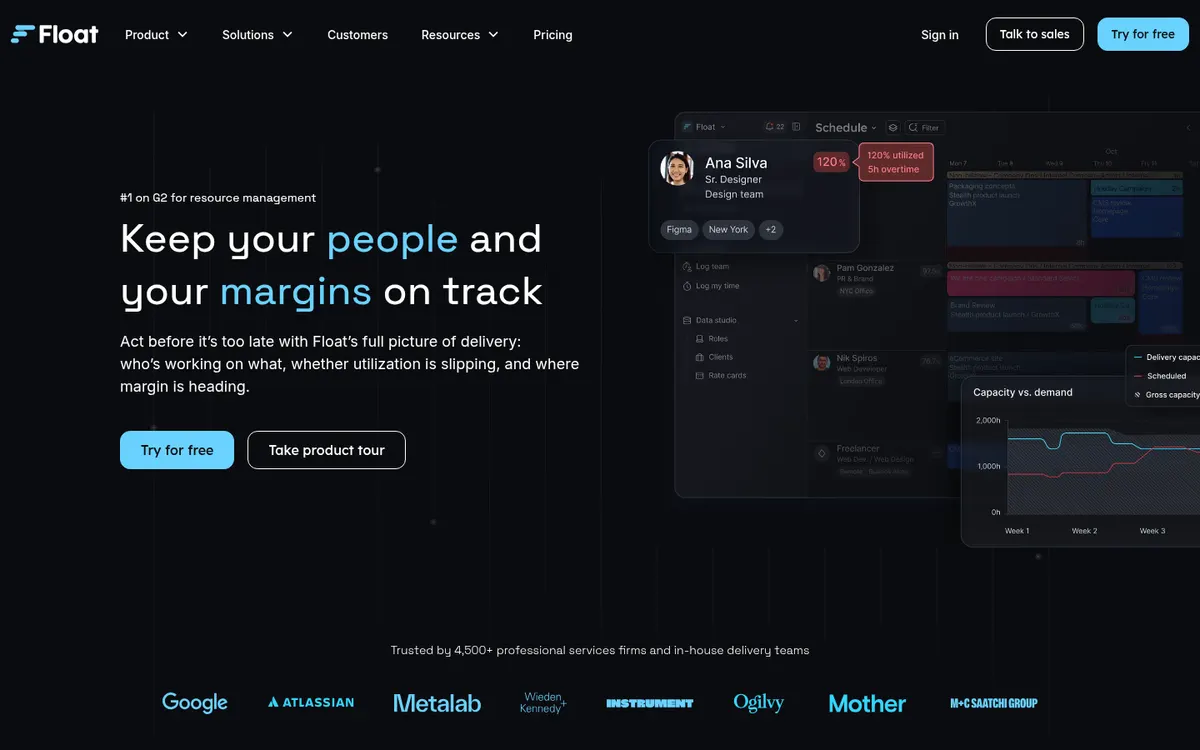
A fast visual scheduler for creative and services teams, provided you accept per-person billing and a Pro tier for financials.
Float is built around a drag-and-drop timeline that a team can read in seconds: who is on what, where the gaps are, and who is overbooked. Project and people views cover both the daily question (what is everyone doing today) and the planning question (where does this new brief fit). Setup is measured in days, not weeks, and no minimum seat count is published, so a small agency can start small. The pricing model is the reason many teams shortlist it. You pay $7 per scheduled person per month on Starter with annual billing ($8.50 monthly), and unscheduled collaborators cost nothing. Time-off management is included on every plan rather than gated to a higher tier, which is unusual at this price. Pro is $12 per scheduled person per month annually ($14 monthly) and adds time tracking, pricing sheets and finance dashboards; Enterprise is custom priced. That tier split is the main catch. If you want project margin tracking, you are on Pro, so the effective entry price for a finance-aware rollout is closer to $12 than $7. Cost also scales directly with headcount on the schedule, so a large consultancy on Pro is a real monthly line item. The Jira integration pulls data one way only and does not write changes back from Float, which matters if developers live in Jira. It fits creative, marketing and professional services teams of 10 to 100 that want a schedule people actually open every morning without training. It fits less well where the schedule must double as a billing or project accounting system, or where the team is large enough that per-person pricing outgrows the value of the timeline.
You run a creative or services team of 10 to 100 that needs a schedule everyone will actually use daily.
You need margin reporting on day one at the Starter price, or you need two-way Jira sync.
A quick lightweight scheduler to stand up, ideal for small teams booking people, rooms and equipment in one calendar.
Resource Guru is a shared drag-and-drop calendar for people, equipment and meeting rooms, which is a combination most schedulers here do not offer at entry level. Clash management flags double-bookings automatically, and leave management is built in rather than bolted on. Personal dashboards and daily schedule emails mean individuals see their own week without asking a manager. Entry pricing is $5 per person per month on Grasshopper with annual billing ($6 monthly), and no minimum seat count is published, so setup is genuinely fast. Blackbelt is $8 per person per month annually ($9.60 monthly) and Master is $12 ($14.40 monthly). The tier structure matters: reports, timesheets and custom fields sit on Blackbelt and above, so a team that wants any reporting is not really on the $5 plan. The limits are financial rather than visual. There is no budget tracking or project profitability anywhere in the product, so it cannot answer whether a project made money. Teams running fixed-fee work or needing margin by client will need a second tool. The positioning is scheduling depth, and it delivers that, but it is not a project financials platform and does not pretend to be. It suits small and mid-sized teams that want availability-based scheduling without mandatory training: studios, in-house teams, operations groups booking shared assets, and agencies that already do billing elsewhere. It fits poorly for complex billing workflows, retainer profitability analysis or anything resembling a PSA suite. If your main question is who is free on Thursday, this answers it quickly and at low cost.
You need a shared availability calendar for people and shared assets, live within a week.
You need project profitability or timesheet-driven billing inside the same tool.
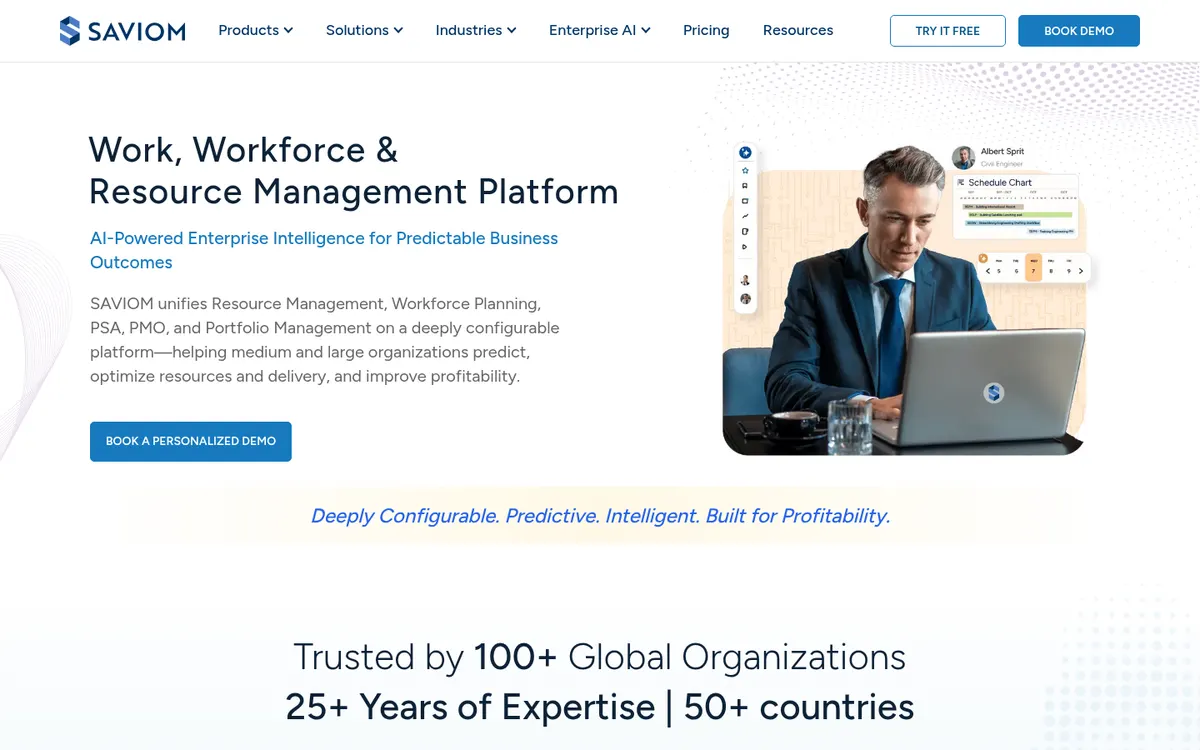
Deep enterprise capacity modeling for multi-region workforces, with weeks of configuration and no public pricing to anchor a budget.
Saviom targets a large resourcing problem: multi-department, multi-region workforces where utilization has to be tracked consistently across business units. It combines skills-based scheduling, utilization tracking across departments, demand forecasting and scenario modeling, BI dashboards and multidimensional capacity planning in one platform, then connects to systems of record through integrations with Jira, Salesforce, HR and accounting systems. The capability set is the reason large enterprises shortlist it. Scenario modeling lets a planning group test a hiring plan or a delivery reshuffle before committing, and the BI layer means reports come out of the resourcing system rather than a spreadsheet rebuilt every month. That is a different class of work from a drag-and-drop timeline. Pricing is quote only. Saviom is sold on custom annual contracts with no published price list, so every engagement runs through sales and the budget conversation starts without a reference point. No public trial is confirmed on the vendor page, so ask sales before signing. Testing forecasting against your existing spreadsheets is the practical way to evaluate it. Configuration takes weeks and is heavier than scheduling-first tools; this is a platform that needs an owner. For a small agency, that overhead is pure cost with no return. For a 500-person consultancy with a resourcing function and a planning calendar, it is the difference between a calendar and a decision system. Buy it when forecasting accuracy has a dollar value attached, and only after the trial has reproduced a forecast your finance team already trusts.
You are a large multi-region enterprise that needs forecasting and utilization reporting across departments.
You are a small agency or need a schedule running this month.
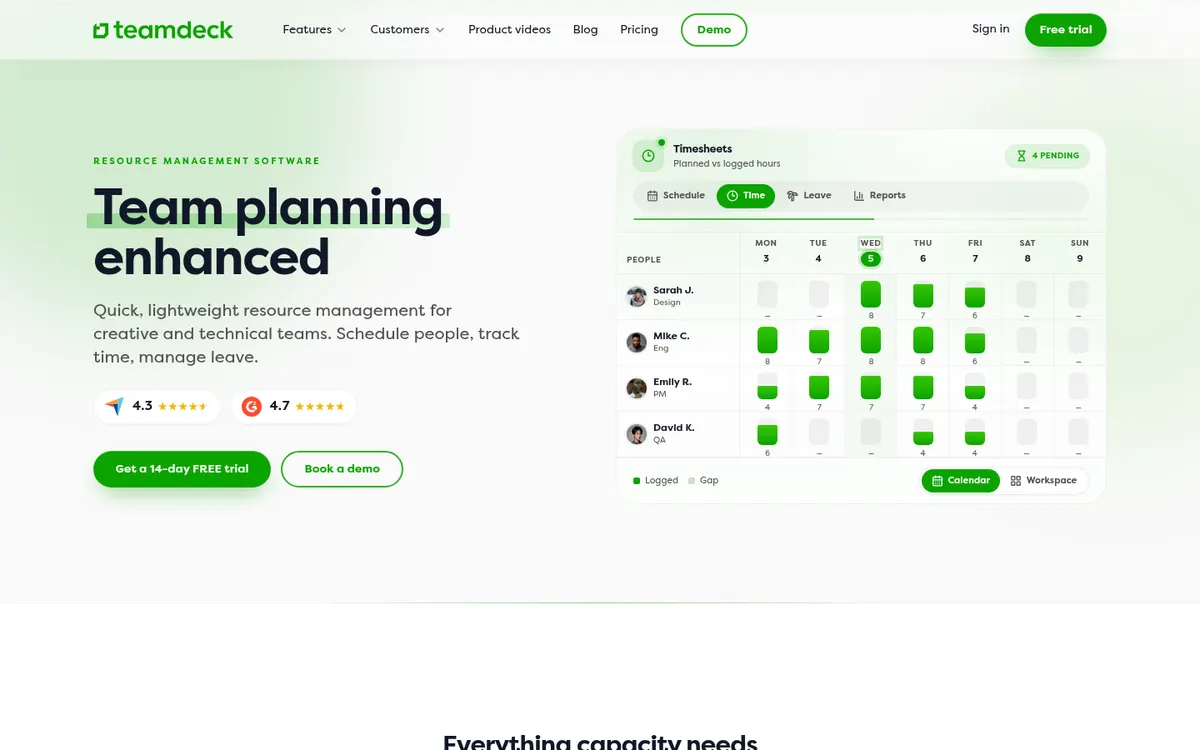
A low-cost way to get scheduling, timesheets and leave in one tool, thanks to low-cost seats for people who never log in.
Teamdeck bundles resource scheduling, workload management, capacity planning views, time tracking and timesheets, leave management and payroll and budgeting reports, and it puts the full feature set on every plan. There are no per-feature upsells to chase, which makes it easy to price: the question is only how many of each seat type you need. That seat structure is the distinctive part. Full Members are $6 per person per month and Light Members $2 per month, with 10 percent saved on annual billing, which brings the entry rate to $1.80 for Light Members and $5.40 for Full Members. Light Members are people who are scheduled but never sign in, so a studio can put contractors, part-timers or shared specialists on the calendar at a fraction of the cost. No minimum commitment is published and cancellation is allowed at any time. The catch is exactly that: Light Members are managed by others and cannot log in themselves, so they cannot update their own time or check their own schedule. Anyone who needs to log time or see their week needs a Full seat. The integration library is smaller than the bigger platforms, covering Zapier, Slack, Google Calendar, Podio and Sage HR plus an API, and there is a learning curve in the calendar and reporting views. It fits small agencies, software houses and consultancies that want scheduling plus timesheets without paying enterprise prices, especially where a slice of the team is scheduled but rarely online. It fits less well for firms needing deep reporting, a wide integration set, or self-service time entry for every single person on the schedule.
You want scheduling plus timesheets at low cost and part of your team never logs in.
Every scheduled person needs self-service time entry, or you need a wide integration set.
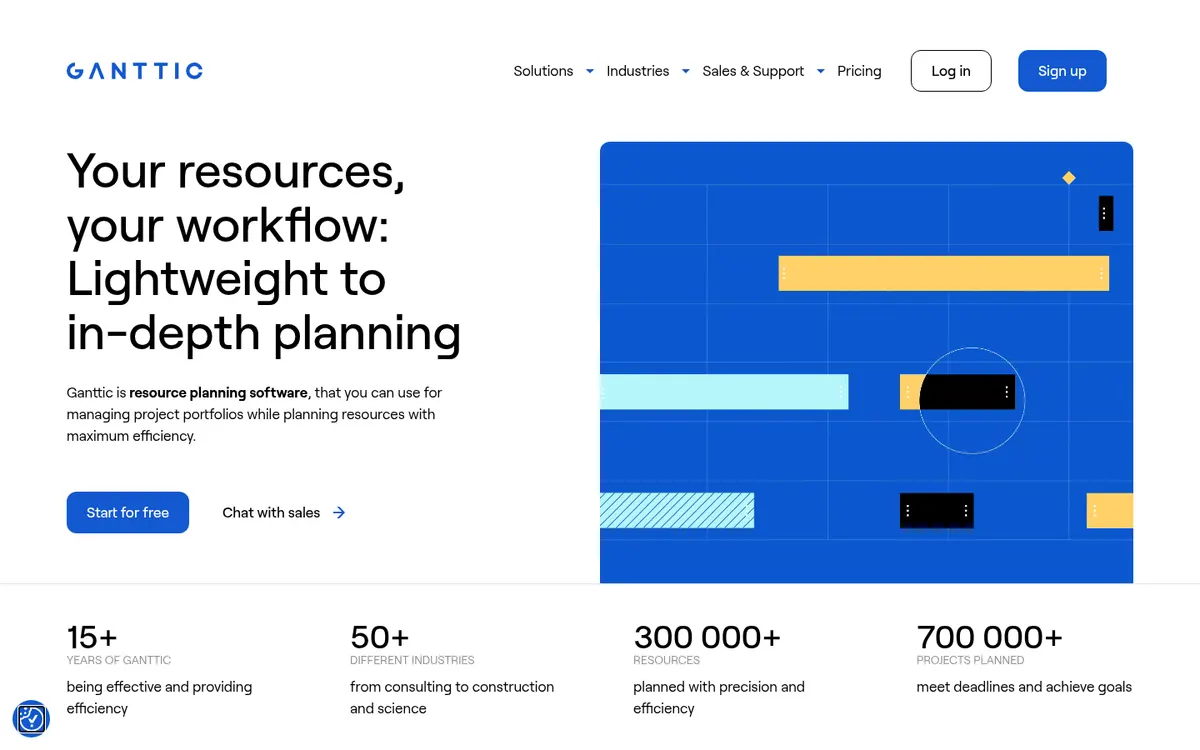
Fixed-cost scheduling for teams that book rooms, vehicles and equipment as often as people, with a free tier for 10 resources.
Ganttic prices by resource count, not by user, which changes the economics completely. The free tier covers up to 10 resources with unlimited users, and paid Pro tiers are fixed monthly costs: $25 for Pro 20, $59 for Pro 50, $149 for Pro 150, $229 for Pro 250, $379 for Pro 500 and $599 for Pro 1000. Unlimited users can view and discuss one schedule without adding a cent, which per-person tools here cannot match. It also treats a resource as anything bookable. People, rooms, vehicles and equipment all sit on the same visual Gantt timeline with resource and project views, and custom data fields capture skills, certifications and locations so you can match a certified technician or a specific van to a job. Google and Outlook calendar sync keeps individual diaries aligned with the plan. The trade-off is the resource cap. Your plan tier is set by how many resources you schedule, so growth forces an upgrade at fixed thresholds, and there is no way to add one more van without moving up a tier. Reporting is simpler than finance-heavy tools, and integration and API depth is thinner than large PSA suites, so it will not replace a project accounting system. A 14-day free trial with no credit card is stated on the page, which is enough to test whether the Gantt view suits your planners. It fits field services, facilities teams, production shops and any operation where the constraint is equipment availability rather than headcount. It fits poorly for consultancies whose main question is billable utilization by consultant, where per-resource finance reporting matters more than booking a room.
You schedule equipment, rooms or vehicles alongside people and want a predictable monthly bill.
You need consultant-level profitability reporting or deep integrations with finance systems.
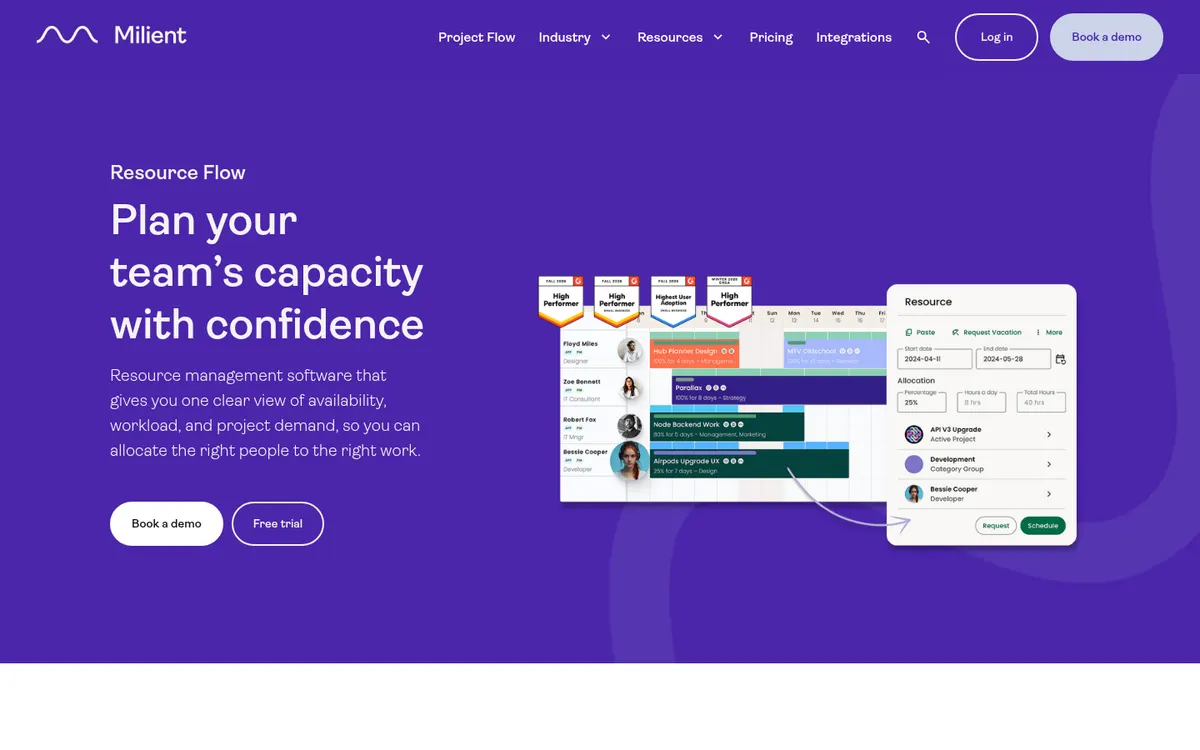
Analytical capacity and utilization reporting for mid-sized consultancies, but task execution stays with your project management tool.
Hub Planner is aimed at the reporting question rather than the calendar question. Capacity planning and pipeline planning sit alongside utilization analytics with real-time dashboards, plus request and approval workflows for booking people onto work. Per-resource scheduling across projects keeps the view grounded in who is actually available. The feature split is where buyers get caught. Pricing is on the vendor site. Premium adds timesheets with approvals, vacation management and financial budgets. The timesheet and budget features that services firms often want sit on a higher tier, and per-resource pricing rises with every resource added, including non-billable seats. We could not confirm the rates on the vendor page during this check, so see the vendor site for pricing. The analytical depth is real: pipeline planning is a step beyond weekly scheduling and helps a consultancy see whether next quarter's sold work fits the bench. The limit is task and project management. Teams needing full project execution will run a companion PM tool, which means two systems and a sync to maintain. It fits mid-sized consultancies and IT services firms that already run projects elsewhere and need a proper resourcing layer with approvals and utilization reporting. It fits less well for small agencies wanting one tool to schedule, track time and see margin, and for anyone who needs task-level project management inside the same platform.
You need deep utilization and pipeline reporting and already run projects in another tool.
You want one platform for resourcing and task execution, or your budget is tight.
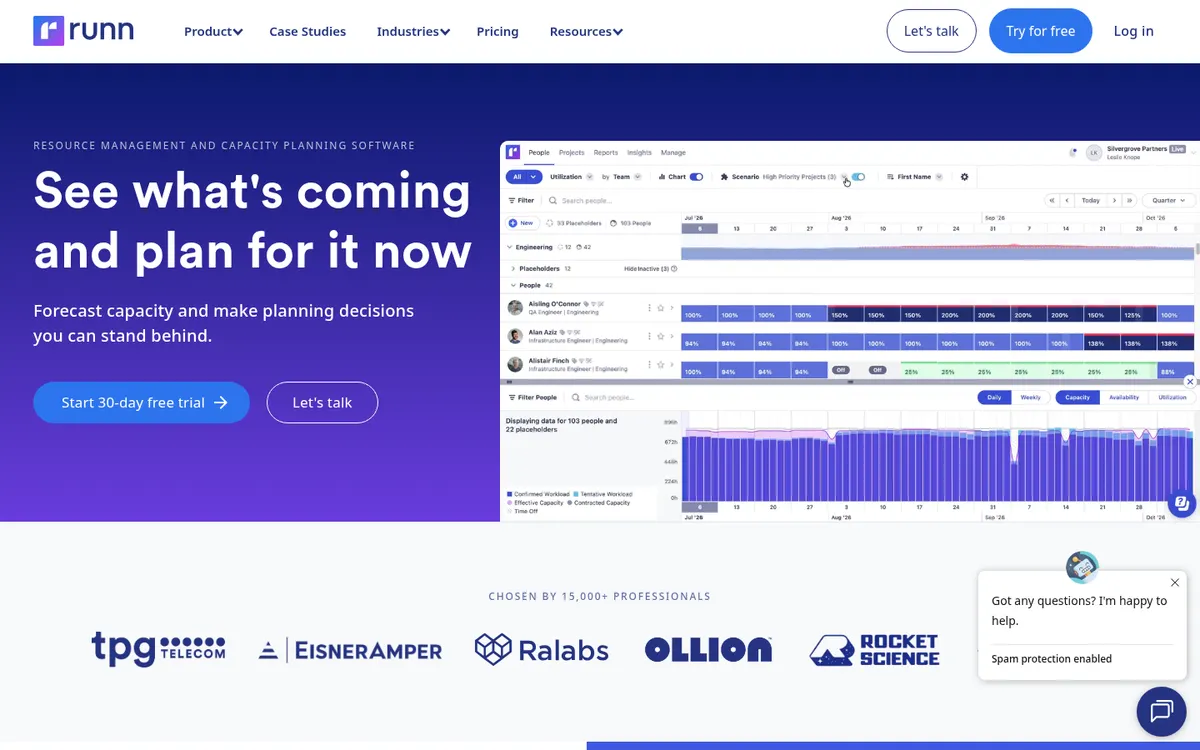
A clear link between allocations and money for IT and consulting firms, if you can invest two weeks and a 20-seat minimum.
Runn places capacity planning charts next to budgets, pricing sheets and revenue forecasting, then compares budget against actual in real time. Every allocation carries a financial consequence in the same view, which is the specific problem consultancies have when scheduling lives in one tool and money lives in another. Tentative project planning handles pipeline work, and role-based placeholders let a firm plan for hires that are not confirmed yet.
Pricing is $7 per resource seat per month on Lite, $11 on Standard, with Advanced custom priced, and volume discounts from 100 or more seats. The commercial catch is a 20 seat minimum, so the smallest realistic bill is 20 times the seat rate regardless of team size. Seats are per managed resource and billed in advance. Annual or monthly billing is offered.
Setup is the operational catch. Expect roughly two weeks configuring roles, pricing sheets and people mapping before the numbers mean anything, and the interface is denser than simpler schedulers, which daily contributors notice. There is also no native Slack integration, so notifications route through email or your own tooling. Neither is a deal breaker for a firm that lives in the budget view; both matter for a team that wanted a light calendar.
It fits IT, software and consulting firms that need forecast revenue and utilization together and will do the configuration properly. It fits poorly for creative teams wanting a fast visual schedule, small teams under 20 people, and anyone who needs budgeting without a structured role and pricing sheet model underneath.
You are an IT or consulting firm that needs budget forecasting and utilization in the same view.
You have fewer than 20 people or want a schedule running this week without pricing sheet setup.
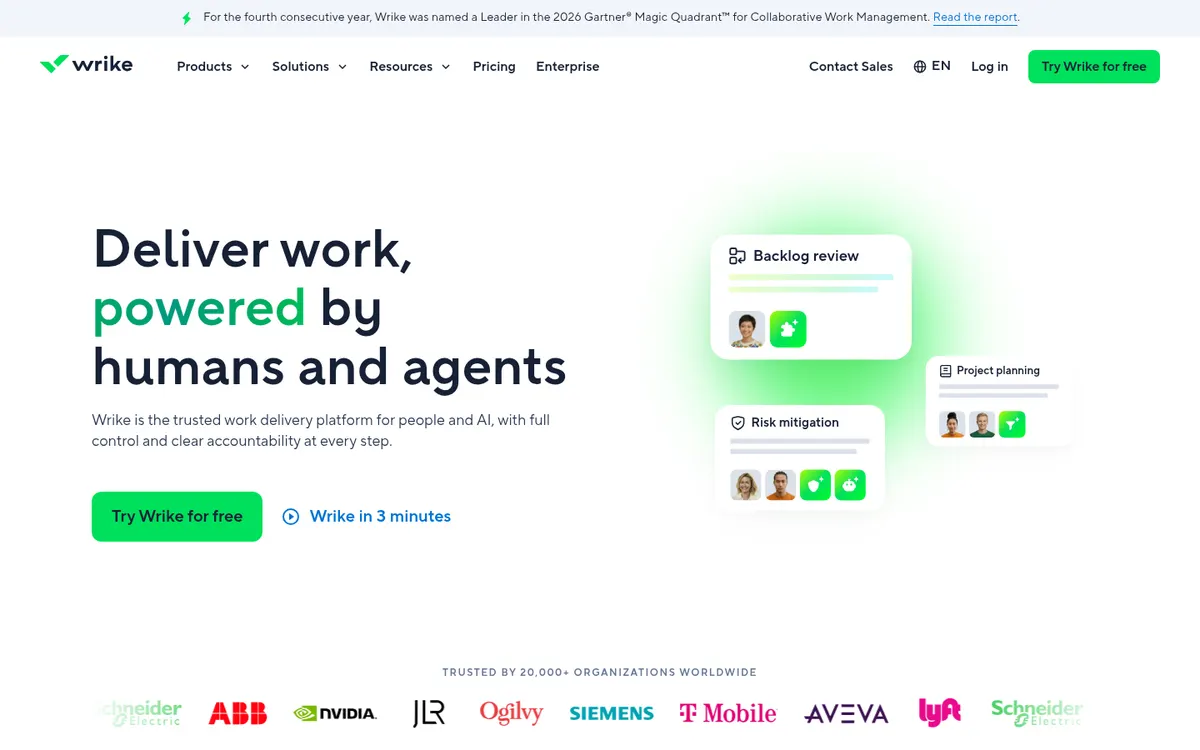
One subscription for tasks and workload if you accept that real capacity planning starts at $25 per user on Business.
Wrike makes the case for not buying a standalone scheduler at all. Workload charts compare assigned hours against available capacity, and tasks, Gantt charts, dashboards, proofing, reporting and time tracking all live in the same platform, backed by a wide integration library and an open API. For an SMB already running projects in Wrike, adding resourcing means no second subscription and no sync to babysit.
The plan boundary is the important detail. Team is $10 per user per month billed annually for 2 to 15 users, and it does not include true resource and capacity planning. Business is $25 per user per month for 5 to 200 users and is the tier that adds resource and capacity planning. Pinnacle and Apex are custom priced and hold advanced resource management, budgeting and analytics. A free plan is offered at $0 per user per month, and a 14-day free trial with no credit card is available.
So the honest read is that the headline $10 buys project execution, not resourcing. A 15-person team wanting workload charts is on Business, which is a meaningful step up. Wrike can also demand significant administration to run well: the flexibility that makes it fit many workflows is the same flexibility that lets a workspace sprawl if nobody owns governance.
It fits SMBs that want project execution and resourcing in one platform and have someone to administer it. It fits less well for teams whose only real need is a daily schedule of who is on what, where a dedicated scheduler is cheaper and faster to adopt, and for very small teams priced out of the Business tier.
You already run projects in Wrike and want workload charts without a second tool.
Your only need is a daily resourcing schedule, or $10 per user is your ceiling.
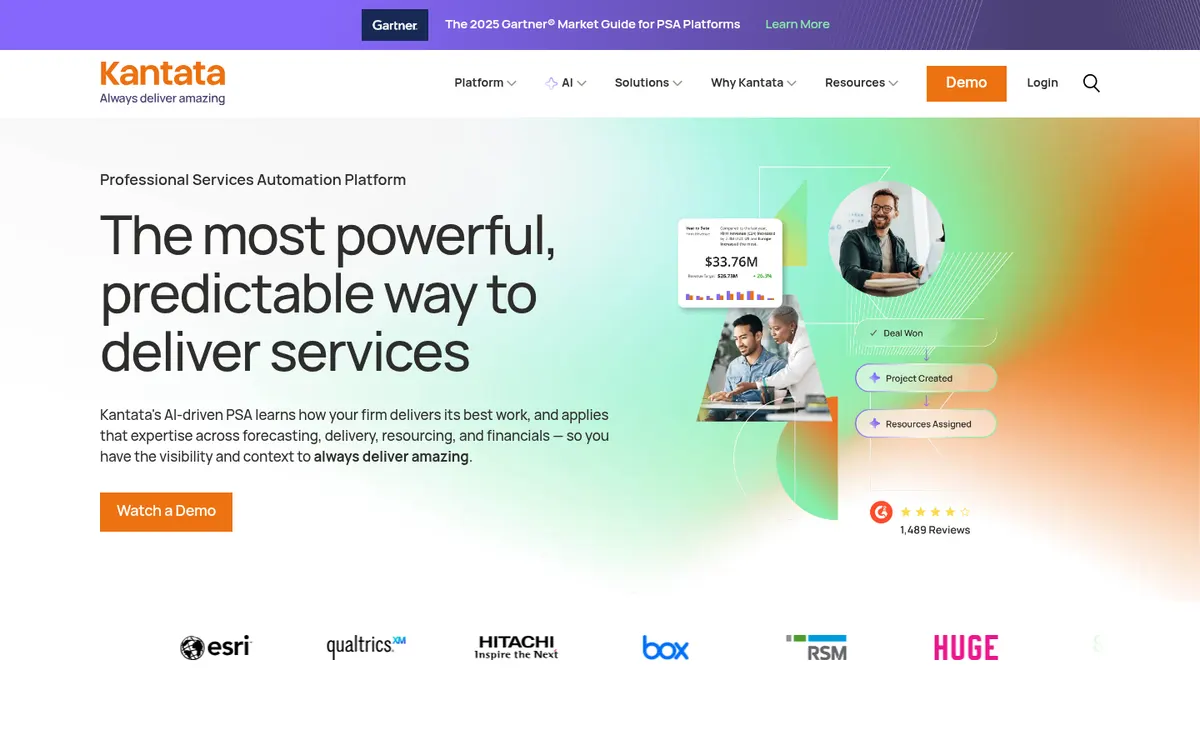
A serious PSA suite for large services firms that will staff an operations team to run skills matching, margin tracking and portfolio reporting.
Kantata combines capacity planning and resource scheduling with skills-based resource matching, time and expense management, invoicing, project financial analytics and real-time margin tracking, all under a portfolio view built for managers running many concurrent projects. The skills matching is a feature many schedulers here lack: it answers who can do this work, not just who is free. The financial side is genuinely integrated. Invoicing and margin tracking sit in the same system as the schedule, so a services firm can see the commercial effect of a resourcing decision rather than reconciling two exports. That is why it suits firms with a delivery operations function rather than a single resourcing manager. Pricing is custom annual contracts with no public list, so the cost conversation runs through sales and there is no published entry point. A trial is offered via sales but we could not verify it. Onboarding takes weeks of configuration and training, performance can degrade on very large or complex projects, and buyers below roughly 50 seats pay for sophistication they may not use. It fits mid-to-large professional services firms with dedicated operations staff who will actively administer it: consultancies, IT services businesses and agencies running many concurrent client engagements with real margin pressure. It fits poorly for small teams, for firms without someone to own configuration, and for anyone who wants a schedule live this week rather than a platform implemented this quarter.
You are a large services firm with operations staff who will own the platform and its margin reporting.
You have no one to administer it, or you need a resourcing schedule live within a week.
Resource management software answers one question continuously: who is available, for what, and at what cost. It holds a schedule of people (and often rooms, vehicles and equipment), shows each person's committed hours against their working capacity, and lets a planner move work around without rebuilding a project plan. Project management software tracks the work itself: tasks, dependencies, deliverables and status. HR software holds employment records, contracts, leave balances and payroll data. The three overlap at the edges, which is why buyers get confused, but the centers are different. The clearest way to separate them is by the question each system exists to answer. - Project management asks: are we on track to deliver this, and what is left to do?
This comparison sits on the Software desk. Readers comparing neighbouring stacks often check our guides to demand forecasting software and glp 1 companies next.
Many resource management tools bill per person or per resource per month, and the cheapest headline rate often sits behind an annual commitment. The model you choose matters more than the number, because it determines what happens when the team grows, shrinks or brings in contractors.
| Model | How it bills | Typical fit | Example from this list |
|---|---|---|---|
| Per scheduled person | Only people placed on the schedule are charged | Agencies with contractors and part-timers | Float at $7 per scheduled person per month on Starter, annual billing |
| Per person (all seats) | Every person on the platform is billed | Teams where everyone logs time | Resource Guru at $5 per person per month on Grasshopper, annual billing |
| Split seat types | Full seats plus cheap non-login seats | Studios scheduling people who never sign in | Teamdeck at $1.80 for Light Members and $5.40 for Full Members, yearly |
| Per resource with fixed tiers | Flat monthly fee set by resource cap, unlimited users | Operations booking equipment and rooms | Ganttic at $25 for Pro 20 up to $599 for Pro 1000 per month, free up to 10 resources |
| Per user inside a project suite | Billed per user, resourcing on higher tiers | SMBs wanting one platform | Wrike at $10 per user on Team, $25 on Business for capacity planning |
| Custom annual contract | Quoted per engagement, no public list | Large enterprises and PSA buyers | Saviom and Kantata, both quote only |
Every price above was checked on the vendor's own pricing page on November 25, 2026. Where a vendor does not publish a figure we write "See website" instead of guessing. To compare annual and monthly billing quickly, try the free percentage calculator.
Name the constraint first. Decide whether your real problem is daily visibility (who is free), forecast accuracy (will next quarter's work fit), or margin (did this project make money). The three lead to different tools in this list, and naming it first stops you buying forecasting you will never configure.
Count the people and the assets. Write down how many people get scheduled, how many of those actually log in, and whether you also book rooms, vehicles or equipment. The login split points to Teamdeck, and asset booking points to Ganttic or Resource Guru.
Check which tier holds your must-have feature. Time tracking, pricing sheets, budgets and capacity planning all sit behind upgrades in this list. Price the tier that includes your requirement, not the headline rate on the pricing page.
Test the schedule against a real month. Take last month's work and rebuild it in a trial: Float and Resource Guru offer 30 days with no credit card, Teamdeck and Ganttic offer 14. A schedule that mirrors a messy real month tells you more than any demo.
Estimate setup honestly. Days for Float or Resource Guru, roughly two weeks for Runn, weeks for Saviom and Kantata. If nobody on your team can own configuration and pricing sheets, weight setup effort heavily and avoid the enterprise tier entirely.
Decide whether you are replacing or adding. If your project platform already shows workload and counts leave, one subscription may be enough. If the schedule needs to be read daily by people who never open a project plan, a dedicated tool pays for itself.
Resource management software tracks who is available, for what work, and at what cost, so you can move allocations without rebuilding a project plan. Project management software tracks tasks and deliverables, and HR software holds contracts, leave and payroll records. They overlap at the edges, but the resourcing tool exists to answer the availability question continuously, which is why it is usually read daily by people who never open a project plan.
Entry-tier costs depend on the per-person rate and team size. Resource Guru starts at $5 per person per month on Grasshopper with annual billing, and Float at $7 per scheduled person on Starter, so cost scales with the number of scheduled people. Budget higher if you need financials: Float Pro is $12, and check the Hub Planner vendor site for its higher-tier pricing. Runn's 20 seat minimum sets a floor regardless of team size, and Saviom and Kantata are quote only; Hub Planner pricing is on its vendor site.
Often not, if the workload view covers bench time, pipeline and non-project hours like leave and internal work. Wrike shows workload charts inside a project platform and offers a free plan, which suits SMBs wanting one subscription. A dedicated tool earns its place when the schedule is a daily artifact read by people who never open a project plan, or when you need pipeline forecasting and margin that project platforms do not carry.
Scheduling places known work onto known people for a known period, usually the next few weeks. Capacity planning looks further out and asks whether the pipeline of work fits the workforce you will have, including roles not yet hired. Every tool in this list schedules, but only some forecast: Runn and Saviom model scenarios, Runn adds placeholder roles for unconfirmed hires, and Float and Resource Guru stay closer to the near-term calendar.
Teamdeck includes timesheets, payroll and budgeting reports on every plan from $1.80 for Light Members, and Runn ties allocations to pricing sheets and budget versus actual from $7 per resource seat. Kantata adds real-time margin tracking and invoicing for larger firms. Float needs the Pro tier at $12 for pricing sheets and finance dashboards. Resource Guru and Ganttic have no profitability reporting at all, so they need a billing tool alongside.
Ganttic treats any bookable item as a resource, so people, rooms, vehicles and equipment share one Gantt timeline, with custom fields for skills, certifications and locations, and it is free for up to 10 resources with fixed paid tiers from $25. Resource Guru books people, rooms and equipment in a single shared calendar with clash detection from $5 per person per month. Float, Runn and Kantata focus on people only.
Browse every comparison on the Software desk, with the same rubric and dated prices.