Ranked #1

Snipe-IT
Free self-hosted depth
See websiteOpen source and self-hosted, no license fee
- Best for
- Budget-focused IT teams with in-house skills
- Free plan
- Yes
- Rubric
- 6.5 / 10
Eight asset tracking tools ranked for November 2026, from a free open-source server you host yourself to discovery platforms that find devices before you do.
 Prices checked November 25, 2026
Asset Panda alternatives in November 2026 split into three groups. Snipe-IT is the pick for budget-focused IT teams with in-house skills: it is open source and self-hosted with no license fee, though you host, patch, and back it up. ManageEngine AssetExplorer suits mid-market IT departments that need agent-based and agentless discovery plus license compliance, from $115 per month on the cloud tier for 250 IT assets. Freshservice fits teams buying a service desk first, with asset tracking bundled at $19 per agent per month on Starter, billed annually.
Free self-hosted depth
See websiteOpen source and self-hosted, no license fee
Discovery plus compliance
$115Cloud, 250 IT assets, per month

Service desk bundle
$19Starter, per agent per month, billed annually
Disclosure for this page: All 8 tools here are unpaid editorial picks. The position of a paid listing can be part of what the vendor pays for. How we handle paid listings.
| Tool | Best for | Free plan | Actions | |||
|---|---|---|---|---|---|---|
| 1 | Snipe-IT | Budget-focused IT teams with in-house skills | See websiteOpen source and self-hosted, no license fee | Yes | ||
| 2 | ManageEngine AssetExplorer | Mid-market IT departments needing discovery and compliance | $115Cloud, 250 IT assets, per month | No | ||
| 3 | Freshservice | Teams buying ITSM with asset tracking included | $19Starter, per agent per month, billed annually | No | ||
| 4 | InvGate Assets | Multi-site IT teams needing discovery and ownership hierarchies | $1,499Starter, per year, 5 agents, fixed price | No | ||
| 5 |  Lansweeper | Organizations needing network device visibility | €270Starter, per month, billed annually, includes 2,000 assets | Yes | ||
| 6 |  Shelf | Teams needing ready equipment check-out workflows | $190Plus, billed annually, unlimited assets, 1 user | Yes | ||
| 7 |  Sortly | Small teams needing visual inventory tracking | See websiteFree tier available, paid tiers add users, locations, and integrations | Yes | ||
| 8 |  Reftab | Small teams with under 50 assets | FreeFree forever, 50 assets, unlimited users | Yes |
Every tool in this list was scored against the same five criteria, and the weights reflect what buyers in this category actually trade off. Buyer fit (25 percent) asks whether the tool solves the problem the named buyer has, not whether it has the longest feature list. Discovery depth (20 percent) covers how much of the inventory builds itself through agents, scans, QR codes, or imports. Pricing clarity (20 percent) rewards published numbers, a predictable billing unit, and a free tier that is not a disguised trial. Setup speed (15 percent) reflects the difference between a cloud product running in days and a self-hosted install that takes a fortnight. Workflow depth (20 percent) covers check-outs, custody chains, audits, approvals, and license compliance.
Scores come from vendor feature pages, plan limits, and the deployment timelines stated in vendor documentation. Prices were taken from vendor pricing pages on 2026-11-25 and are quoted in the currency and unit shown there, with no conversions. Where a pricing page did not return usable text, the entry says pricing is on the vendor site rather than estimating a figure. Where a plan note and a page disagreed, the page checked on 2026-11-25 wins and the note records the difference.
Some criteria matter far more to one buyer than another, which is why the order is editorial: it reflects fit for the buyer described in each entry, not a weighted total. Any listing labeled Featured is a paid placement, scored on the same rubric and given the same kind of honest cons as every other entry. A high score on discovery means nothing to a team tracking cameras, and a high score on setup speed means nothing to a team that needs audit history.
The full process, including how we handle corrections, is on the methodology page. Paid listings follow our advertising disclosure.
| Criterion | Weight | What we check |
|---|---|---|
| Buyer fit | 25% | Does the tool solve the actual problem the named buyer has, rather than winning a feature count. |
| Discovery depth | 20% | How much of the inventory builds itself through agents, network scans, QR codes, or imports. |
| Pricing clarity | 20% | Published numbers, a predictable billing unit, and a free tier that is not a disguised trial. |
| Setup speed | 15% | Time from purchase to a usable register, from days in the cloud to weeks on a self-hosted install. |
| Workflow depth | 20% | Coverage of check-outs, custody chains, audits, approvals, bookings, and license compliance. |
The best value here if you can host it: no license fee, deep customization, and a two-week setup your own team owns.
Snipe-IT is the tool budget-focused IT teams reach for first, because it removes the license line from the budget entirely. It is an open-source application you host yourself, with no license fee and no per-user charges, so adding the twentieth technician costs the same as adding the second. Out of the box it handles IT devices, software licenses, and accessories, with check-out and assignment records that show who holds what and when it moved. Custom fields, statuses, and workflows let you bend the data model to your own categories rather than the vendor's. Barcode and QR label support covers the physical side, audit and maintenance logging covers the history, and a REST API with webhooks keeps it connected to the rest of your stack. Role-based permissions decide who can check in, edit, or delete. The trade is operational, not financial. Snipe-IT is a project, not a service: your team hosts it, patches it, and backs it up. No pricing page was provided, so the free open-source claim could not be re-checked today, and a hosted option exists for organizations that want support. Vendor support otherwise comes at a cost. Deployment is often estimated at one to two weeks, which is realistic for a first install with clean data. What you get for that effort is customization depth that per-seat SaaS tools rarely match. Asset types, status labels, and custom fields are yours to define, and the API means scripts can automate check-outs, imports, and reports. The active community helps when you hit an edge case, and there are no per-user fees waiting at the next hire. It fits organizations with at least one person who is comfortable with self-hosting, patching, and a backup schedule. It does not fit teams that want discovery to find devices for them, or teams with no appetite for maintenance. Buy it for control, not for convenience.
You have a sysadmin, a tight budget, and a data model that off-the-shelf tools keep getting wrong.
Nobody on the team wants to own a server, a database, and a backup routine.
Discovery plus compliance at a mid-market price, with a dated interface and a two to four week implementation to plan for.
ManageEngine AssetExplorer is the discovery-heavy option for mid-market IT departments that need to see the network before they can manage it. Agent-based and agentless discovery populate the inventory automatically, so device records arrive with hardware and software detail instead of waiting for someone to type them in. Software license compliance tracking sits next to purchase and contract records, which means a renewal question and a usage question get answered in the same place. Lifecycle tracking follows a device from procurement to retirement, compliance reporting covers audits, and asset relationship mapping shows what depends on what. Deployment is cloud, on-premises, or hybrid, which matters when part of the estate cannot leave the building.
Pricing starts at $115 per month on the cloud tier for 250 IT assets, and the annual option is listed at $1,245. The model is tied to asset counts rather than seats, so the number to watch is the size of your inventory, not the size of your team. Higher tiers follow the same logic and cost more as counts rise. A free trial is available and there is no free plan.
The compromise is the interface, which can feel dated next to newer service desk products, and the implementation itself. Setup often takes two to four weeks once discovery scope, credentials, and exclusions are agreed, and a scan that reaches too far creates cleanup work. Plan the discovery ranges before the first sweep, and expect to spend real time reconciling duplicates.
It fits an IT department with a few thousand devices that needs compliance evidence and cannot inventory by hand. Software license compliance is the clearest reason to choose it over the rest of this list. It fits less well a small team that wants to be running in an afternoon, or a company that only needs check-out records for laptops and headsets. For discovery plus compliance at a mid-market price, it is the strongest of the eight, provided you budget the setup weeks.
Software license compliance and network discovery are the questions you must answer in an audit.
You need to be tracking assets this week and have no appetite for a multi-week rollout.
Buy the service desk, get the asset register: $19 per agent per month, billed annually, and live in days.
Freshservice is the right buy when asset tracking is not the reason you are shopping. It is an IT service management platform first, and asset records live inside the same system as incidents, problems, and changes, so a ticket can point at the laptop it concerns without a second login. Warranty and asset history sit on the record, a self-service portal lets people check what they have, and automation rules move work along without anyone remembering to. Reporting and dashboards are built in, and everything runs in the cloud.
Pricing starts at $19 per agent per month on Starter, billed annually, with a 14-day free trial and no free plan. That is per agent, so the number that grows is the number of technicians, not the number of devices they support. Advanced asset capabilities sit on higher plans, so the entry price buys a working service desk with asset records rather than the full ITAM feature set.
That distinction is the honest limit. Asset depth sits below dedicated ITAM tools, financial tracking is thinner than InvGate offers, and there is no agentless discovery story to rival ManageEngine or Lansweeper here. What you get instead is speed. Deployment typically runs in days, not weeks, because there is no server to build and no scan architecture to design, and the interface feels current.
It fits a support team of five to fifty agents that wants one tool for tickets and equipment, and it fits companies already standardizing on a cloud service desk. It fits less well an organization whose main problem is finding unmanaged devices on the network, or one that needs procurement and depreciation fields at the center of the record. Buy it for the service desk, and treat the asset module as a strong included extra rather than a specialist tool.
You are buying a service desk anyway and want asset records attached to every ticket.
Device discovery and license compliance are the center of the project.
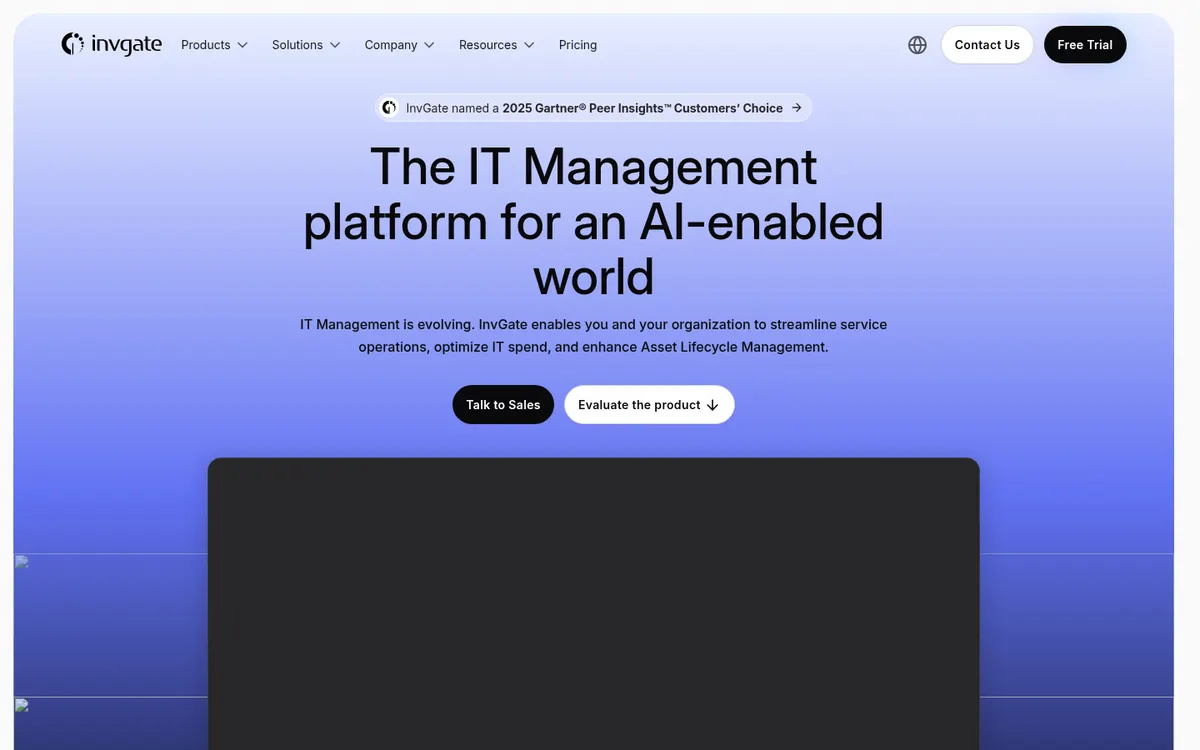
Hierarchy-aware tracking for multi-site teams, with real discovery and a fixed $1,499 annual entry point for 5 agents.
InvGate Assets is built for organizations where the same asset question arrives with a location and an owner attached. Discovery runs four ways, through an agent, a network scan, a QR code, or an import, so you can mix automated coverage with manual records for equipment that never touches the network. Location and ownership hierarchies are the differentiator: a device belongs to a person, a department, and a site, and reports can be cut along any of those lines. Procurement and financial fields sit on the record, lifecycle value tracking follows depreciation, and software inventory rounds out the compliance picture for software audits. Pricing starts at $1,499 per year on the Starter tier, a fixed price for 5 agents, with a free trial and no free plan. Because the tier is defined by agent count while the estate is defined by device count, confirm which number your quote follows before you sign. Confirm the current tier for your device count before you sign. Deployment typically takes two to three weeks, which sits in the middle of the range for this group. The strengths are discovery coverage and hierarchy-aware tracking, and they compound: once sites and departments are modeled correctly, everything from reporting to ownership transfers gets easier, and procurement data sits beside the operational record instead of in a separate spreadsheet. The weakness is ecosystem. There are fewer integrations and fewer outside consultants than the large ITSM vendors offer, so a complex stack will need more glue work, and the annual term commits you from day one with no monthly escape. It fits a multi-site IT team, say a hospital group or a retail chain, that has to answer who owns which device at which location during an audit. It fits less well a single-office company with 60 laptops, where a barcode-first tool at a fraction of the price does the job. Five agents go a long way for a small team; the device count is what you are really buying.
You answer the same asset question across several sites and departments, and need the hierarchy in the data model.
You run one office and only need labels, scans, and check-outs.

The strongest network visibility of the eight, and the weakest fit if custody paperwork is your actual problem.
Lansweeper answers a different question than the rest of this list: what is actually on the network? Agentless discovery sweeps the range without installing anything on endpoints, live device inventory updates as things appear and disappear, and network target and sensor scanning extends coverage across distributed sites. Shadow IT detection is the feature that sells it, because unmanaged devices and unsanctioned software are exactly what a hand-kept register misses. Software and hardware inventory feed reporting, and integrations push that data into service and security tools.
Pricing starts at €270 per month on Starter, billed annually, and that tier includes 2,000 assets. The model counts assets rather than users, which suits an infrastructure team of three supporting ten thousand endpoints. A free tier covers up to 100 assets, which is enough to evaluate the discovery engine on a real subnet before committing, and a 14-day free trial is offered as well.
The limits are on the management side. Financial ITAM features are limited, so depreciation, purchase orders, and cost allocation are not the reason to buy it, and workflow depth is thinner than the ITSM-bundled tools, which means check-out and approval flows may need a second product. Past 2,000 assets the cost climbs with the count, so model the estate before you sign rather than after. If your core need is custody of equipment handed to people, this is the wrong shape of tool.
It fits security and infrastructure teams that need an accurate, continuously refreshed picture of networked devices, and organizations that have to prove what is installed where for a compliance review. It fits less well an HR or operations team tracking laptops, phones, and kit by hand. Buy Lansweeper for visibility, and pair it with a check-out tool if people are assigning equipment daily.
The honest answer to what is on your network is a guess, and you need it to stop being one.
Your problem is who signed for the camera kit and when it comes back.
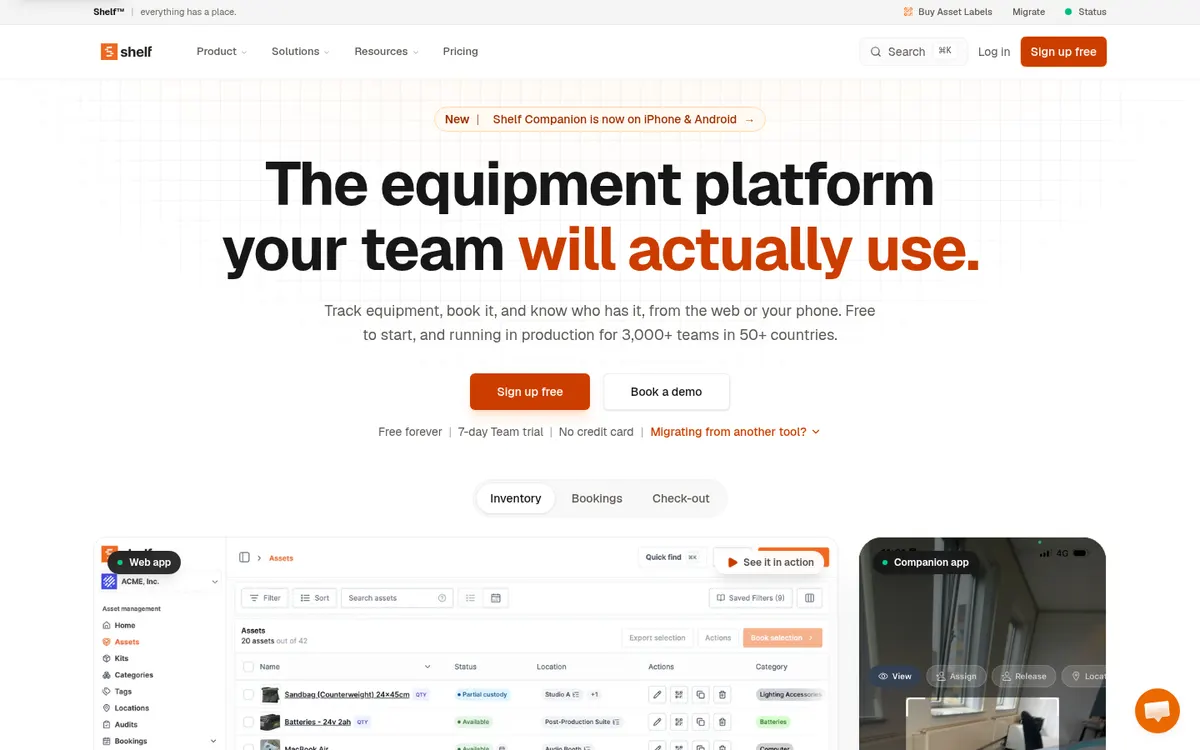
Prebuilt check-out and custody workflows at a flat $190 per year, with no network discovery to speak of.
Shelf is the tool for teams whose real problem is the handover: who has the camera, which laptop went to the new hire, and what came back in the case. Check-out workflows are ready to use rather than configured from a template, so the first day looks like the product rather than a setup project. Equipment bookings handle shared gear, custody transfers record a chain of possession, and kit management groups items that travel together. QR and barcode scanning covers the physical side, and the mobile experience is built for people standing in a storeroom.
Pricing starts at $190 per year on the Plus plan, billed annually, with unlimited assets and one user, plus a 7-day free trial. The model is flat per team rather than per seat, and larger tiers may require a quote. There is also a Free Personal plan, and the product is open source and can be self-hosted, which matters to organizations with data residency rules or a preference for owning the stack.
The trade is discovery. Shelf does not scan your network, so records are created by import, scan, or hand, and software license compliance is not the job it is built for. Compared with ManageEngine or Lansweeper it is an operations tool, not an IT audit tool. It is also a newer vendor, so check references and the roadmap before you standardize on it, and confirm which team tier covers your headcount.
It fits media teams, labs, schools, and field operations that issue equipment to people and need a clean record of return. It also fits IT teams that already have discovery from another source and only need the check-out layer on top. It fits less well an enterprise that wants one platform covering network inventory, contracts, and depreciation. Buy it when the handover is the workflow you are trying to fix.
Equipment moves between people every week and you want the workflow working on day one.
You need the tool to find devices on the network or satisfy a license audit.
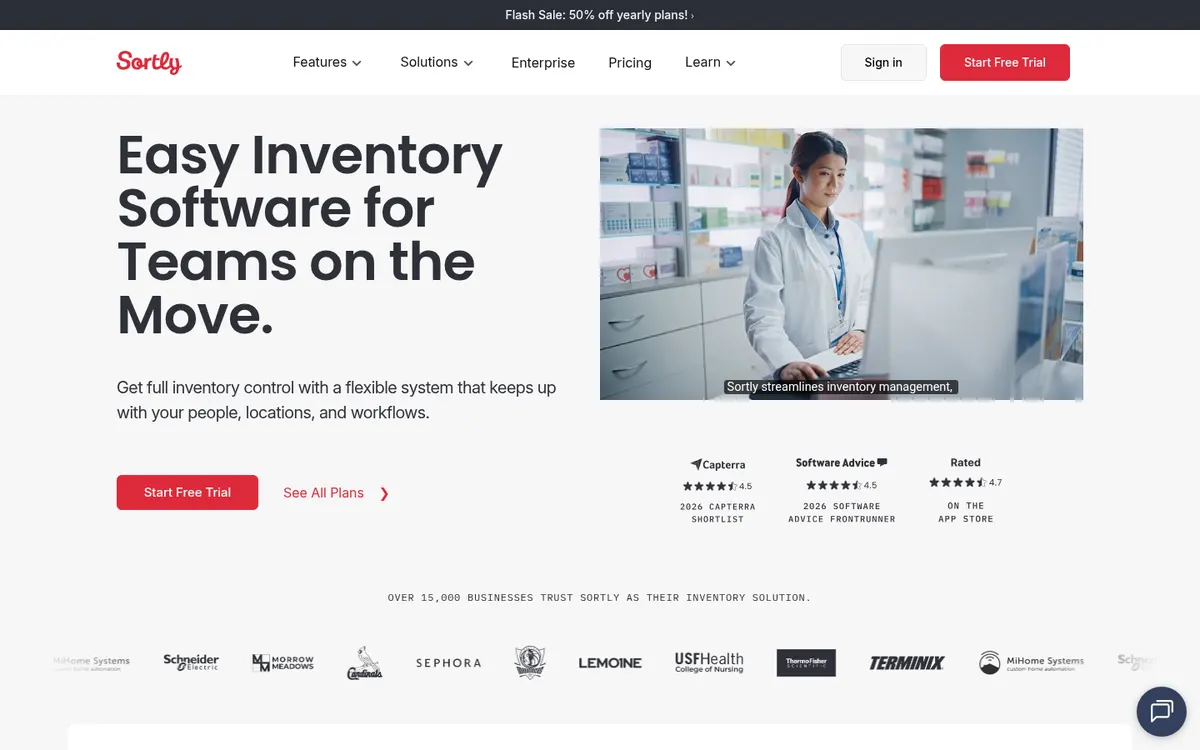
Photo-first inventory that non-IT staff will actually use, and an asset register that will not satisfy an audit.
Sortly is a photo-first inventory tool that happens to work for light asset tracking. Every item can carry a picture, which is how a storeroom or a supply closet gets catalogued by people who are not going to read a manual. Barcode and QR scanning in the mobile app turns check-in and check-out into a phone job, location tracking shows which room or site holds an item, and custom fields and tags let you sort by whatever your team already says out loud. Low-stock alerts matter if the same system tracks consumables alongside equipment. Pricing is on the vendor site: the pricing page returned no text during this check, so no figure is quoted here. A free tier is available, and paid tiers add users, locations, and integrations. There is no free trial listed, which makes the free tier the way to evaluate it before spending, and integrations sitting on paid tiers means the entry price is not the whole picture for a connected stack. The honest limits are workflow and IT depth. Booking calendars and custody chains are shallower than Shelf or Reftab offer, and there is nothing here resembling network discovery, software license compliance, or procurement records. Reporting and export are there, but they answer inventory questions rather than audit questions. It fits small teams and operations groups: a marketing department tracking gear, a clinic tracking supplies, a workshop tracking tools. It is a reasonable first step for a company that has been running on a spreadsheet and phone photos, and a poor fit for an IT department that has to answer a question about license entitlement or prove where a laptop has been. Buy it for visual simplicity and mobile scanning that non-technical staff accept without training days. Do not buy it expecting an asset register that satisfies a compliance review, and confirm the current tier pricing on the vendor page before you budget.
Non-IT staff maintain the inventory and pictures make the difference between adoption and abandonment.
You need custody chains, bookings, or license compliance evidence.
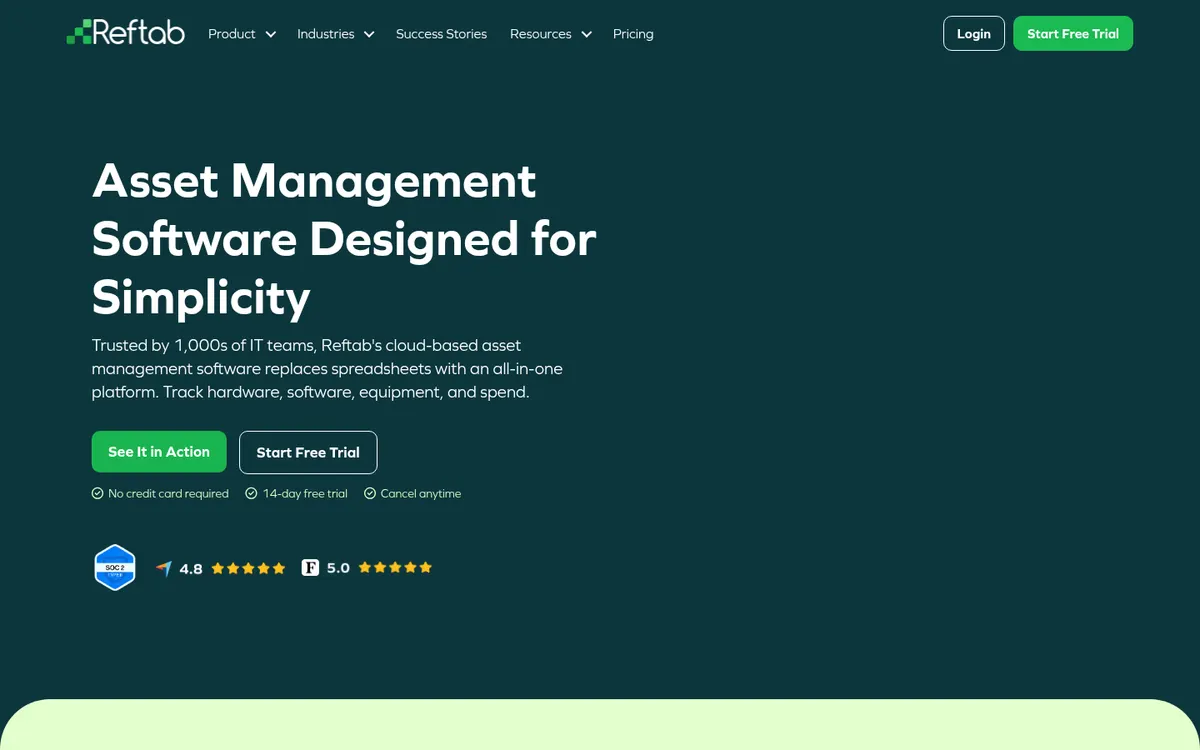
Free for 50 assets with unlimited users, and a clean path to paid tiers that stop at 1,500 assets.
Reftab is the cheapest serious way to start tracking assets, because the free tier is genuinely usable: up to 50 assets with unlimited users, free forever. For a small IT team, a school, or a nonprofit, that covers the whole problem without a purchase order. Barcode and QR scanning, user check-outs, and custody workflows handle the handover, site audits keep records honest, and purchase and configurable cost records give you something to report on. Web and mobile apps mean scanning happens where the equipment is, and asset reservations cover shared gear.
Paid tiers start at $31.25 per month billed annually on Starter, and they scale up to 1,500 assets before enterprise pricing takes over. That ceiling is the main structural limit: an organization that grows past it has to negotiate rather than click a bigger plan. The pricing is otherwise transparent, which is rare in this category and useful when you are building a budget. A 14-day free trial is also offered.
Feature depth is the second limit. Audit trails are lighter than a compliance-focused ITAM platform, integrations are fewer than the large ITSM vendors offer, and there is no network discovery, so nothing finds devices for you. What is there is well organized around check-outs, custody, and audits rather than around procurement and depreciation, and the unlimited users on every tier remove the usual per-seat arithmetic.
It fits a team that wants to be tracking by Friday, has a few dozen assets, and does not want to pay per seat. It fits less well a 3,000 device estate, an organization with an audit requirement that demands deep history, or a company that needs discovery to tell it what exists. Start on the free tier, and move to Starter only when the 50 asset cap starts to bite.
You have fewer than 50 assets and want proper tracking today without a sales call.
Your estate is measured in thousands of devices or you need discovery.
Asset tracking software keeps a record of the things an organization owns and who is responsible for them. That sounds narrow until you list the things: laptops, monitors, phones, licenses, vehicles, tools, test equipment, keys. The category splits into two families that vendors often sell as one.
The first family is IT asset management with discovery. Tools in this group scan a network or install an agent, find devices, and build the inventory from what they see. ManageEngine AssetExplorer and Lansweeper are the clearest examples here, and InvGate Assets adds QR and import paths alongside scanning. They answer questions like what software is installed, which licenses are over-deployed, and which device has not checked in for a month. Setup takes weeks because somebody has to agree scan ranges, credentials, and exclusions.
The second family is custody and check-out tracking. These tools record a handover: this person has this item, it came back on this date, it went to this location. Shelf, Reftab, and Sortly sit here, and Snipe-IT straddles both with manual entry and an API. They answer who has what, where it is, and when it is due back. Setup takes hours or days because the data comes from a spreadsheet and a label printer.
A few things to check before you choose:
Most buying mistakes come from picking the wrong family. A discovery tool with no check-out workflow leaves the handover to email, and a check-out tool leaves the network unexamined.
This comparison sits on the Software desk. Readers comparing neighbouring stacks often check our guides to demand forecasting software and glp 1 companies next.
Asset tracking prices follow four billing units, and the unit matters more than the headline number. Seat-based pricing charges per agent, so a support team of thirty pays thirty times the rate regardless of device count. Asset-based pricing charges for inventory size, which suits infrastructure teams where devices greatly outnumber staff. Flat team pricing charges once for the whole team, which suits operations groups issuing equipment to hundreds of people. Open source removes the license line and moves the cost to hosting, patching, and staff time.
| Model | How it bills | Typical fit | Example from this list |
|---|---|---|---|
| Open source self-hosted | No license fee, no per-user charge | Teams with a sysadmin and a tight budget | Snipe-IT, self-hosted with no license fee |
| Per agent | Priced by technician seat, billed annually | Support teams where devices outnumber staff | Freshservice at $19 per agent per month billed annually; InvGate at $1,499 per year for 5 agents |
| Per asset | Priced by inventory size, sometimes with a free ceiling | Infrastructure teams with large device counts | ManageEngine at $115 per month for 250 IT assets; Lansweeper Starter at €270 per month billed annually for 2,000 assets |
| Flat per team | One price regardless of seats | Operations teams issuing equipment to many people | Shelf Plus at $190 per year with unlimited assets and 1 user; Reftab free for 50 assets with unlimited users |
| Free tier first | Free ceiling, paid tiers add users, locations, integrations | Small teams moving off a spreadsheet | Reftab 50 assets free; Lansweeper 100 assets free; Sortly free tier, with pricing on the vendor site |
Two details decide the real number. First, what the entry tier includes: ManageEngine's $115 per month covers 250 IT assets, while Lansweeper's €270 per month covers 2,000. Second, where the ceiling sits: Reftab's paid tiers run to 1,500 assets before enterprise pricing, and InvGate's Starter is a fixed $1,499 per year for 5 agents.
Free tiers are worth reading closely. Reftab's is free forever for 50 assets with unlimited users, Lansweeper's covers 100 assets, Sortly has a free tier, and Shelf offers a Free Personal plan. None of these is a trial. Shelf's trial runs 7 days, Freshservice, Lansweeper, and Reftab offer 14 days, and Snipe-IT has no trial because the open-source edition carries no license fee.
Ask two questions before signing: does the price move when you hire, and does it move when you buy hardware? If the answer to both is yes, get the ceiling in writing. Prices were checked on 2026-11-25 and are quoted as listed, so confirm on the vendor page before you commit.
Every price above was checked on the vendor's own pricing page on November 25, 2026. Where a vendor does not publish a figure we write "See website" instead of guessing. To compare annual and monthly billing quickly, try the free percentage calculator.
This comparison does not quote Asset Panda's pricing, so check the vendor's own pricing sheet for current tiers and any seat minimum. The alternatives above show how different the models are: Freshservice at $19 per agent per month billed annually, ManageEngine at $115 per month for 250 IT assets, and Reftab free for 50 assets with unlimited users. Seat minimums are the first thing to confirm before a demo.
Yes. Snipe-IT is open source and self-hosted with no license fee, and Shelf is open source with a self-hosting option plus a Free Personal plan. Among free tiers, Reftab gives 50 assets with unlimited users free forever, Lansweeper covers up to 100 assets free, and Sortly has a free tier. Free usually means you supply the hosting or accept an asset ceiling.
Discovery finds devices by scanning a network or running an agent, so the inventory builds itself and unmanaged devices surface. ManageEngine AssetExplorer, Lansweeper, and InvGate Assets lead on that. Barcode and QR tracking records a handover against a label someone applied, which is what Shelf, Reftab, and Sortly do well. Most organizations need both, for different questions.
Days for cloud service desk tools: Freshservice typically deploys in days. One to two weeks for Snipe-IT, which you host yourself. Two to three weeks for InvGate Assets, and two to four weeks for ManageEngine AssetExplorer once scan ranges and credentials are agreed. Discovery-based tools take longer because someone has to decide what to scan and clean up the first results.
ManageEngine AssetExplorer is the strongest fit, with software license compliance tracking and compliance reporting built in. Lansweeper covers software inventory and shadow IT detection, InvGate Assets includes software inventory, and Snipe-IT tracks software licenses alongside devices. If license entitlement is the question you must answer in an audit, start with AssetExplorer or Lansweeper rather than a check-out tool.
Shelf is built for it, with equipment bookings, custody transfers, and kit management. Reftab adds asset reservations and custody workflows on top of check-outs, Snipe-IT records check-outs and assignments, and Sortly tracks location without booking calendars. If shared equipment moves between people every week, a booking and custody tool beats a discovery platform, which records existence rather than possession.
Browse every comparison on the Software desk, with the same rubric and dated prices.