Skip to content
Price watch
Checked Nov 25, 2026
Software desk8 tools compared

8 Best Expense Management Software for Startups, 2026

Eight expense platforms compared on card controls, accounting sync, free tier value and the price a ten-person startup actually pays, with vendor pages checked November 2026.

Illustrated portrait of Leora Hart
Leora Hart, Editorial DirectorUpdated 22 min read
Prices checked November 25, 2026
IdeaTruss cover illustration: an abstract geometric illustration of stacked translucent planes forming a rising bar shape.
Tools compared
8
Publish a price
4 of 8
Free plan
5 of 8
Checked
Nov 25, 2026

The short answer

Ramp is the best expense management software for most startups as of November 2026, because its Free plan at $0 per user per month includes unlimited cards, reimbursements and basic bill pay. Brex suits venture-backed and multi-entity teams that want cards and travel together at $12 per user per month on Premium. Navan fits startups where flights and hotels dominate spending, with Navan Business free for companies up to 300 employees. Each of the eight tools below was checked on 2026-11-25, and every entry states what it costs a small team.

Top 3 picks

Ranked #1

Ramp

Unified spend ledger

$15Plus, per user per month, plus platform fee based on team size, 20% off with annual billing

Best for
Startups wanting cards, expenses, bill pay and accounting automation in one place
Free plan
Yes, Free plan at $0/mo/user with unlimited cards
Rubric
9.0 / 10
Ranked #2

Brex

Cards plus travel

$12Premium, per user per month

Best for
Venture-backed and global startups needing corporate cards plus travel
Free plan
Yes, Essentials at $0/user/month
Rubric
8.1 / 10
Ranked #3

Navan

Travel-first policy control

See websitecustom quote

Best for
Startups where travel is a major share of company spending
Free plan
Yes, Navan Business free for companies up to 300 employees
Rubric
7.1 / 10

Disclosure for this page: All 8 tools here are unpaid editorial picks. The position of a paid listing can be part of what the vendor pays for. How we handle paid listings.

Compare all 8 at a glance

Prices from vendor pages, checked November 25, 2026

The ledger8 tools, sortable

8 of 8 tools shown

ToolBest forFree planActions
1RampStartups wanting cards, expenses, bill pay and accounting automation in one place$15Plus, per user per month, plus platform fee based on team size, 20% off with annual billingYes9.0
2BrexVenture-backed and global startups needing corporate cards plus travel$12Premium, per user per monthYes8.1
3NavanStartups where travel is a major share of company spendingSee websitecustom quoteYes7.1
4BILL Spend & ExpenseFinance teams wanting budgets, cards and accounts payable in one systemSee websiteYes7.2
5ExpensifyTeams with heavy receipt and reimbursement workflows using existing cardsSee websiteNo5.3
6Zoho ExpenseCost-conscious teams, particularly those already using Zoho products$3Standard, per user per month, billed annually, free plan includedYes7.2
7AirbaseStartups that want tight procurement and procure-to-pay controlsSee websiteNo5.4
8FyleTeams wanting real-time expense tracking without changing existing cards$11.99Growth, per active user per month, billed annually, minimum 5 usersNo6.2
On this page
  1. Key takeaways
  2. Top 3 picks
  3. Comparison table
  4. How we chose and scored these tools
  5. Scoring rubric
  6. 1. Ramp
  7. 2. Brex
  8. 3. Navan
  9. 4. BILL Spend & Expense
  10. 5. Expensify
  11. 6. Zoho Expense
  12. 7. Airbase
  13. 8. Fyle
  14. What Does Expense Management Software Actually Cover?
  15. How Pricing Works, and Where the Free Tier Stops
  16. How to Choose Without Running Six Demos
  17. Where Startup Expense Rollouts Go Wrong
  18. FAQ
  19. Related pages

How we chose and scored these tools

We compared eight tools on five criteria weighted for a startup buyer rather than an enterprise finance department. Spend controls (25%) covers how much enforcement happens at the point of purchase versus after the charge clears. Pricing fit (20%) weighs the published entry price against what a team of ten to fifty people would really pay once card, travel and approval features are needed. Accounting sync (20%) looks at which ledgers connect and whether coding is applied automatically. Setup speed (20%) asks how long a first finance hire needs before the tool is live. Free plan value (15%) measures what the no-cost tier actually includes.

Prices, plan names, seat minimums and free tier limits come from vendor pricing pages checked on 2026-11-25. Where a page showed no figure, the entry says pricing is on the vendor site and we did not estimate a number. Feature notes come from what each product documents publicly. We did not invent ratings, quotes or customer counts.

The order is editorial: each position reflects fit for the buyer described in that entry, not a weighted total. A Featured position is a paid placement. The vendor pays for it, and the entry is scored against the same five criteria and carries the same honest cons as every other tool.

The full process, including how we handle corrections, is on the methodology page. Paid listings follow our advertising disclosure.

The scoring rubric

CriterionWeightWhat we check
Spend controls25%How much policy enforcement happens at checkout versus in a review queue after the money has left.
Pricing fit20%What a team of ten to fifty people actually pays once cards, approvals and reporting are switched on.
Accounting sync20%Which ledgers connect and whether coding is applied automatically instead of retyped at month end.
Setup speed20%How quickly a founder or first finance hire can get the tool live without a consultant.
Free plan value15%What the no-cost tier genuinely includes, and whether it survives the first year of growth.

Ramp

Unified spend ledger
$15Free planRubric 9.0
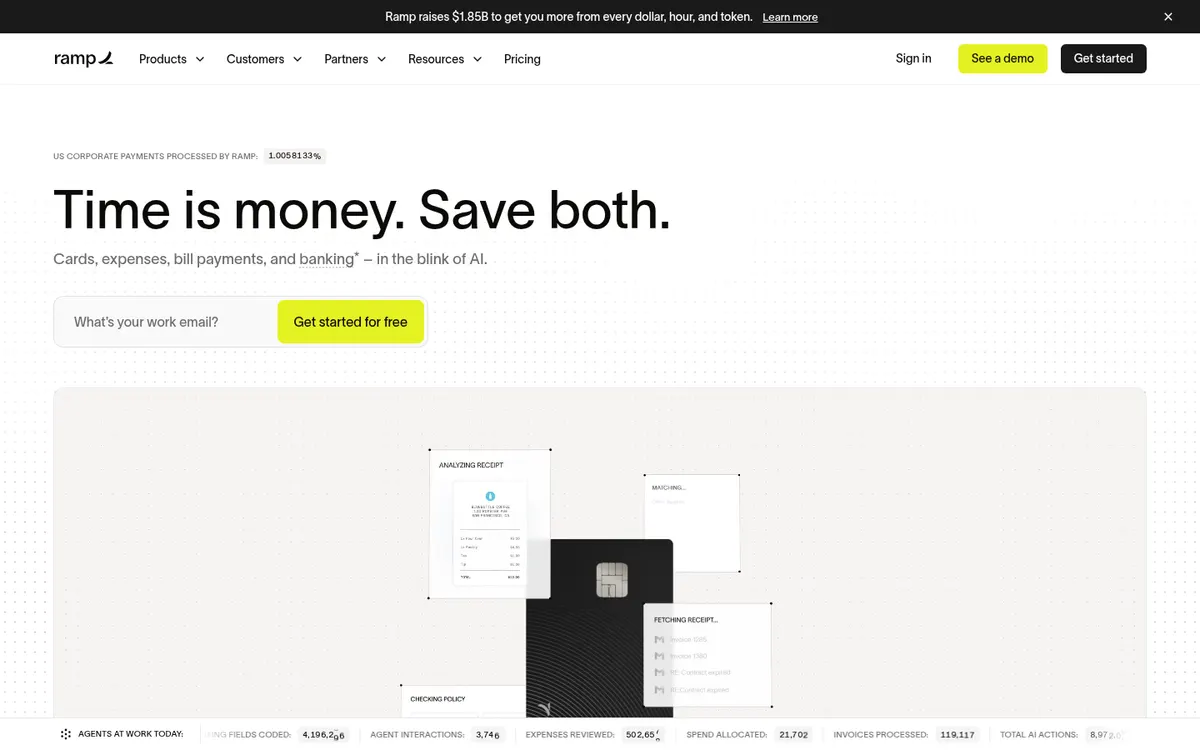
Screenshot of the Ramp website
The official Ramp page at ramp.com, captured by IdeaTruss on November 25, 2026.
Our verdict

Best overall for US startups that want cards, expenses and bill pay reconciled in one ledger from day one.

Ramp puts corporate cards, expense tracking, reimbursements and basic bill pay into one ledger. Card spend, vendor bills and employee reimbursements land in the same view, so month-end review does not mean stitching together exports from three systems. Approval policies, merchant restrictions and spend limits are configured in the same place, and controls apply at the point of purchase rather than after a charge clears. AI flags duplicate invoices and unusual charges, and accounting coding is applied to transactions automatically, with two-way sync to QuickBooks, Xero, NetSuite and Sage.

Pricing starts at $15 per user per month on the Plus plan, plus a platform fee based on team size, with 20% off under annual billing. A 30-day free trial runs on Plus. The Free plan sits at $0 per user per month with unlimited cards and no platform fee, and it covers expense tracking, reimbursements and basic bill pay. That free tier is funded mainly by card interchange revenue, which is why it is unusually complete for a spend platform.

The catches are worth knowing before you commit. The card program depends on opening a qualifying business checking account, so treasury has to be comfortable moving banking as well as software. International coverage is narrower than some global rivals, and support responsiveness on the free tier is reported as uneven. Advanced procurement workflows and custom reporting sit on paid plans, so a team planning to pass roughly fifty staff should budget for an upgrade rather than assume the free tier holds.

For US startups that want cards, expenses and bill pay reconciled in one place from day one, Ramp is the strongest starting point in this list. Teams with heavy international entities, or finance leads who need procurement sign-off chains immediately, should test the paid tiers against Brex and Airbase first.


Pros

  • Free plan with unlimited cards and no platform fee
  • Card spend, bills and reimbursements share one ledger
  • Automatic accounting coding with two-way ledger sync

Cons

  • Card program requires a qualifying business checking account
  • Procurement depth and custom reporting sit on paid plans
  • International coverage narrower than global rivals

Pick it if

You are a US startup that will run most spending through a corporate card and want expenses, bills and reimbursements in one place.

Skip it if

You need deep procurement workflows on day one, operate mainly outside the United States, or cannot move your business checking account.

Brex

Cards plus travel
$12Free planRubric 8.1
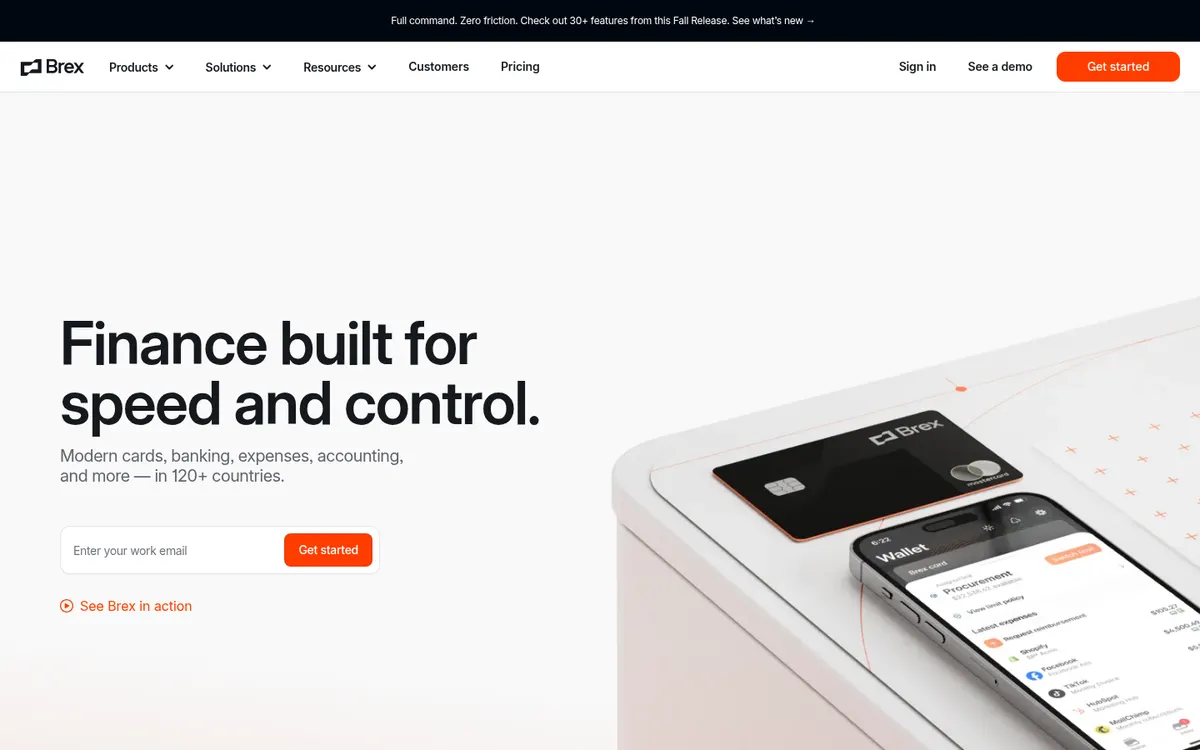
Screenshot of the Brex website
The official Brex page at brex.com, captured by IdeaTruss on November 25, 2026.
Our verdict

Strongest choice for venture-backed and multi-entity startups that want corporate cards and travel policy handled in one platform.

Brex built its product around how startups actually spend, and the corporate card is still the core. Virtual cards can be issued instantly with per-card limits, which makes a dedicated card per vendor or per subscription practical rather than an administrative chore. Receipt matching is automated, and spend controls extend to subscriptions and vendor payments. Accounting integrations cover QuickBooks, Xero and NetSuite.

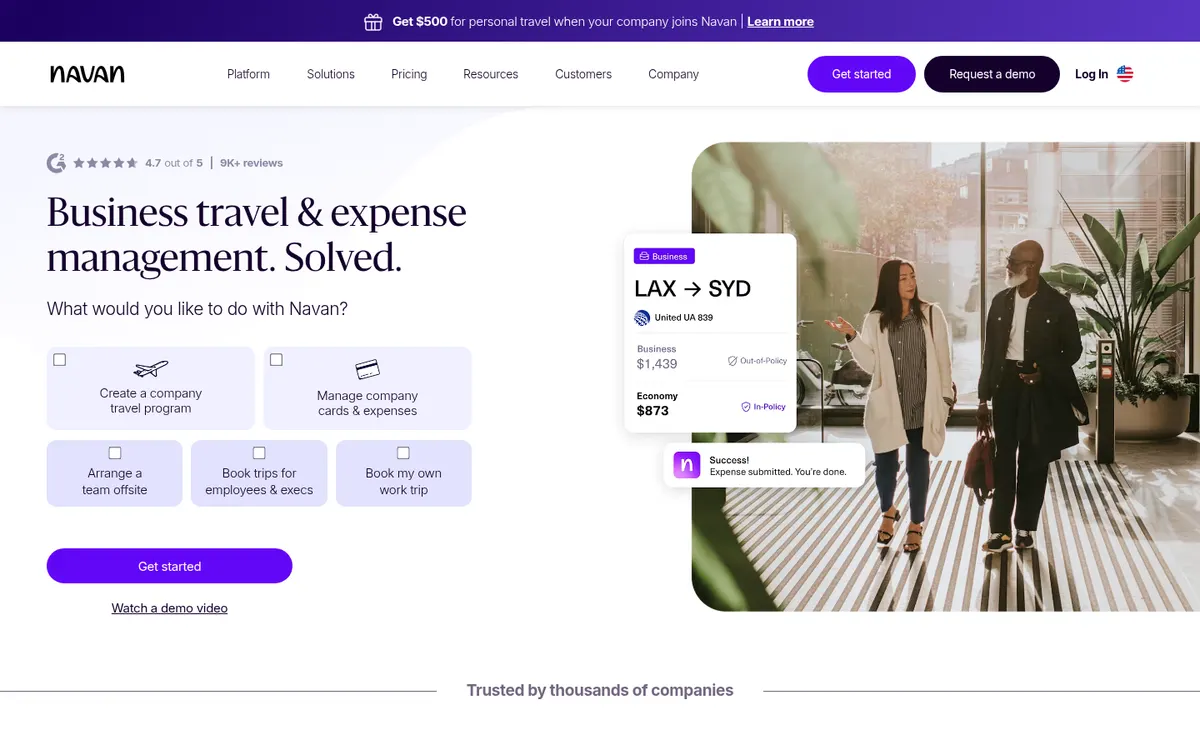
Travel is the second pillar. Flights and hotels are booked inside the platform, travel policy is enforced on what gets booked, and those bookings flow into expense reports without a separate rekeying step. Multi-entity and multi-currency support is stronger than most peers here, which matters for startups with a US parent and teams abroad.

Pricing is $12 per user per month on Premium, with Essentials free at $0 per user per month and Enterprise priced by quote. There is no free trial. Add-on modules push the effective cost up once you need travel or procurement depth, so budget for the stack rather than the headline seat price.

Two caveats come up repeatedly. Support quality draws mixed feedback, particularly on disputed charges, which is exactly when a founder needs a fast answer. The product direction has also shifted toward larger customers, and some early-stage founders say it now fits bigger teams better than very small ones. A US incorporation focus limits some international scenarios as well.

Brex is the pick for venture-backed or global startups that want cards and travel in one place and can absorb add-on costs. If you are five people with no travel, compare a card-first free tier such as Ramp before signing.

Pros

  • Instant virtual cards with granular per-card limits
  • Travel bookings flow straight into expense reports
  • Strong multi-entity and multi-currency handling

Cons

  • Add-on modules raise the real cost above the seat price
  • Support feedback is mixed on disputed charges
  • Product direction favors larger customers

Pick it if

You are venture-backed with entities in more than one country and want cards and travel booked in the same system.

Skip it if

You are a five-person team with no travel, since add-on modules will cost more than the $12 seat price suggests.

BILL Spend & Expense

Budget-driven approvals
See websiteFree planRubric 7.2
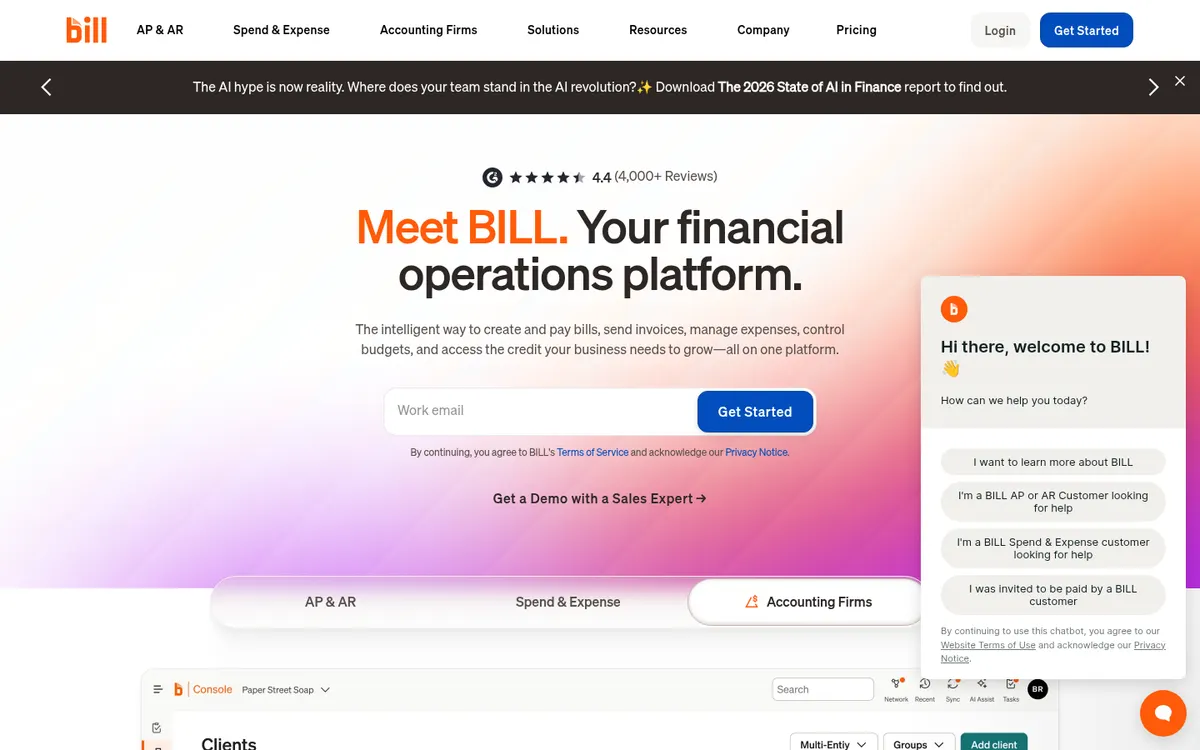
Screenshot of the BILL Spend & Expense website
The official BILL Spend & Expense page at bill.com, captured by IdeaTruss on November 25, 2026.
Our verdict

Best for finance-led teams that already think in department budgets and want cards and accounts payable under one roof.

BILL Spend and Expense approaches the category from budgets rather than cards. Department budgets with real-time spend visibility are the organizing idea, and card controls are tied to those budget limits rather than set per card in isolation. Multi-step approval workflows handle larger purchases, manager dashboards show spend against budget, and accounts payable automation for vendor bills sits alongside the card product.

The accounting sync covers QuickBooks, Xero, NetSuite and Sage. Because the product grew out of the vendor's acquisition of Divvy and runs next to the company's bill pay tool, teams that already process payables on the same platform get a simpler month-end close: card spend and vendor bills are reconciled in one place instead of two.

The entry cost is low in one specific sense: the core card product is free. There is no free trial on the broader product, and the full financial operations toolkit, the part most finance teams actually want, sits on paid tiers. Pricing for Spend and Expense is not published in a comparable form on the vendor site, which displays accounts payable and accounts receivable plans instead, so expect a quote.

Two practical warnings. The interface feels older and slower than card-first rivals, and onboarding complex approval chains takes longer than most teams budget for. A three-step approval with department routing and a threshold is not a same-day setup. The value also depends on consolidation: if you keep bill pay somewhere else, you pay for a toolkit you half use.

BILL Spend and Expense fits a startup with a finance lead, twenty or more staff, and department budgets currently maintained by hand in a spreadsheet. Very early teams will find it heavy.

Pros

  • Budget and approval controls are well developed
  • Long track record in accounts payable automation
  • Free core card product lowers the entry cost

Cons

  • No published price for Spend and Expense, only AP and AR plans
  • Interface feels slower and older than card-first rivals
  • Complex approval chains take real setup time

Pick it if

You already manage department budgets and want card spend and vendor bills reconciled by the same finance team.

Skip it if

You have no finance lead, need pricing published before a call, or want the fastest self-serve setup in the category.

Expensify

Receipt capture speed
See websiteNo free planRubric 5.3
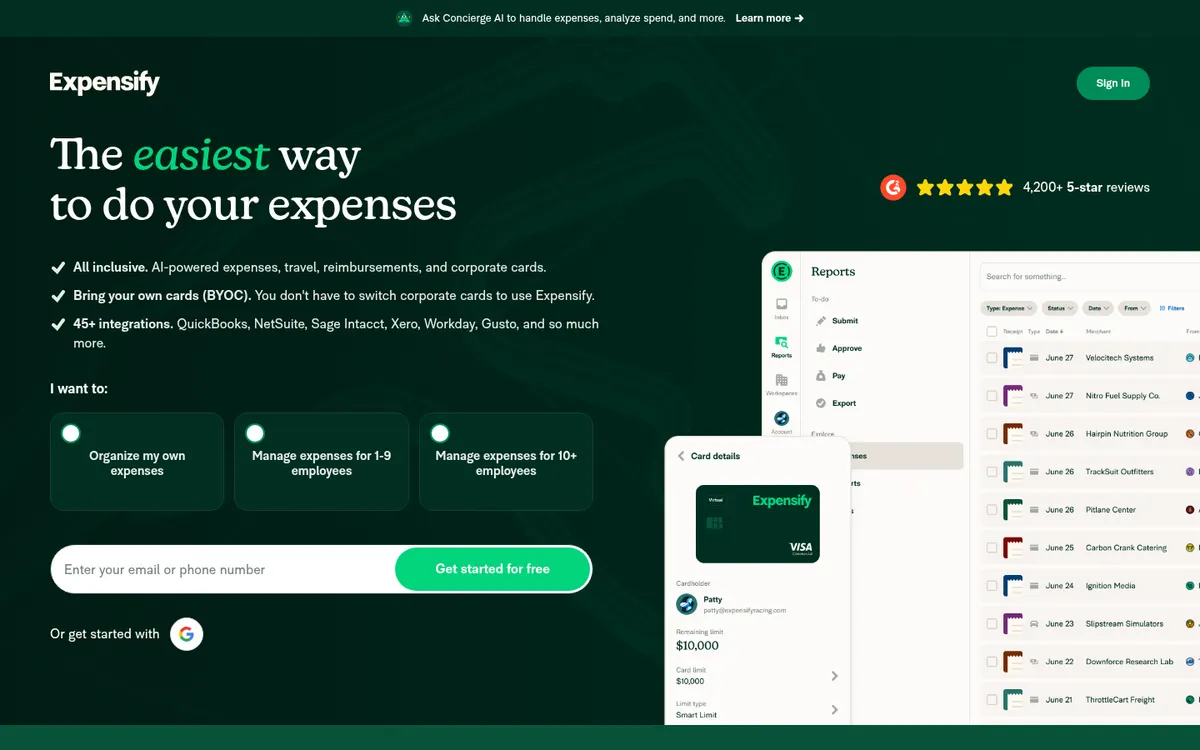
Screenshot of the Expensify website
The official Expensify page at expensify.com, captured by IdeaTruss on November 25, 2026.
Our verdict

Best for teams with existing cards and a receipt problem, not for anyone who needs to block spend at checkout.

Expensify specializes in the least glamorous part of the category: turning a shoebox of receipts into a clean report and paying people back. SmartScan handles receipt capture with OCR, reports are built and submitted in the app, employee reimbursement runs through the same workflow, and mileage tracking is included. It works with whatever corporate card you already have, which means adopting it does not require changing banks or card providers.

The strength is speed of capture. A forwarded email or a phone photo becomes a coded line item with little friction, and the reimbursement flow is simple enough that staff do not need training. The product has been in expense reporting for a long time, and that shows in how many edge cases the report builder handles.

The trade-off is control. Expensify cannot block spend at the point of purchase, because it does not issue the card. Policy checks and approval rules apply after a charge clears, so the money has already left by the time the system objects. Pre-approval rules and virtual cards exist as add-ons, but they feel secondary to the core reporting product.

Pricing scales with headcount, and a per-member model gets expensive as the team grows, particularly for a product that does not replace your card program. The vendor's pricing page returned no plans or prices when checked on 2026-11-25, so treat pricing as a conversation. There is a free trial and no free plan. The interface also lags newer platforms: functional, familiar, not fast.

Expensify fits a team that already has cards it likes and needs reimbursements and receipt compliance fixed this quarter. It is a poor fit if the goal is preventing out-of-policy spending before it happens.

Pros

  • Receipt capture and OCR are fast and accurate
  • Works with any existing corporate card
  • Simple mileage and reimbursement flows

Cons

  • Cannot block spend at the point of purchase
  • Per-member pricing rises with every hire
  • No free plan, and no published price when checked

Pick it if

You already have cards you are happy with and the real problem is receipts, reports and reimbursements.

Skip it if

You need to block a merchant at checkout or keep per-seat costs flat as headcount grows.

Zoho Expense

Low-cost entry
$3Free planRubric 7.2
Screenshot of the Zoho Expense website
The official Zoho Expense page at zoho.com, captured by IdeaTruss on November 25, 2026.
Our verdict

Cheapest credible way for a small team to professionalize expense reports, though it has no card program and thin analytics.

Zoho Expense is a pure expense tracker at a price that is hard to argue with. Receipt scanning and capture, approval workflows and policy rules, per diem and mileage handling, multi-currency entry and a mobile app for submitting on the go are all in the box. On the accounting side it integrates with Zoho Books, QuickBooks, Xero and Sage, and the Zoho Books link is the tightest of the four. The Standard plan is $3 per user per month billed annually, and a free plan covers teams of up to three users. Free trials run on Standard and Premium. For a pre-seed or bootstrapped company that needs professional expense reports and an approval trail without a finance hire, that combination is the lowest cost route in this list by a wide margin. What you do not get is a card program. There is no native corporate card, so spend control happens after purchase rather than at checkout. Policy rules flag and route; they do not decline a merchant. Analytics and reporting are also limited compared with card-first platforms, which matters once a board asks for spend by department and category. Support is ticket-based and response times vary, which is worth knowing if you run expenses somewhere with tight reimbursement rules. Teams also tend to outgrow it: the moment card controls, procurement approvals or vendor bill pay become priorities, Zoho Expense stops being the answer and the migration lands on whoever owns finance operations. Zoho Expense fits cost-conscious teams, especially those already running Zoho Books or other Zoho products, and any startup that wants to stop chasing receipts for $3 per user per month. It is a weaker fit once you need to stop spending, not just record it.

Pros

  • Free plan for teams of up to three users
  • $3 per user per month on Standard, billed annually
  • Tight integration with Zoho Books

Cons

  • No native corporate card program
  • Reporting and analytics are limited
  • Ticket-based support with variable response times

Pick it if

You are bootstrapped, want a free plan for up to three users, and only need reports, approvals and reimbursements.

Skip it if

You need corporate cards, checkout-level controls or reporting that holds up to board-level scrutiny.

Airbase

Procurement-grade audit trail
See websiteNo free planRubric 5.4
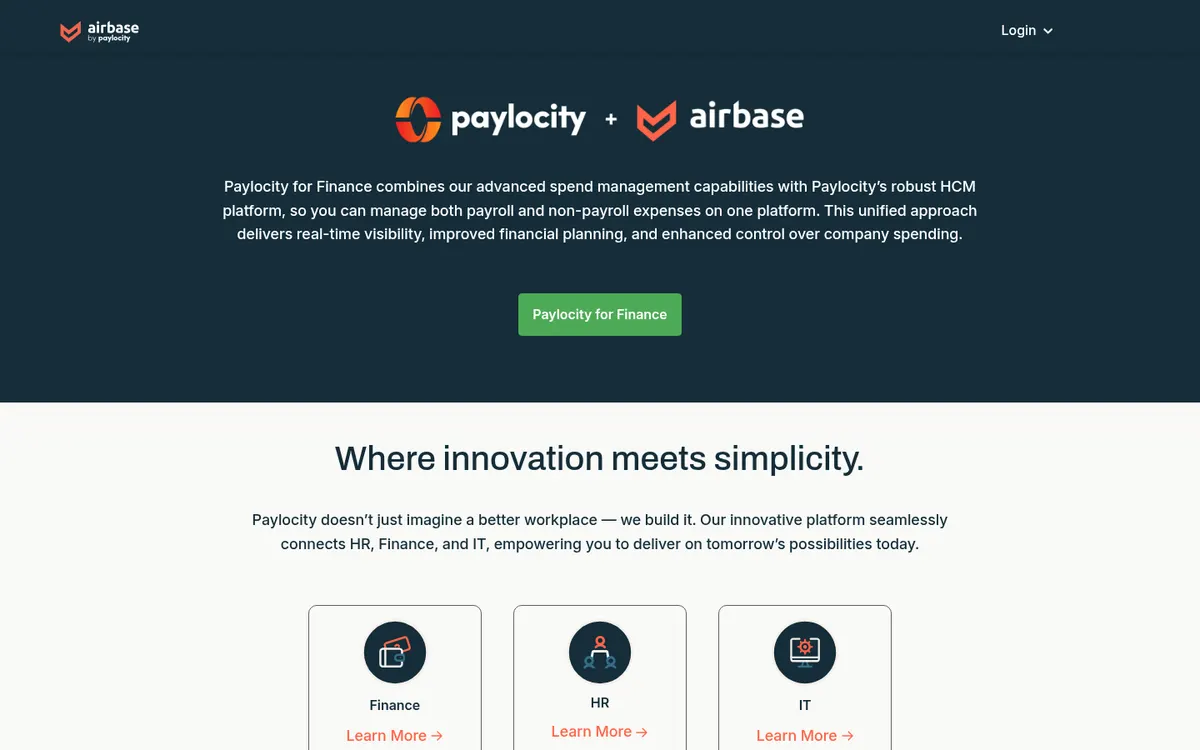
Screenshot of the Airbase website
The official Airbase page at airbase.com, captured by IdeaTruss on November 25, 2026.
Our verdict

Best for twenty-plus staff teams that need procurement approvals and a full audit trail, and can work with quote-based pricing.

Airbase comes at spend management from procurement, and that origin shows in everything it does. Purchase requests are guided: a requester works through required steps, approval chains route by department and amount, and every step leaves an audit trail. Virtual cards are issued to vendors rather than handed out loose, so a recurring subscription has its own card and its own limit.

The rest of the stack is standard but complete. Bill pay and accounts payable, employee reimbursements, accounting sync and multi-department approval chains all sit in one system, with cards, bills and reimbursements consolidated. For a company that has to show a clean audit trail across the full spend lifecycle, from request to payment to ledger, that consolidation is the point.

Pricing is the obstacle. There is no free tier and no free trial, and no pricing page exists: the vendor quotes every deal. That means you cannot comparison shop on a seat price, and the cost puts the product out of reach for the earliest-stage companies. Implementation also takes more effort than a self-serve card platform, with real configuration of approval chains before go-live.

It is heavier than a five-person team needs. Airbase generally fits startups at twenty or more employees with a dedicated finance lead who has opinions about segregation of duties. Below that, the controls you are paying for are controls nobody has asked for yet.

Compare it with BILL Spend and Expense if you want budget-driven approvals with a free card product, and with Ramp if you want controls at checkout without running a procurement project.

Pros

  • Guided purchase requests with required steps
  • Detailed approval and audit trail controls
  • Cards, bills and reimbursements consolidated

Cons

  • No free tier, no trial and no published pricing
  • Heavier implementation than card-first tools
  • Cost puts it beyond reach for the earliest-stage companies

Pick it if

You have twenty or more employees, a finance lead, and a real need for purchase approvals and audit trails.

Skip it if

You are pre-seed, need published pricing, or want a self-serve tool live in a week.

Fyle

Works with your cards
$11.99No free planRubric 6.2
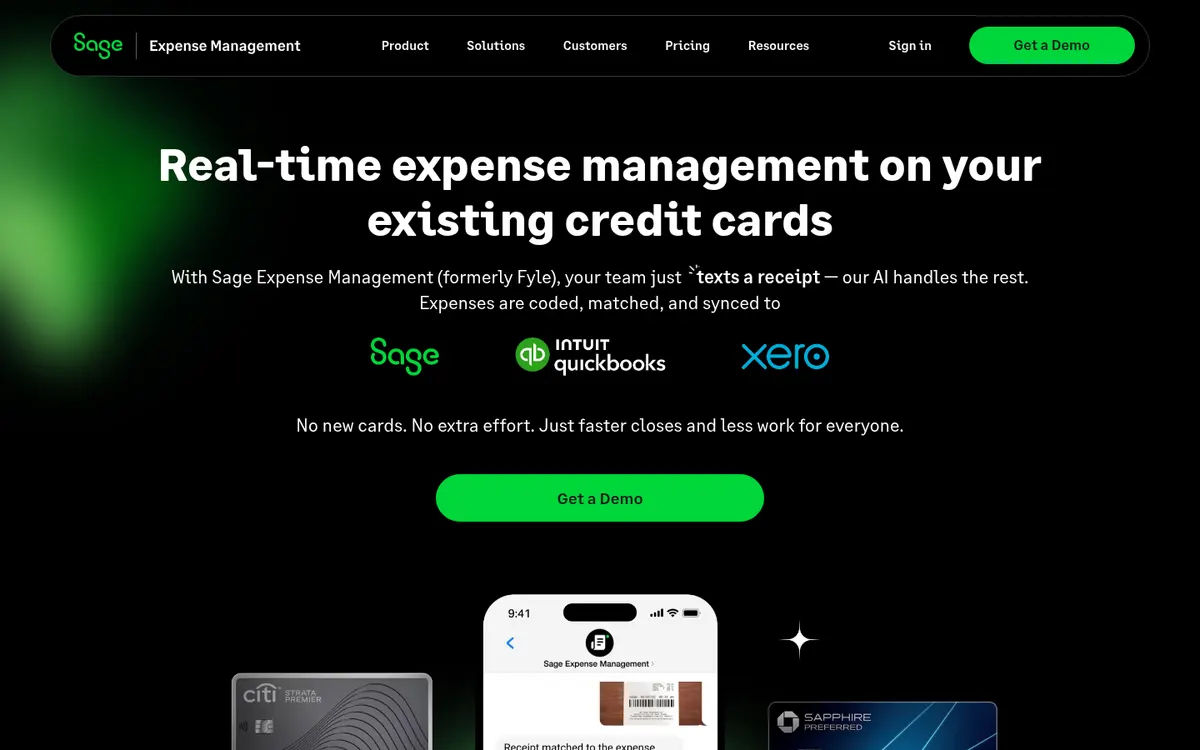
Screenshot of the Fyle website
The official Fyle page at fylehq.com, captured by IdeaTruss on November 25, 2026.
Our verdict

Best for companies keeping their current card program but wanting real-time feeds and automatic policy checks on every charge.

Fyle exists for one situation: you have a corporate card program you are not going to change, and the expense admin around it is still manual. It connects to existing card programs, pulls transactions in real time, and pushes them through policy checks automatically. Nothing about your banking relationship has to move.

The workflows are built for people who are not at a desk. Expense submission by text message is the standout, and staff who travel or work in the field can submit a receipt in seconds rather than logging into a portal at the end of the month. Automatic policy checks run on new charges as they arrive, and sync covers QuickBooks, Xero, NetSuite and Sage. A mobile app covers the rest.

Pricing is moderate for the category: Growth is $11.99 per active user per month billed annually, with a minimum of five users. There is a free trial and no free plan. Note the per active user basis, which suits a company where only some staff ever submit expenses, and note that advanced functionality sits on higher tiers.

The trade-offs are scale and scope. Fyle is a smaller vendor with a narrower integration ecosystem than the card-first platforms, its feature release cadence is slower, and there is no travel booking to speak of. The vendor's pricing page now presents the product under the Sage Expense Management name, which is worth confirming with sales if brand continuity matters to your procurement review.

Fyle fits a company that likes its bank, dislikes its expense process, and wants policy checks running automatically without replacing cards. It is not a substitute for a platform that stops spend at checkout or books travel.

Pros

  • Attaches to card programs you already run
  • Text message submission suits field and traveling staff
  • Automatic policy checks on new charges

Cons

  • Smaller vendor with a narrower integration ecosystem
  • No travel booking and no card issuing
  • Advanced features sit on higher tiers

Pick it if

Your card program is fixed and you want real-time transaction feeds with policy checks and text-based submission.

Skip it if

You need travel booking, card issuing, or the wider integration ecosystem larger vendors support.

What Does Expense Management Software Actually Cover?

Expense management software is the layer between money leaving a company and the accounting ledger recording it. For a startup it usually covers five jobs: issuing a way to pay, capturing what was bought, approving it, reimbursing whoever paid, and posting a coded entry to the books. Tools here handle different shares of that list, and the share is what separates a $0 platform from a $12 per seat one. Two families exist. Card-first platforms issue the card, so they enforce policy at checkout: a limit, a merchant restriction or a blocked category stops the charge before it happens. Ramp and Brex sit here. Trackers attach to cards you already hold and clean up afterward. Expensify, Zoho Expense and Fyle turn receipts into reports and push coded entries to your ledger, but they cannot decline a transaction. The work inside a typical tool looks like this: - Receipt capture by photo or forwarded email, with line items extracted automatically

  • Policy checks that flag out-of-policy categories, missing receipts or duplicate invoices
  • Approval chains routed by amount, department or budget owner
  • Reimbursement runs that pay staff back without a payroll cycle
  • Accounting sync that posts coded transactions to QuickBooks, Xero, NetSuite or Sage Adjacent features blur the category. BILL Spend and Expense and Airbase lead with budgets and procurement approvals, so a purchase request is approved before a card is issued. Navan and Brex bundle travel booking, pulling flights and hotels into the same report as a coffee receipt. Ramp adds bill pay, so vendor invoices land beside card spend. For a startup, the practical question is not which tool has the longest feature list. It is which jobs you need covered now. Five people paying for software on personal cards need receipts and reimbursements. Thirty people with a traveling sales team need cards, travel policy and a clean close. Buying the second before you need it costs money; buying the first after you need it costs a month of cleanup.

This comparison sits on the Software desk. Readers comparing neighbouring stacks often check our guides to demand forecasting software and glp 1 companies next.

How Pricing Works, and Where the Free Tier Stops

Startup expense software is priced in two layers, and the layer that matters most is often the free one. Card-first platforms make money on card interchange, so the software can cost $0. Ramp's Free plan is $0 per user per month with unlimited cards and no platform fee, and Navan Business is free for companies up to 300 employees. Those tiers are real products, not trials, but they sit at the top of an upsell ladder.

The second layer is the per-seat subscription you graduate into. Ramp Plus is $15 per user per month plus a platform fee based on team size, with 20% off under annual billing and a 30-day free trial. Brex Premium is $12 per user per month. Pure trackers are cheaper: Zoho Expense Standard is $3 per user per month billed annually, and Fyle Growth is $11.99 per active user per month billed annually with a five user minimum.

Two things inflate the sticker price. Seat minimums mean a four-person team pays for five seats on some plans, and add-on modules on card platforms are billed separately from the base seat. Airbase publishes no pricing page at all, and Navan and BILL Spend and Expense route pricing through a quote, so those three need a sales conversation before you can compare.

Model How it bills Typical fit Example from this list
Free card tier $0 per user per month, funded by card interchange Pre-seed and seed teams that push spend through the card Ramp Free at $0 per user per month with unlimited cards
Per-seat platform Per user per month plus a platform fee based on team size Teams past fifty staff needing procurement and custom reporting Ramp Plus at $15 per user per month, 20% off with annual billing
Card plus travel Per user per month or custom quote Startups with regular flights and hotels Brex Premium at $12 per user per month; Navan Business free up to 300 employees
Low-cost tracker Per user per month, billed annually Bootstrapped teams needing reports and reimbursements Zoho Expense Standard at $3 per user per month billed annually
Per active user Per active user per month, billed annually, seat minimum Teams where only some staff submit expenses Fyle Growth at $11.99 per active user per month, minimum 5 users
Quote only Custom quote from sales Twenty or more staff with a dedicated finance lead Airbase, which publishes no pricing page

Every price above was checked on the vendor's own pricing page on November 25, 2026. Where a vendor does not publish a figure we write "See website" instead of guessing. To compare annual and monthly billing quickly, try the free percentage calculator.

How to Choose Without Running Six Demos

  1. Map where spend happens. List every place money leaves: cards, reimbursements, vendor bills, travel. A tool that covers three of those four categories removes a spreadsheet; one that covers a single category adds a login. 2. Decide if you will change banks. Ramp's card program requires a qualifying business checking account. If switching bank accounts is off the table this quarter, cross card-first platforms off and look at trackers that work with the cards you hold. 3. Check the ledger you already run. Confirm two-way sync with QuickBooks, Xero, NetSuite or Sage before anything else. Coding applied automatically at the transaction level saves the most hours at month end. 4. Price your real headcount. Take the published seat price, add any platform fee and seat minimum, then multiply by the people who actually submit expenses. Ramp's free tier suits smaller teams, so budget for a paid plan before you pass roughly fifty staff. 5. Test controls at the point of purchase. Ask whether the tool can decline a charge from a blocked merchant, not just flag it afterward. If after-the-fact review is enough, a $3 tracker does the job. 6. Run a two-week trial with real receipts. Put a messy month through the trial: foreign currency charges, a duplicate invoice, a missing receipt. Whichever tool closes that month fastest is your answer, not the demo.

Where Startup Expense Rollouts Go Wrong

  • Picking a card platform before checking the bank. Ramp's card program depends on a qualifying business checking account, so treasury work comes before software work. Founders who skip this step lose weeks to an application that stalls. - Assuming the free tier survives growth. Free plans are generous because interchange pays for them, and depth such as procurement and custom reporting sits on paid tiers. Budget the upgrade before you pass roughly fifty staff. - Confusing policy review with spend control. Expensify and Zoho Expense check expenses after the charge clears. If you need a merchant blocked at checkout, you need a card-first platform instead. - Buying travel software without travel. Navan earns its keep when flights and hotels are a real share of spend. A team that rarely flies pays for booking features it never opens and gets less automation per dollar. - Leaving the ledger out of the decision. Accounting sync is common, but the destinations differ: Brex covers QuickBooks, Xero and NetSuite, while Zoho Expense covers QuickBooks, Xero, Sage and Zoho Books. Check yours before you buy.

Frequently asked questions

Which tools have a free plan a small team can actually use?

Ramp, Brex, Navan, BILL Spend and Expense and Zoho Expense all have a no-cost tier, but they differ in what that tier includes. Ramp's Free plan at $0 per user per month covers unlimited cards, reimbursements and basic bill pay. Navan Business is free for companies up to 300 employees. Zoho Expense caps its free plan at three users.

Do you need a corporate card program to run expense software?

No. Expensify, Fyle and Zoho Expense work with cards you already hold, and Fyle pulls transactions from an existing card program in real time. A card program matters mainly when you want spend blocked at the point of purchase. Ramp's card program also requires a qualifying business checking account.

Which accounting systems connect, and how do transactions post?

The common destinations are QuickBooks, Xero, NetSuite and Sage. Brex lists QuickBooks, Xero and NetSuite. Zoho Expense lists QuickBooks, Xero, Sage and its own Zoho Books. Ramp, Navan, BILL Spend and Expense and Fyle list all four. Posting is usually a coded transaction rather than a monthly export your accountant rebuilds.

How do multi-currency and international expenses compare?

Brex has the strongest multi-entity and multi-currency handling here, though its US incorporation focus limits some international scenarios. Ramp supports international spending but its coverage is narrower than global rivals. Zoho Expense accepts multi-currency expense entry. If most staff sit outside the United States, test entity setup and card acceptance before committing to a platform.

When should a startup move off spreadsheets?

Move when month-end close takes more than a day, when receipts go missing, or when someone copies card rows into a ledger by hand. A free tier makes the switch cheap: Ramp charges $0 per user per month and Zoho Expense has a free plan for up to three users. Below five people with one card, a spreadsheet still works.

How do point-of-purchase controls differ from after-the-fact review?

Point-of-purchase controls block or limit a transaction before it completes. Ramp applies spend limits and merchant restrictions at checkout, and Brex issues cards with granular per-card limits. After-the-fact review lets the charge clear and flags it later, which is how Expensify and Zoho Expense work. Only the first approach prevents the spend rather than documenting it.

Side-by-side

Still choosing a tool?

Browse every comparison on the Software desk, with the same rubric and dated prices.

Open the Software desk