Ranked #1
Veeam Data Platform
Workload breadth
See websitecustom quote
- Best for
- Large hybrid and multi-cloud enterprise environments
- Free plan
- No
- Rubric
- 7.6 / 10
Eight data protection and backup tools ranked for November 2026, from enterprise cyber resilience platforms to simple endpoint backup, with pricing models and honest limits for each.
 Prices checked November 25, 2026

The best data protection software for November 2026 depends on where your data lives and how fast you need it back. Veeam Data Platform suits large hybrid and multi-cloud estates, Commvault Cloud suits enterprises that need cyber resilience and compliance, and Rubrik Security Cloud suits security-led ransomware readiness. All three are quote-priced, so budget talks start with a sales call. Smaller teams can start at $99 per computer per year with Backblaze or $7.33 per user per month with CrashPlan.
Workload breadth
See websitecustom quote

Cyber recovery depth
See website
Ransomware readiness
See website
Disclosure for this page: All 8 tools here are unpaid editorial picks. The position of a paid listing can be part of what the vendor pays for. How we handle paid listings.
| Tool | Best for | Free plan | Actions | |||
|---|---|---|---|---|---|---|
| 1 | Veeam Data Platform | Large hybrid and multi-cloud enterprise environments | See websitecustom quote | No | ||
| 2 | Commvault Cloud | Large enterprises needing cyber resilience and compliance | See website | No | ||
| 3 | Rubrik Security Cloud | Enterprises with security-led ransomware readiness | See website | No | ||
| 4 |  Druva Data Security Cloud | Cloud-native SaaS backup without infrastructure to manage | See website | No | ||
| 5 |  Acronis Cyber Protect | MSPs and mid-size firms wanting backup plus security | See website | No | ||
| 6 |  Cove Data Protection | MSPs and IT teams managing many endpoints | See websitecustom quote | No | ||
| 7 |  CrashPlan | Small and mid-size teams backing up endpoints | $7.33Small business, per user per month, billed annually at $88 | No | ||
| 8 |  Backblaze Computer Backup | Small teams and remote workers needing simple backup | $99Business Backup, per computer per year | No |
Every tool here was scored against the same five criteria: workload coverage, recovery depth, pricing clarity, operational effort, and fit and scale. Workload coverage asks how many kinds of data the product protects without a second tool. Recovery depth looks at what happens after an incident, including immutable storage, clean recovery points and tested restores. Pricing clarity rewards vendors who publish a number. Operational effort measures how much work the buyer carries to keep the thing running. Fit and scale asks whether the product is packaged for the buyer it claims to serve.
Prices and plan details come from vendor pricing pages checked on 2026-11-26. Where a page returned no figure, the entry says pricing is on the vendor site and no number is guessed. Six of the eight tools in this list publish no price at all, which is itself a finding: for enterprise platforms, the quote process is part of the product.
Placement does not change scoring. A Featured slot is a paid position, and a vendor holding one would be scored against the same five criteria and carry the same kind of cons as everyone else. The order of this list is editorial: it reflects fit for the buyer each entry describes, not a calculated total.
The full process, including how we handle corrections, is on the methodology page. Paid listings follow our advertising disclosure.
| Criterion | Weight | What we check |
|---|---|---|
| Workload coverage | 25% | How many kinds of data the product protects, from endpoints to databases, SaaS and Kubernetes, without adding a second tool. |
| Recovery depth | 25% | What happens after an incident: immutable copies, clean recovery points, tested restores and recovery orchestration. |
| Pricing clarity | 20% | Whether a buyer can find a real number before a sales conversation, and how predictable the bill is at scale. |
| Operational effort | 15% | How much daily work the buyer carries to keep backups running, patched and verified. |
| Fit and scale | 15% | Whether the packaging suits the buyer the vendor claims to serve, from a five-person team to a multi-cloud enterprise. |
Broad workload coverage and fast recovery tooling make Veeam the default for complex hybrid estates, if you can pin down licensing.
Veeam Data Platform is built for organizations that run workloads in more than one place. It covers virtual machines, cloud instances, physical servers, SaaS applications and Kubernetes clusters from one platform, which is why it lands at the top of this list for large hybrid and multi-cloud estates. Immutable backup repositories block tampering after the fact, and clean-room recovery validation lets you prove a restore will work before an incident forces the question. Rapid restore tooling targets ransomware events specifically, which is where recovery speed matters most. The trade-off is commercial rather than technical. Veeam shows editions but publishes no prices, and the pricing page listed editions with no rates when checked on 2026-11-26, so every deal runs through a quote or a reseller partner. In a single-hypervisor shop that is manageable. In a mixed estate with several hypervisors, cloud subscriptions and Kubernetes clusters, the licensing model becomes an exercise in counting sockets, instances and workloads correctly. Budget time for that exercise and get the quote in writing before you commit to a design. The partner ecosystem is a real asset. Resellers, managed service providers and integrators know the product well, which shortens implementation and gives you somewhere to turn when a recovery does not behave as expected. There is a 30-day free trial but no free plan, so evaluation is time-boxed.
You need one platform to protect a spread of workloads and you have the patience for a quote cycle.
You run a simple single-site environment where a per-device product costs less and takes less effort to administer.
Deep cyber recovery and identity resilience for enterprises that treat restore as a security function and can handle a quote cycle.
Commvault Cloud is an enterprise data protection platform with cyber resilience layered on top of backup. Alongside servers and databases, it addresses identity resilience, AI resilience, protection for GitHub, BigQuery and Okta, recovery orchestration and risk analysis. That breadth is the point: the product is aimed at organizations that treat recovery as a security function rather than a storage task, and want one platform to prove they can come back after an attack. The platform carries a deep enterprise feature set that has grown across many releases. That depth matters if you are buying for a decade and need confidence the platform will still cover new workloads in five years. It also means the platform carries a lot of surface area, with modules and options a mid-size IT team may never switch on. Pricing is not published. The pricing page returned nothing when checked on 2026-11-26, so no figure can be confirmed, and the sales motion is enterprise shaped: scoping calls, workload counts and a custom quote. Expect a longer buying cycle than a per-seat product, and expect the quote to reflect how many workloads and recovery capabilities you switch on. Pick it if you need deep cyber recovery, identity resilience and compliance coverage in one platform. Skip it if you are a smaller team that wants endpoint backup and nothing else, because you would be paying for capability you will not run.
Recovery orchestration and identity resilience are board-level requirements and you have a team to run the platform.
You need a quick self-serve purchase for endpoint backup and no interest in recovery orchestration.
Security-first backup with tested recovery playbooks, aimed at buyers who rank ransomware readiness above a low sticker price.
Rubrik Security Cloud treats backup as a security product. Backups are immutable and logically air-gapped, recovery points are pre-calculated so a clean copy is identified before you need it, and automated recovery playbooks handle the sequence after a ransomware event. On top of that, the platform assesses ransomware blast radius, discovers sensitive data inside backups and extends into identity protection and AI-agent governance.
That framing suits enterprises where the security team, not the storage team, owns the recovery conversation. The company has been public since its 2024 IPO and has used that position to expand beyond backup, which is either reassuring or a sign you are buying a platform when you wanted a backup tool, depending on your starting point.
Pricing is the weak spot in this evaluation. No figures were published and the pricing page returned nothing when checked on 2026-11-26, so there is no number to plan against. The product is generally positioned at the premium end, and there is no free trial, which means an evaluation runs through a sales engagement rather than a self-serve download. Teams that want to test before talking to anyone will feel that friction.
Pick Rubrik if ransomware readiness is the buying criterion and you want security workflows built into the recovery path. Skip it if you need simple file-level backup for a small fleet, where the security surface is more than the job requires.
Your security team owns recovery and wants blast radius assessment and playbooks in the same console.
You want plain file-level backup at a published per-user rate.
Fully managed SaaS backup that removes infrastructure work, provided your workloads live in the cloud and you accept quote pricing.
Druva Data Security Cloud is backup delivered as a managed service. There is no infrastructure to stand up, no storage to size and no backup server to patch, because the vendor runs all of it. The platform covers AWS, Microsoft 365, Salesforce and endpoints, stores data in air-gapped immutable storage, includes built-in threat detection and applies global deduplication with automated cold-tiering to keep long retention affordable.
For a team without a dedicated backup administrator, that model removes most of the operational work. You connect workloads, set policies and let the service handle capacity. Data governance features sit alongside the protection layer, which helps if you need to answer questions about where sensitive data lives and how long it is kept.
The constraint is architectural. Druva is cloud-only, so organizations with data that must stay on-premises, or with air-gap requirements defined in hardware terms, will find the model does not fit. Pricing is quote-based: no figures were published and the pricing page returned nothing when checked on 2026-11-26, so cost has to come from a scoping conversation. There is a free trial, which lets you test coverage across SaaS applications before committing.
Pick Druva if you want SaaS backup without hiring someone to run it and your workloads are cloud friendly. Skip it if you need on-premises control over where every copy sits.
You want a managed service covering Microsoft 365, Salesforce, AWS and endpoints from one console.
Policy or regulation requires your backup copies to sit on hardware you control.
Backup plus endpoint security in one agent, a natural fit for MSPs that want one console and can live with a dense interface.
Acronis Cyber Protect combines backup with anti-malware and endpoint management in a single agent and console. Instead of running a backup agent and a separate security agent on each machine, you deploy one thing and manage it from one place. Recovery can be triggered by security events, so an infection detected on an endpoint can lead directly to a restore rather than a manual investigation first. The multi-tenant management layer is why the product shows up so often in managed service provider stacks. An MSP can administer many customer environments from one console, which is a different job from administering one company's laptops. Platform support is broad, covering the mix of systems that service providers actually encounter. Pricing varies by edition and by channel. Some customers buy direct, others buy through a service provider, and the edition and workload mix change the number. No figures were published and the pricing page returned nothing when checked on 2026-11-26, so the only way to get a number is a quote. There is a free trial. The honest downside is density. Packing backup, security and endpoint management into one interface means many menus and settings, and new administrators will spend time finding things. For teams that want one vendor and one console, that is a fair trade. Pick Acronis if you are an MSP or a mid-size firm that wants backup and endpoint security under one agent. Skip it if you want a narrow, single-purpose backup tool with a minimal interface.
You run a multi-tenant environment and want one agent to install, license and monitor.
Your team wants a single-purpose backup console with a short learning curve.
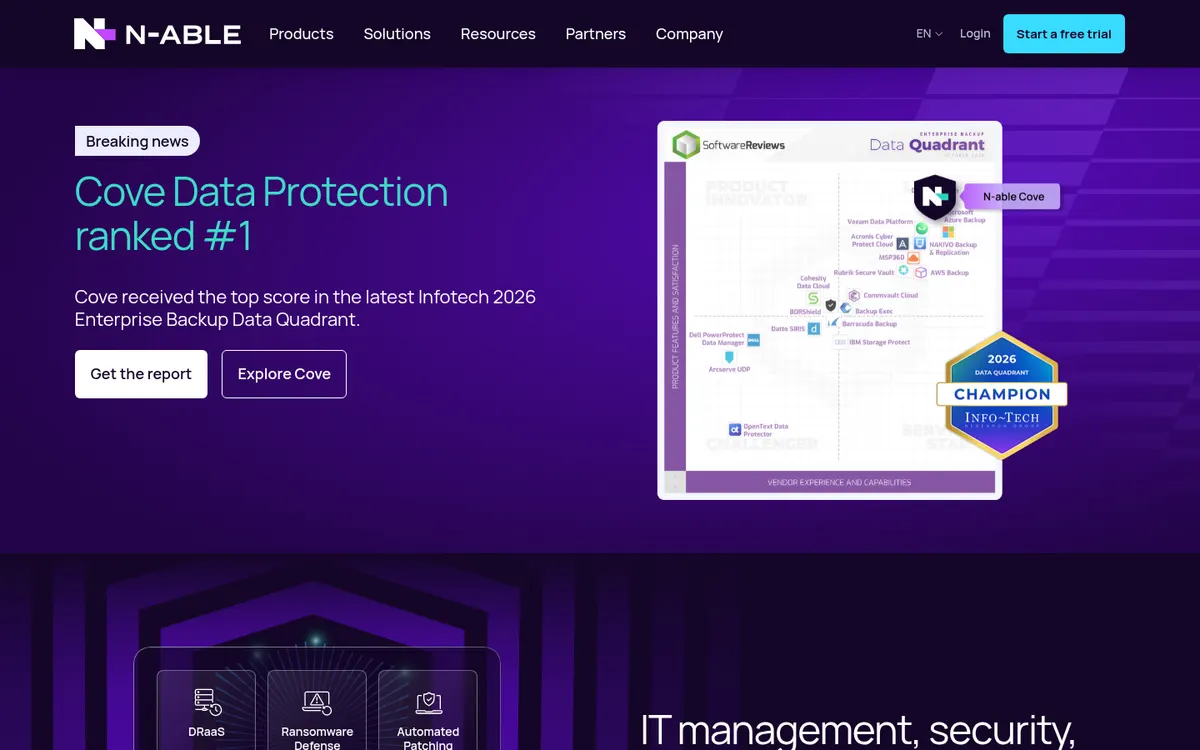
Cloud-first backup with storage bundled into the per-device license, built for MSPs that need proof a restore worked.
Cove Data Protection is built around managed service delivery. A single dashboard spans customers and devices, backup storage is included in the per-device license rather than billed separately, and Microsoft 365 protection is priced per user. TrueDelta changed-byte backup keeps transfers small, and automated recovery testing produces screenshot proof that a restore actually worked, which turns a backup report into something a customer will read.
The N-able RMM integration is the differentiator for anyone already in that ecosystem. Backup status and alerts land where technicians already work, so a failed job does not sit unnoticed in a separate portal. Cloud-first architecture means there is no local backup server to maintain.
Packaging assumes you are an MSP or an IT team managing many endpoints. The model is flat per device and per user, but no figures are published and the page only offers quote requests when checked on 2026-11-26, so cost depends on device count and the Microsoft 365 mix. Per-device pricing that looks reasonable at fifty devices becomes a real line item at two thousand, so model it at your real fleet size first.
There is a free trial. The product comes from N-able and is designed for service delivery rather than for a single-site data center.
Pick Cove if you manage endpoints across multiple customers and want storage bundled with testing proof. Skip it if you are a single company protecting servers and databases rather than devices.
You already run N-able tooling and want backup alerts inside the console your technicians watch.
Your estate is a handful of servers and you have no need for multi-tenant delivery.
Simple per-user endpoint backup at $7.33 per month with self-service restore, best for teams whose data sits on laptops.
CrashPlan backs up endpoints continuously, with a backup pass every 15 minutes, and keeps unlimited storage with no file size restrictions. Version retention is tunable, self-service restore lets users pull back their own files, and the admin console handles server backup and Google Workspace backup as well as laptops and desktops. The design assumption is that the important data lives on workstations rather than in a data center.
That assumption is also the limit. This is not a platform for protecting large virtual estates or databases with tight recovery point objectives; it is a product for making sure a stolen laptop does not take a quarter of work with it. Continuous capture and self-service restore reduce help desk tickets, which is the practical benefit most small teams actually feel.
Pricing is the clearest in this list. The small business plan is $7.33 per user per month, billed annually at $88, and there is a 14-day free trial. Advanced features require higher tiers, so the entry price is the start of the conversation, not the end of it.
Pick CrashPlan if your risk is endpoints and you want predictable per-user pricing with self-service restores. Skip it if you need full data center protection, application-consistent database backups or a platform that spans hybrid cloud workloads.
Your exposure is laptops and workstations and you want a price you can forecast per employee.
You must protect databases, virtual machines or application-consistent workloads.
Unlimited endpoint backup at $99 per computer per year, with free hard-drive restores and almost no setup work.
Backblaze Computer Backup is the simplest product on this list. Install a client on a Mac or Windows machine, and it continuously backs up user-generated files with no limits on file size or type. Restores run through the web, and the vendor will mail you a hard drive with your data on it at no charge, which matters when a full restore over a slow connection would take days.
Business Backup is $99 per computer per year, billed centrally, so a team of twenty knows the number before the first sales call. That predictability is rare in this category and is the main argument for picking it over a quote-priced platform.
The limits are administrative. Basic plans offer limited admin controls, and single sign-on, advanced administration and lockdown features require the Enterprise Control upgrade. The product protects endpoints, not servers, virtual machines or SaaS applications, so it complements rather than replaces an enterprise platform.
There is a free trial. For remote workers and small teams whose exposure is a laptop full of files, this covers the job with almost no setup. For anyone with databases, retention policies or compliance obligations that require provable recovery, it is one layer rather than a whole answer.
Pick Backblaze if you want unlimited endpoint backup at a fixed annual price and free drive restores. Skip it if you need server, virtual machine or SaaS coverage from the same tool.
You want unlimited endpoint coverage at a published annual rate and a restore path that survives a bad connection.
You need SSO, advanced admin controls and server or SaaS coverage out of the box.
Data protection software covers the job of keeping a copy of your data somewhere else and getting it back when the original is lost, corrupted, encrypted or deleted. The best data protection software for a given team is the one whose recovery path matches the failure you are most likely to face, and whose pricing model matches how your organization buys.
The category splits into three rough groups:
Two distinctions matter more than any feature list. First, backup and disaster recovery are not the same thing: backup is the copy, disaster recovery is the tested process for running your business from that copy. Second, immutability is what stops an attacker who has administrative credentials from deleting your backups before demanding payment. A backup you can delete is not a ransomware defense, which is why air-gapped and immutable storage show up so often in the entries above.
This comparison sits on the Security desk. Readers comparing neighbouring stacks often check our guides to brand protection software and AI tools for sales prospecting next.
Pricing in this category follows four models, and which one you land in shapes the evaluation more than any single feature.
| Model | How it bills | Typical fit | Example from this list |
|---|---|---|---|
| Per user, per month | Annual commitment, billed per seat | Endpoint and SaaS protection for small teams | CrashPlan at $7.33 per user per month, billed annually at $88 |
| Per computer, per year | Annual, billed centrally | Remote workers and small fleets | Backblaze Computer Backup at $99 per computer per year |
| Per device with storage included | Flat per-device license, quote only | MSPs managing many endpoints | Cove Data Protection |
| Quote-based enterprise platform | Custom quote, editions published without prices | Large hybrid and multi-cloud estates | Veeam Data Platform, Commvault Cloud, Rubrik Security Cloud |
Two patterns are worth internalizing. Published prices cluster around endpoints because the unit is easy to count. Quote prices cluster around platforms because the unit is not. When a vendor says custom quote, the number will move with workload count, retention length and which recovery features you switch on, so ask for the quote to be itemized by those three things.
The second pattern is that bundled storage changes the comparison. Cove includes backup storage in the per-device license, while an enterprise quote often separates compute, storage and support. Normalize before comparing: three years of retention at your data volume, plus support, is the number that matters.
All figures checked on 2026-11-26. Where no price was published, none is shown.
Every price above was checked on the vendor's own pricing page on November 25, 2026. Where a vendor does not publish a figure we write "See website" instead of guessing. To compare annual and monthly billing quickly, try the free percentage calculator.
They differ in what they protect and how you buy them. Enterprise platforms such as Veeam, Commvault and Rubrik cover virtual machines, databases, Kubernetes and cloud from one control plane, add immutable copies and recovery orchestration, and price by quote. Small-business tools such as Backblaze and CrashPlan protect laptops and a few SaaS applications at a published per-user or per-computer rate.
Endpoint backup publishes a number; enterprise platforms usually do not. CrashPlan lists $7.33 per user per month billed annually at $88, and Backblaze Business Backup lists $99 per computer per year. Veeam, Commvault, Rubrik, Druva, Acronis and Cove published no figure when checked on 2026-11-26, so their cost depends on a quote built from workloads and editions.
Immutable backup is a copy that cannot be altered or deleted for a set period, even by someone with administrative credentials. That matters because ransomware operators routinely hunt for backup repositories before they encrypt production data. Veeam, Rubrik and Druva all call out immutable or air-gapped storage, which turns a backup from a soft target into a recovery path you can rely on.
Yes, in most cases. Microsoft 365, Google Workspace and Salesforce protect their own infrastructure, not your deleted records, retention mistakes or accidental overwrites. Druva covers AWS, Microsoft 365 and Salesforce, Cove prices Microsoft 365 protection per user, and CrashPlan includes Google Workspace backup. Vendor retention windows are short, so a separate copy is the only way back to data deleted months ago.
Backup is the copy; disaster recovery is the tested process of running on it. A backup job that reports success tells you data was written, not that the application will start from it. Clean-room validation in Veeam, pre-calculated clean recovery points in Rubrik and screenshot proof of restore in Cove all exist to close that gap. Untested backups are a hypothesis, not a plan.
Match frequency to how much work you can afford to redo. CrashPlan runs a backup pass every 15 minutes and Backblaze backs up continuously, which suits endpoints where the recovery point is measured in files. Servers and databases usually need a schedule tied to application consistency, so set policy per workload rather than one global interval.
Browse every comparison on the Security desk, with the same rubric and dated prices.